
Tablet or Laptop: Choosing the Right Device for How You Actually Work
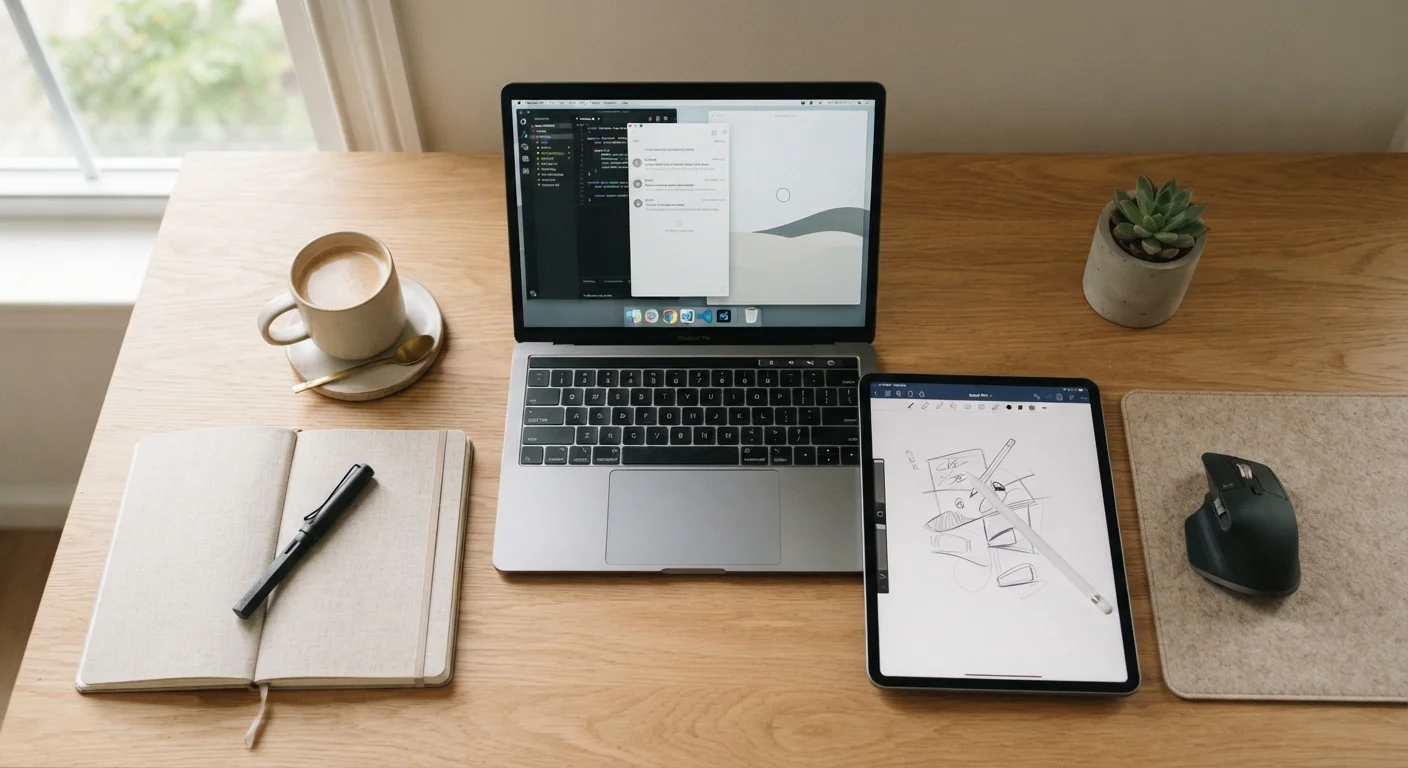
Photo credit: GadgetLite.net | All Things Tech
In this article
Tablets have grown more capable, but laptops haven't stood still. Here's a clear-headed look at which suits different everyday tasks.
Key Takeaways
- Tablets excel at portability, media consumption, and touch-driven tasks like drawing or note-taking.
- Laptops remain stronger for multitasking, complex software, and extended keyboard-heavy work.
- Detachable keyboard accessories can bridge the gap but rarely replicate a true laptop experience.
- Your primary use case — not specs alone — should drive the decision.
- Some users genuinely benefit from owning both; others can meet all needs with one well-chosen device.
What's Actually Changed in This Debate
For years, the tablet-versus-laptop question had a fairly clean answer: tablets for casual use, laptops for real work. That line has blurred. High-end tablets now ship with desktop-class chips, optional keyboards, and software that handles genuine productivity tasks. Laptops, meanwhile, have gotten thinner and lighter — chasing some of what made tablets appealing in the first place.
But hardware convergence doesn't mean the devices are interchangeable. Each still makes distinct trade-offs in how it handles input, software, and sustained work. Understanding those trade-offs — not just comparing spec sheets — is what leads to a decision you won't regret.
For a broader look at how portable computers stack up against stationary ones, see our breakdown of desktop vs. laptop trade-offs.
| Criterion | Tablet | Laptop |
|---|---|---|
| Portability | Lighter, easier to hold one-handed | Heavier, requires a surface to use |
| Keyboard experience | Optional, typically shallow keys | Built-in, full key travel |
| Software depth | Mobile/hybrid OS, some app gaps | Full desktop OS, broad app support |
| Touch & stylus input | Native, well-optimized | Limited or via add-on hardware |
| Multitasking | Improving but still constrained | Strong multi-window support |
| Battery life (light use) | Generally longer in media tasks | Varies; shorter in heavy workloads |
| Peripheral connectivity | Limited ports, often needs adapters | More ports, easier peripheral setup |
| Professional software | Limited to mobile equivalents | Full desktop application access |
Where Tablets Genuinely Win
Tablets have a real edge in three areas: weight, touch interaction, and media consumption. A slate-style device is easier to hold for extended reading, more comfortable on a plane tray table, and naturally suited to stylus input for sketching or annotating PDFs.
Battery life in light-use scenarios — streaming, browsing, reading — also tends to favor tablets, partly because the hardware is optimized for touch-first, lower-intensity workloads. If your typical session involves consuming content rather than producing it, that matters.
Touch-native apps for drawing, music production, and annotation have also matured significantly. For creatives working in those specific areas, a tablet with a quality stylus can be a more direct tool than a laptop with a trackpad.
~1.5 lbs
Typical weight of a modern 11-inch tablet
Most mainstream tablets in the 10–11 inch range weigh between 1 and 1.5 pounds without a keyboard case attached.
~3–4 lbs
Typical weight of a 13–14 inch laptop
Standard 13–14 inch laptops generally fall in the 2.8–4 pound range, with ultrabooks at the lighter end.
That said, the tablet vs. smartphone decision is worth thinking through separately — for some users, a larger phone already covers what they'd use a tablet for.
Where Laptops Still Hold the Advantage
Keyboards matter more than marketing suggests. Laptop keyboards — with proper key travel, a stable base, and decades of ergonomic refinement — remain meaningfully better for extended writing than even the best detachable tablet keyboards. If you type for hours, that difference is physical and real.
Software depth is the other major factor. Windows and macOS give access to full desktop applications: professional video editors, development environments, complex spreadsheet tools, and legacy software that simply doesn't have tablet equivalents. iPadOS and Android have closed the gap in many areas, but not all.
File management, peripheral compatibility, and multi-window multitasking also remain more fluid on laptops. Connecting an external monitor, managing a project folder across apps, or running two resource-intensive programs simultaneously is still a smoother experience on a traditional laptop. See our guide on which laptop ports actually matter for context on connectivity trade-offs.
For those weighing laptop form factors, our guide to choosing laptop screen size covers how display size affects the overall experience.
Operating System Shapes More Than You Think
The choice between a tablet and a laptop often comes down to operating system as much as form factor. iPadOS, Android, and Windows each impose different constraints on what software runs and how files are managed. Before committing to either device type, it's worth identifying whether your essential apps have full-featured versions on the platform you're considering — not just mobile companions.
The Hybrid Middle Ground — and Its Limits
Detachable keyboards and 2-in-1 laptops have tried to claim the middle ground. They're worth considering — but with clear eyes about what they sacrifice. Tablet keyboards typically have shallower key travel and need a flat surface to work well. Convertible laptops that fold into tablet mode are heavier and thicker than standalone tablets.
If your work splits genuinely evenly between intensive typing and touch-based tasks, a 2-in-1 laptop may be the most practical compromise. If you're primarily a note-taker or content consumer who occasionally needs to write a document, a tablet with a keyboard cover is probably sufficient. But if keyboard work dominates your day, neither hybrid fully replaces a dedicated laptop.
The thin-and-light laptop trade-offs article covers the portability-versus-capability balance in more detail. And if you're wrestling with operating system choices alongside this decision, our comparison of Windows, macOS, and ChromeOS is a useful complement.

Author
Releases Editorial Team
Releases Editorial Team is the collective byline for our editorial team and contributor network. Articles published under this byline or an editorial pen name are researched, written, and reviewed according to our editorial standards for clarity, consistency, and independence before publication.
View all articles →