
App Subscriptions: What You're Agreeing to Before You Tap 'Continue'
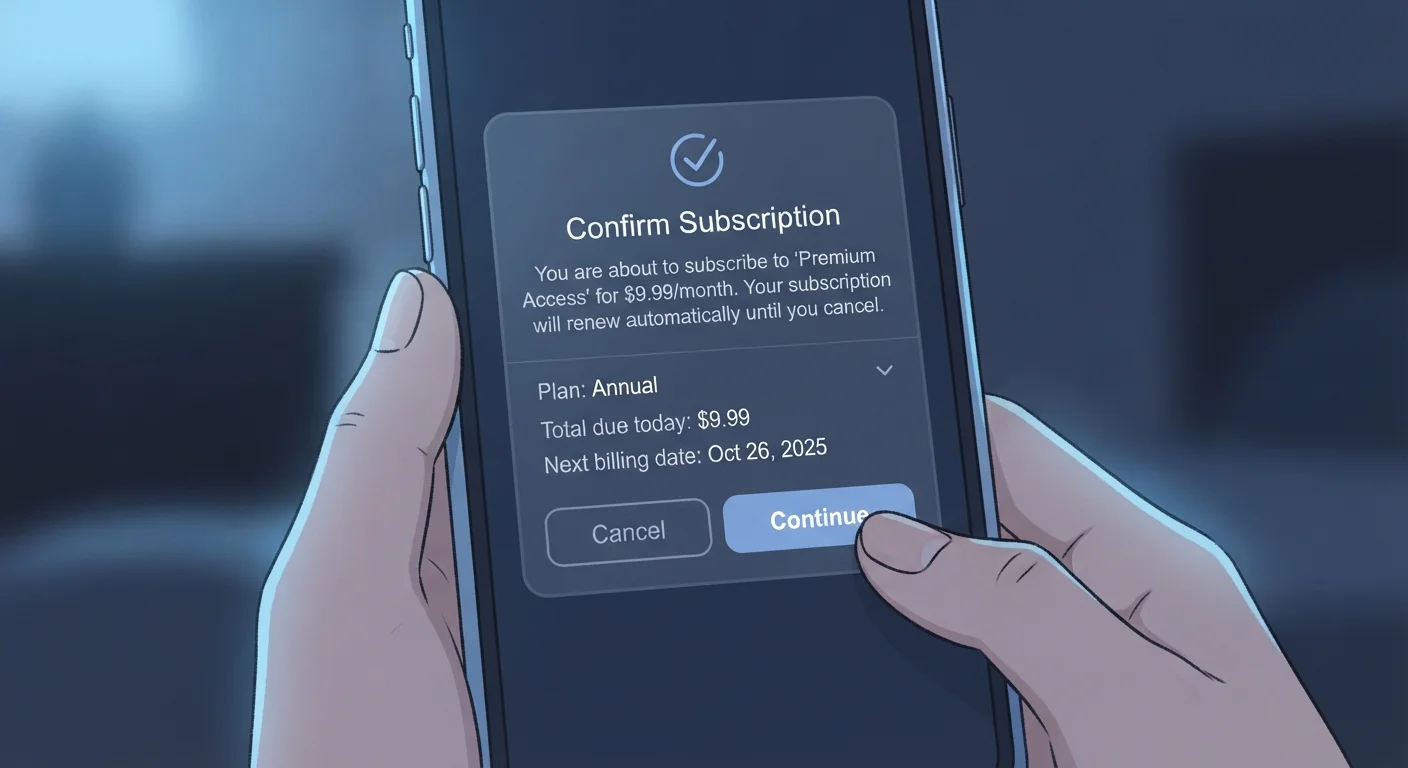
Photo credit: GadgetLite.net | All Things Tech
In this article
A clear guide to how in-app subscriptions work, what free trials really mean, and how to avoid unexpected charges.
Key Takeaways
- Tapping 'Continue' on a subscription prompt is a legally binding agreement to recurring charges.
- Free trials automatically convert to paid plans unless you cancel before the trial ends.
- Subscriptions purchased through an app store are managed and cancelled in that store - not in the app itself.
- Most apps do not send reminders before a free trial converts or a renewal processes.
- Reading the pricing screen carefully - not just the feature list - prevents most surprise charges.
How In-App Subscriptions Actually Work
An in-app subscription is a recurring payment - weekly, monthly, or annually - that unlocks features or content inside an app. Unlike a one-time purchase, you pay repeatedly for ongoing access. Stop paying, and access typically stops too. This model now covers everything from fitness coaches and meditation apps to PDF editors and cloud storage.
Most subscriptions are processed through one of two pipelines: your app store account (Apple App Store or Google Play) or a direct payment to the developer via their own billing system. Which path your subscription takes matters, because it determines where you manage and cancel it. For a broader look at how this fits into software pricing overall, see our guide on how software pricing models work.
Auto-renewal
A setting - on by default for most subscriptions - that automatically charges you and extends your subscription at the end of each billing period without requiring you to do anything.
Free trial
A limited-time period of free access to a paid plan. Payment details are collected upfront, and billing begins automatically when the trial ends unless you cancel first.
In-app purchase
Any transaction made from within an app - this includes both one-time purchases and recurring subscription payments.
Billing cycle
The repeating interval - such as weekly, monthly, or yearly - at which your subscription renews and your payment method is charged.
Terms of Service
The legal agreement between you and the app developer that outlines the rules of using the app, including how subscriptions, refunds, and cancellations work.
What 'Free Trial' Really Means
A free trial gives you temporary access to a paid tier - but it nearly always requires entering payment information upfront. The moment the trial period ends, billing starts automatically. The app is not required to remind you, and most don't.
Trial lengths vary: three days, seven days, and fourteen days are common. Some apps offer a longer trial at a higher annual price point, banking on the fact that many users forget to cancel in time. The key detail to notice is the trial end date, not just the trial length. Set a calendar reminder at least 24 hours before it expires - that buffer gives you time to cancel before the next billing cycle processes.
Most apps won't remind you before charging
Apple and Google require developers to disclose subscription terms before purchase, but neither platform mandates a reminder email when a free trial is about to convert. Don't rely on a notification to prompt you - set your own reminder as soon as you start any trial.
What You're Agreeing To in the Fine Print
When you tap 'Continue' or 'Start Free Trial,' you're agreeing to the app's Terms of Service and its stated pricing. That agreement typically covers: the recurring charge amount, the billing frequency, the cancellation policy, and what happens to your data and access if you cancel.
Two things catch users off guard most often. First, price increases: many subscription terms allow the developer to raise the price with limited notice - sometimes as little as 30 days. Second, auto-renewal language: subscriptions renew automatically unless you actively cancel. Neither of these are hidden - they're in the terms you agreed to.
It's also worth knowing that the subscription agreement is separate from the app's privacy policy, which governs what data the app collects. For guidance on navigating those documents, see how to read an app's privacy policy without losing your mind.
Screenshot the pricing screen before you subscribe
Before tapping 'Continue,' take a screenshot of the subscription pricing screen. It shows the exact amount, billing frequency, and trial end date you agreed to. This is useful if you need to dispute a charge later or simply want a record of what you signed up for.
How to Cancel and Avoid Surprise Charges
The most important rule: cancel through wherever you subscribed. If you signed up via the App Store, cancel in Settings on your iPhone. If you used Google Play, cancel inside the Play Store app. If you signed up directly on the developer's website, you must cancel there - your app store has no record of that billing relationship.
- iPhone/iPad: Settings > > Subscriptions
- Android: Google Play Store > Profile icon > Payments & subscriptions > Subscriptions
- Developer-direct: Log into your account on the app's website and look for a Billing or Subscription section
Remember: deleting the app does not cancel the subscription. The charge will continue until you cancel through the correct channel.
Deciding Whether a Subscription Is Worth It
Before tapping 'Continue,' ask three quick questions: How often will I actually use this? Does the free version cover what I need? And what's the real annual cost?
That last question matters more than it seems. An app priced at $3.99 per week costs over $200 annually - far more than a $29.99 yearly plan for the same features. Apps often lead with the weekly figure because it looks small. Always convert to annual cost before deciding.
If you're unsure whether a paid tier adds meaningful value, our overview of free vs. paid app versions walks through what each tier realistically offers. And if you're ever uncertain how much weight those terms and agreements carry, how software licences work explains what you're actually bound to when you agree.
Apple Subscriptions Management
Apple's built-in subscriptions screen lets you view, manage, and cancel any App Store subscription directly from your iPhone or iPad settings.
Google Play Subscriptions Center
Google Play's subscriptions section gives Android users a central place to review active plans, see renewal dates, and cancel subscriptions purchased through the Play Store.
App Privacy & Safety Hub
Our App Privacy & Safety hub collects practical guides on protecting your data, understanding permissions, and using apps more safely.
Frequently Asked Questions

Author
Apps & Software Editorial Team
Apps & Software Editorial Team is the collective byline for our editorial team and contributor network. Articles published under this byline or an editorial pen name are researched, written, and reviewed according to our editorial standards for clarity, consistency, and independence before publication.
View all articles →