
Everything You Need to Know About Phishing Attacks
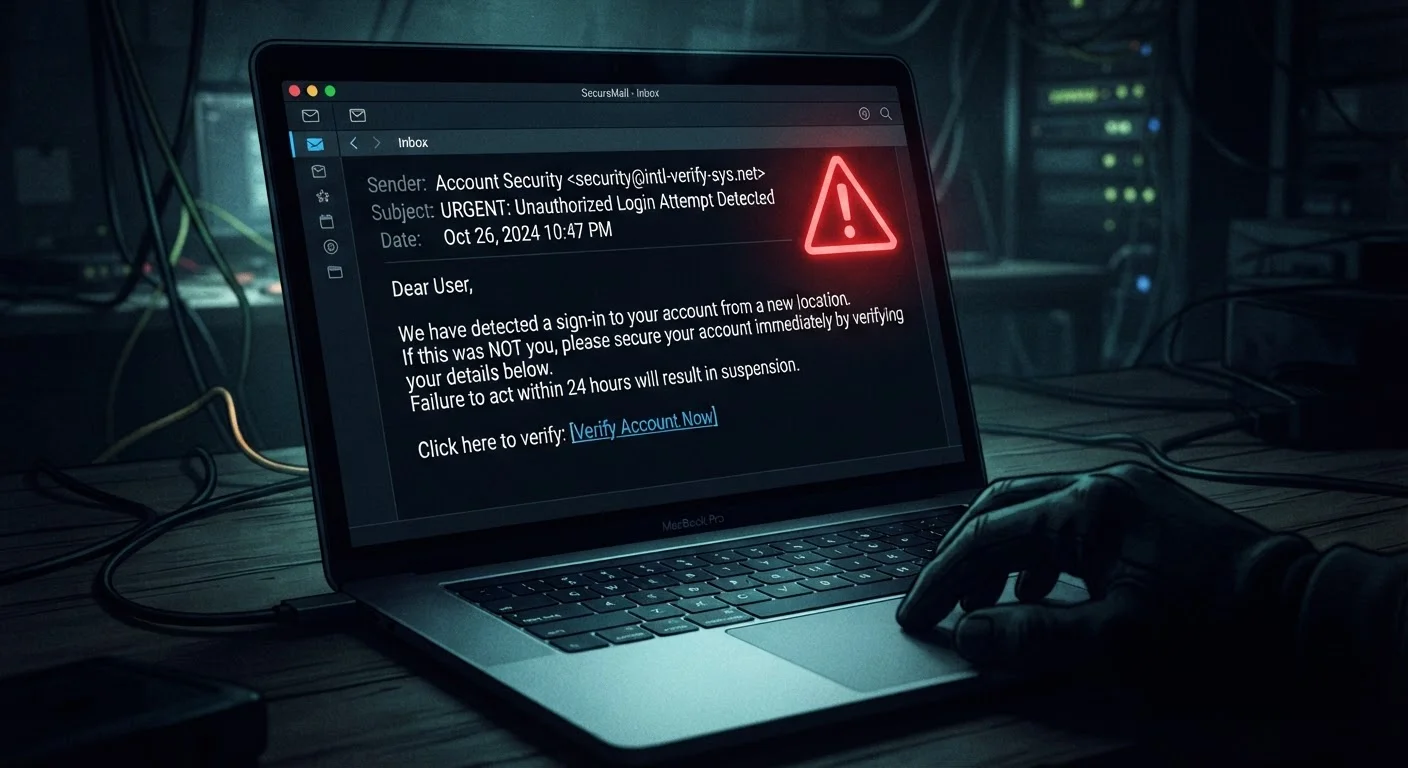
Photo credit: GadgetLite.net | All Things Tech
In this article
Phishing is the most common way accounts get stolen. This end-to-end guide explains how attacks work and how to reliably spot them.
Key Takeaways
- Phishing tricks people into handing over credentials by impersonating trusted sources.
- Attackers exploit urgency and fear - pausing before clicking is your first line of defense.
- Most phishing emails contain detectable red flags like mismatched sender addresses and odd URLs.
- Enabling multi-factor authentication limits damage even if your password is stolen.
- Reporting phishing attempts helps protect others in your organization and community.
What Is Phishing?
Phishing is a type of digital fraud where an attacker impersonates a trusted person, business, or institution to trick you into revealing sensitive information - such as your password, credit card number, or Social Security number. The name is a play on "fishing": attackers cast wide nets hoping someone takes the bait.
It remains the most prevalent entry point for account takeovers. According to the FBI's Internet Crime Complaint Center (IC3), phishing consistently ranks as one of the top reported cybercrime types in the United States each year. Understanding it is foundational to staying safe online - explore the full Scams & Phishing hub to broaden your knowledge beyond email alone.
#1
Most reported cybercrime type (FBI IC3)
The FBI's Internet Crime Complaint Center consistently lists phishing as the top reported cybercrime category in its annual reports.
3.4B
Phishing emails sent daily (estimated)
Industry estimates suggest billions of phishing emails are sent every day, making it the most common vector for credential theft worldwide.
74%
Of breaches involve a human element
According to Verizon's Data Breach Investigations Report, the majority of data breaches involve phishing, pretexting, or other human-targeted tactics.
How Phishing Attacks Are Constructed
A phishing attack has several moving parts, all designed to make you act without thinking. Attackers typically:
- Choose a target audience - either broad (any Gmail user) or narrow (employees of a specific company).
- Clone a trusted brand - copying logos, color schemes, and email templates from banks, shipping services, or social platforms.
- Craft an urgent scenario - "Your account will be suspended," "Unusual sign-in detected," or "Your package is on hold."
- Create a fake landing page - a website that looks identical to the real one but captures everything you type.
- Send the message - via email, SMS (smishing), phone call (vishing), or even social media.
To understand exactly what happens the moment you interact with one of these links, see our companion piece: what actually happens when you click a suspicious link.
Lookalike Domains Are Designed to Fool You
Attackers register domains that differ from the real one by just one character - replacing an 'l' with a '1', or adding a hyphen. Always inspect the full URL carefully before entering any credentials. If you're unsure, navigate to the site by typing the address yourself.
The Most Common Types of Phishing
Not every phishing attempt looks the same. Here are the variants you're most likely to encounter:
- Email phishing
- Mass emails impersonating banks, streaming services, or delivery companies. The broadest and most common form.
- Spear phishing
- Highly personalized attacks using your name, employer, or recent activity. Far more convincing and harder to detect.
- Smishing
- Phishing via SMS text message. Often claims to be a package delivery alert or bank fraud notice.
- Vishing
- Voice phishing - a caller pretends to be tech support, the IRS, or your bank to extract information verbally.
- Clone phishing
- An attacker duplicates a real email you previously received, swapping the legitimate link for a malicious one.
Spear phishing and bulk campaigns operate very differently. Our article on targeted vs. mass phishing attacks breaks down the key differences.
How to Spot a Phishing Attempt
Most phishing messages share recognizable warning signs once you know what to look for:
- Mismatched sender address: The display name says "PayPal" but the actual email address is
support@paypa1-secure.net. - Urgency or threats: Pressure to act immediately is a manipulation tactic, not a genuine business practice.
- Generic greetings: "Dear Customer" instead of your actual name suggests a mass-sent message.
- Suspicious links: Hover over any link (without clicking) to preview the real destination URL. If it doesn't match the claimed sender's domain, don't click.
- Unexpected attachments: Legitimate companies rarely email unsolicited PDFs or ZIP files asking you to "review your account."
- Grammar and spelling errors: Professional organizations proofread their communications. Consistent errors are a red flag.
When in doubt, go directly to the source: type the company's web address into your browser manually rather than clicking any link in the message.
Fake landing pages are often visually indistinguishable from real ones. Navigating directly to the official site bypasses the attacker's link entirely.
Treat any message that creates a sense of emergency as a signal to slow down, not speed up.
Urgency is the attacker's most reliable psychological lever - recognizing it as a manipulation tactic, rather than a genuine alarm, gives you the pause needed to evaluate the message critically.
Phishing is rarely just a technical trick - it's psychological. Attackers deliberately trigger anxiety or excitement to bypass your critical thinking. Our guide on social engineering and digital fraud explains exactly how these manipulation tactics work.
What to Do If You've Been Phished
Acting quickly can limit the damage significantly. Follow these steps in order:
- Change your password immediately on the affected account, and on any other account where you reused the same password.
- Enable multi-factor authentication (MFA) - this requires a second verification step (like a code sent to your phone) so a stolen password alone isn't enough to access your account.
- Check for unauthorized activity - review recent logins, sent messages, and transactions for anything you don't recognize.
- Notify your bank or card issuer if you entered any financial information.
- Report the phishing message - forward phishing emails to
reportphishing@apwg.organd to the impersonated company's abuse team. In the US, you can also report to the FTC atreportfraud.ftc.gov.
Don't Wait to Change Compromised Passwords
If you suspect you've entered credentials on a phishing page, change that password within minutes - not hours. Attackers use automated tools to attempt logins immediately after harvesting credentials. Every minute of delay increases the chance of unauthorized access.
Phishing is one of several ways attackers break into accounts. Learn about lesser-known account takeover tactics so you can defend against the full threat landscape.
Building Long-Term Phishing Resistance
One-time vigilance isn't enough - the threat evolves constantly. These habits, practiced consistently, significantly reduce your exposure:
- Use a password manager to generate and store unique passwords for every account, removing the risk of credential reuse.
- Enable MFA on every account that offers it, prioritizing email, banking, and social media.
- Pause before clicking any unexpected link - even from a known contact, since their account may have been compromised.
- Keep your devices and apps updated; security patches close vulnerabilities that phishing follow-up malware often exploits.
- Stay informed about new phishing variants - attackers adapt quickly to current events and trending topics.
Small, repeatable behaviors compound over time into genuine resilience. Our piece on everyday habits that reduce phishing risk offers a practical, routine-based approach. For app-specific privacy guidance, visit the App Privacy & Safety hub.
Use a Password Manager for Phishing Protection
Password managers autofill credentials only on the exact domain they were saved for. If you land on a fake page, the manager won't autofill - giving you an automatic second opinion that something is wrong. This passive protection works even when you don't notice the URL mismatch yourself.

Author
Cyber Security Editorial Team
Cyber Security Editorial Team is the collective byline for our editorial team and contributor network. Articles published under this byline or an editorial pen name are researched, written, and reviewed according to our editorial standards for clarity, consistency, and independence before publication.
View all articles →