
Desktop vs. Laptop for Home Use: The Real Trade-Offs in 2020s Computing
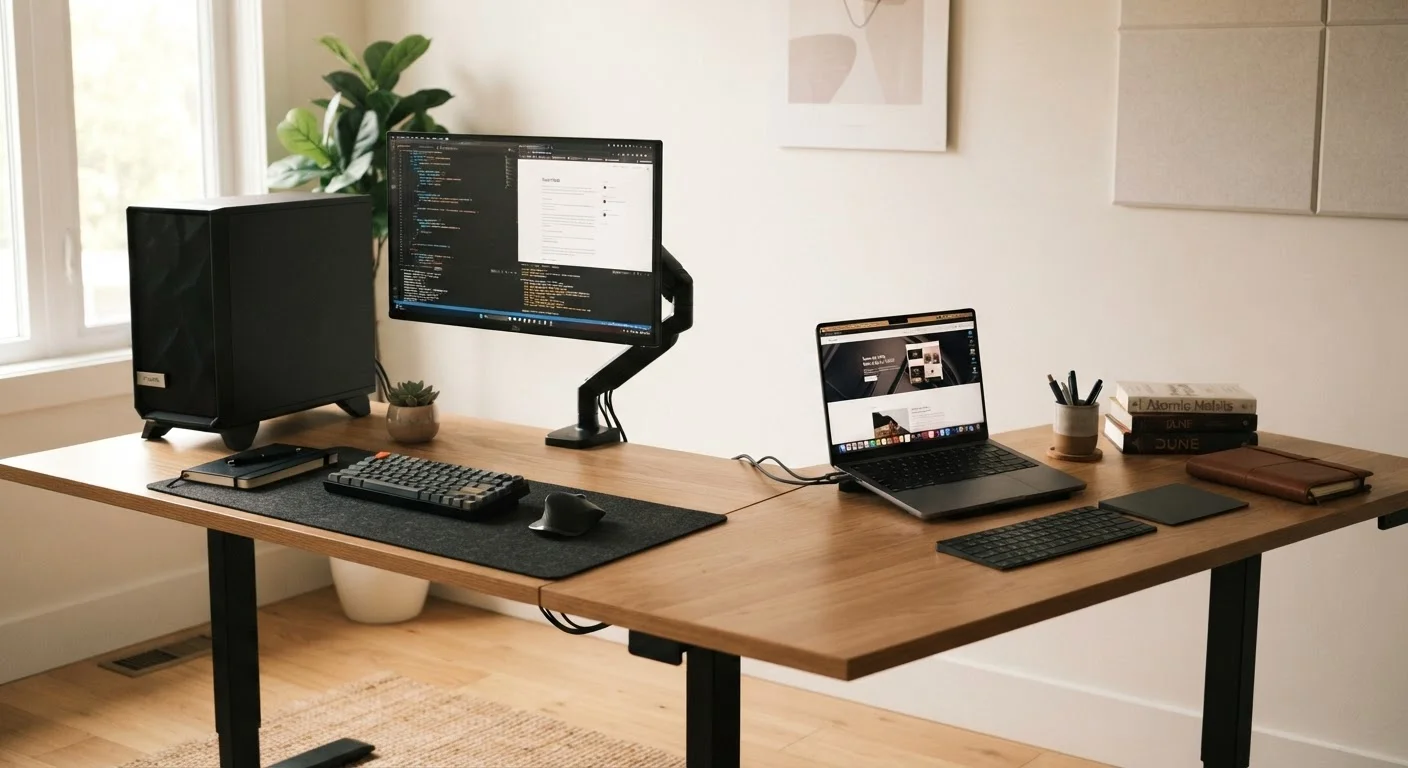
Photo credit: GadgetLite.net | All Things Tech
In this article
Power, flexibility, and cost all weigh differently depending on how you work and live. A balanced look at choosing between a desktop and a laptop.
Key Takeaways
- Desktops generally deliver more performance per dollar and are easier to upgrade over time.
- Laptops offer mobility and a smaller footprint, making them practical for flexible home setups.
- Most home users don't need a desktop's peak power — but some tasks still benefit from it.
- Upgradeability and repairability favor desktops; convenience and space savings favor laptops.
- Your daily habits and physical setup matter more than any single spec comparison.
More performance per dollar spent
Desktop components run cooler and at higher sustained speeds than laptop equivalents at the same price point, delivering noticeably faster performance on demanding tasks.
Easier and cheaper to upgrade
RAM, storage, and graphics cards can typically be swapped or added in a desktop tower, extending the usable life of the machine by years.
Better ergonomic flexibility
Separate monitor, keyboard, and mouse allow for a fully customized workspace — screen height, keyboard angle, and input devices can each be optimized independently.
More ports and connectivity options
Desktops generally include a wider range of built-in ports and expansion slots, reducing dependence on docks or adapters for peripherals.
Easier to repair when something fails
Individual components can be replaced in most desktop towers, whereas laptop repairs often require specialized tools or professional service.
No built-in portability
A desktop is a fixed installation — moving it between rooms or locations requires unplugging and reassembling cables, monitors, and peripherals every time.
Requires more physical space and cable management
A full desktop setup — tower, monitor, keyboard, mouse, and associated cables — occupies significantly more space than a single laptop, which matters in smaller homes.
No battery backup by default
Desktops lose power immediately during an outage unless paired with a separate UPS device, which adds cost and complexity.
Higher upfront peripheral costs
A desktop purchase requires a separate monitor, keyboard, and mouse — costs that are bundled into a laptop by default and can add up quickly.
Why This Choice Still Matters in the 2020s
Smartphones and tablets have taken over for many light tasks, but for anything that requires sustained productivity — editing documents, managing finances, creative projects, or gaming — a dedicated PC remains the reliable workhorse. The question is whether that PC sits on your desk permanently or travels with you room to room.
The desktop vs. laptop debate has shifted considerably. Laptops are now fast enough for most home users, and the price gap has narrowed. But real differences in performance, upgradeability, and ergonomics still exist. Understanding those differences — rather than defaulting to marketing language — is what leads to a purchase you won't regret. For a broader look at how device trade-offs play out beyond computers, see how wired and wireless trade-offs work across everyday devices.
The Case for Desktops
Desktops offer the best performance-to-dollar ratio available in consumer computing. A mid-range desktop can outperform a similarly priced laptop on processor-heavy tasks simply because it has more room for cooling — and better cooling means components can run faster for longer without throttling (automatically slowing down to manage heat).
More performance per dollar spent
Desktop components run cooler and at higher sustained speeds than laptop equivalents at the same price point, delivering noticeably faster performance on demanding tasks.
Easier and cheaper to upgrade
RAM, storage, and graphics cards can typically be swapped or added in a desktop tower, extending the usable life of the machine by years.
Better ergonomic flexibility
Separate monitor, keyboard, and mouse allow for a fully customized workspace — screen height, keyboard angle, and input devices can each be optimized independently.
More ports and connectivity options
Desktops generally include a wider range of built-in ports and expansion slots, reducing dependence on docks or adapters for peripherals.
Easier to repair when something fails
Individual components can be replaced in most desktop towers, whereas laptop repairs often require specialized tools or professional service.
Upgradeability is perhaps the most underrated advantage. Adding RAM, swapping a storage drive, or installing a more powerful graphics card (the chip that handles visual output and gaming) is straightforward on most desktop towers. That makes a desktop purchase a longer-term investment. If your work involves video editing, 3D rendering, or PC gaming, understanding when dedicated graphics actually matter is worth reading before committing to either form factor.
The Case for Laptops
For most home users, a modern mid-range laptop handles everyday computing — web browsing, video streaming, office work, light photo editing — without any meaningful compromise. The performance difference between a laptop and desktop only becomes noticeable under sustained, heavy workloads.
No built-in portability
A desktop is a fixed installation — moving it between rooms or locations requires unplugging and reassembling cables, monitors, and peripherals every time.
Requires more physical space and cable management
A full desktop setup — tower, monitor, keyboard, mouse, and associated cables — occupies significantly more space than a single laptop, which matters in smaller homes.
No battery backup by default
Desktops lose power immediately during an outage unless paired with a separate UPS device, which adds cost and complexity.
Higher upfront peripheral costs
A desktop purchase requires a separate monitor, keyboard, and mouse — costs that are bundled into a laptop by default and can add up quickly.
The practical advantages of a laptop are significant. It takes up less physical space, works without a nest of cables, and can move from desk to couch to kitchen table. For anyone in a smaller home or apartment, that flexibility isn't trivial. If you're leaning toward a laptop, screen size is one of the most consequential decisions — and one that's easy to get wrong.
Battery life also acts as a built-in UPS (uninterruptible power supply) — your work survives a brief power outage automatically, something a desktop requires separate hardware to achieve.
The Trade-Offs That Actually Decide It
Strip away the spec sheets and three practical questions cut through the noise:
- Do you need portability within your home? If your computing happens in one fixed spot, portability adds cost without adding value.
- How long do you want this machine to last? Desktops can be upgraded incrementally; most laptops cannot. A laptop that feels fast today may feel sluggish in four years with no practical fix.
- What software are you running? Cloud-based tools have reduced the need for local processing power. If most of your work lives in a browser, the distinction shrinks considerably — see cloud vs. desktop software trade-offs for more on that shift.
All-in-One Desktops Are a Middle Ground
All-in-one PCs (where the computer components are built into the monitor) reduce cable clutter and space requirements significantly. However, they typically share the upgradeability limitations of laptops — most components are soldered or difficult to access. They're worth considering if space is a concern but you still want a stationary setup, though the trade-offs resemble laptops more than traditional towers.
It's also worth comparing across form factors entirely. Tablets have closed the gap on light laptop tasks — mapping a tablet vs. laptop to your actual tasks can clarify whether a full PC is even necessary. And for desktop users thinking about port connectivity on a potential laptop upgrade, which laptop ports genuinely matter is a practical next step.

Author
Releases Editorial Team
Releases Editorial Team is the collective byline for our editorial team and contributor network. Articles published under this byline or an editorial pen name are researched, written, and reviewed according to our editorial standards for clarity, consistency, and independence before publication.
View all articles →