
Choosing a Laptop Screen Size Without Regretting It Later
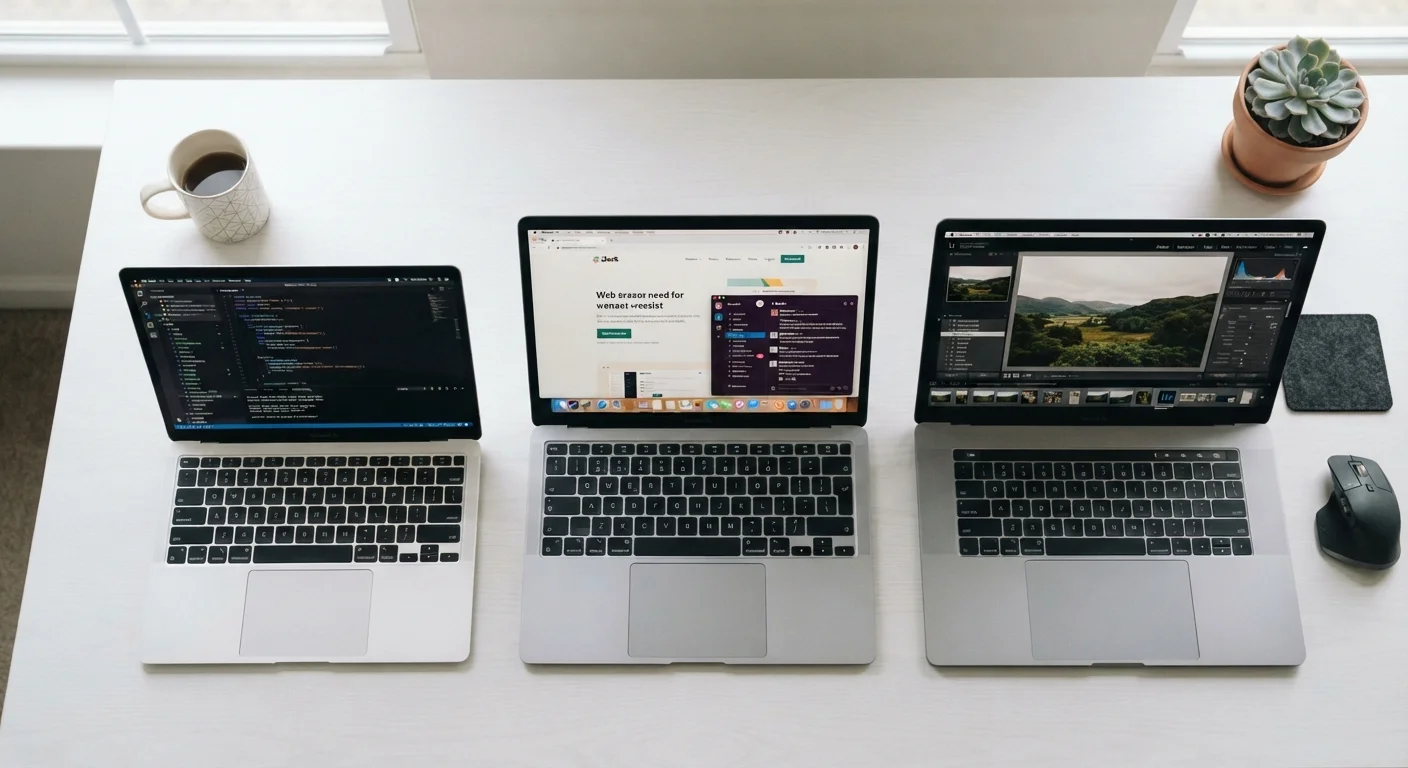
Photo credit: GadgetLite.net | All Things Tech
In this article
Screen size affects portability, comfort, and how you actually use a laptop. Here's how to reason through the right size for your habits.
Key Takeaways
- Screen size directly affects how portable your laptop feels in daily use.
- Most users are best served by screens between 13 and 15.6 inches.
- Your primary work surface — desk, lap, or on the go — should drive your decision.
- Larger screens add weight and reduce battery life, not just physical bulk.
- A mismatch between screen size and use case causes buyer's remorse more than any other spec.
Why Screen Size Is the Decision Most People Get Wrong
Laptop buyers tend to focus on processor speed, RAM, and storage — specs that are measurable and easy to compare. Screen size feels like a preference, something you'll adapt to. In practice, it's the one specification that shapes every hour you spend with the machine: how far you lean in, whether your back complains after a long session, whether the laptop fits in the bag you already own.
The laptop market has quietly settled into four broad size categories: compact models around 13 inches, mainstream 14-inch machines, workhorse 15.6-inch models, and large-format 17-inch systems. Each category involves real trade-offs in weight, battery life, and ergonomics — not just screen area. Understanding what each bracket actually delivers helps you choose a size you won't second-guess six months in.
Tape measure or ruler
Physically mock up different screen dimensions on your current desk or bag to reality-check size choices.
Your current laptop or tablet
Use it as a size reference point — note what you find too small or too large about it.
Your daily carry bag
Check whether a given laptop footprint physically fits before committing to a size.
If you're also weighing whether a laptop is the right form factor at all, the tablet or laptop guide covers that decision in detail.
How to Pick the Right Size — Step by Step
What you will need
Identify your primary use location
Before looking at any spec sheet, answer one question honestly: where will this laptop be open and running most hours of the week? The three common patterns are a fixed desk setup, a moving-around-the-house setup, and a genuine on-the-go setup that involves bags, trains, and airports.
Fixed desk users can tolerate — and often benefit from — a 15.6-inch or larger screen because portability is rarely a daily concern. Frequent travelers feel that size difference every single day in strap strain and bag fit.
Map screen size to your task type
Different tasks genuinely benefit from different screen real estate. Spreadsheet work, video editing, and side-by-side window layouts are noticeably more comfortable on 15–16 inch screens. Writing, browsing, and video calls work well on 13–14 inch screens with far less visual compromise than most people expect.
If your workflow involves only a single app at a time, a smaller screen costs you almost nothing. If you routinely park two windows side by side, going below 14 inches creates real friction.
Weigh the real portability cost
Manufacturers list laptop weights in the specs, but few buyers internalize what those numbers feel like after a 40-minute commute. As a rough guide: 13-inch laptops typically fall under 3 lbs; 14-inch models cluster around 3–3.5 lbs; 15.6-inch models often run 4–5 lbs; and 17-inch machines frequently exceed 5.5 lbs.
Beyond weight, a larger chassis needs a larger charger and a wider bag compartment. The full portability trade-off breakdown covers what else changes when you size up or down.
Factor in external monitor use
If you'll connect an external monitor at a desk, your laptop's built-in screen becomes primarily a travel companion — not your main workspace. In that scenario, a 13 or 14-inch model often makes more sense than a 15.6-inch machine, because the desk screen handles the heavy visual lifting and you're optimizing the laptop purely for mobility.
If you'll never use an external monitor, the laptop screen is your only screen. That shifts the calculus toward something larger, since every hour of work happens on that display alone.
Check physical fit before deciding
Use a tape measure to mark out the footprint of your target screen size on a piece of paper or cardboard, then place it in your bag, on your desk, and in your lap. Laptop footprints are significantly larger than the screen diagonal because bezels, keyboard decks, and chassis add meaningful width and depth — a 15.6-inch display typically sits inside a chassis close to 14 inches wide.
This step sounds obvious but prevents a common regret: buying a 17-inch machine only to discover it doesn't fit on a tray table or inside the bag you use every day.
Decide whether a different device category fits better
Sometimes the right answer isn't a different screen size — it's a different form factor entirely. If your use case is primarily content consumption, light note-taking, and video calls, a tablet might handle your needs with less bulk. The tablet vs. laptop comparison maps specific tasks to the right tool clearly.
Similarly, if you want a large screen at home but also need portability, a smaller laptop paired with a desktop setup may serve you better than one large laptop trying to do both jobs. See the desktop vs. laptop trade-offs guide for that calculation.
Common Mistakes and How to Avoid Them
Don't Optimize for the Store, Optimize for Home
Laptops always look and feel smaller in a well-lit retail environment than they do on your actual desk or in your actual bag. The 15.6-inch model that seemed reasonable in-store can dominate a small apartment desk or refuse to fit in a backpack's main compartment. Before purchasing, check the chassis dimensions against your real-world spaces — not your impression from a demo unit on a wide display table.
The most common screen-size mistake is buying the largest available option under the assumption that bigger is always better. A 17-inch laptop that lives on a desk is fine — but if you ever need to work from a couch, a coffee shop, or an airplane seat, you'll spend that time wishing for something smaller. Conversely, buyers who default to the smallest ultra-portable sometimes find they've traded away comfort for portability they don't actually need.
A second frequent error is ignoring aspect ratio. Most laptops use 16:9 widescreen ratios, but some 13 and 14-inch models now ship with taller 16:10 or 3:2 displays. A taller screen on a 13-inch chassis can show more document content than a wider 14-inch screen. Check the resolution and aspect ratio alongside the diagonal measurement. For more on how size intersects with form factor decisions, see what you actually give up with thin-and-light laptops.
The 14-Inch Sweet Spot for Most Users
If your usage habits don't push you clearly toward one end of the size spectrum, a 14-inch laptop is a reasonable middle ground for most people. It's large enough for comfortable daily work, light enough for regular travel, and the form factor is well-supported across most laptop categories and price points. Use it as your default starting point, then adjust based on the steps above.

Author
Releases Editorial Team
Releases Editorial Team is the collective byline for our editorial team and contributor network. Articles published under this byline or an editorial pen name are researched, written, and reviewed according to our editorial standards for clarity, consistency, and independence before publication.
View all articles →