
Android and iOS: The Differences That Actually Change Your Daily Experience
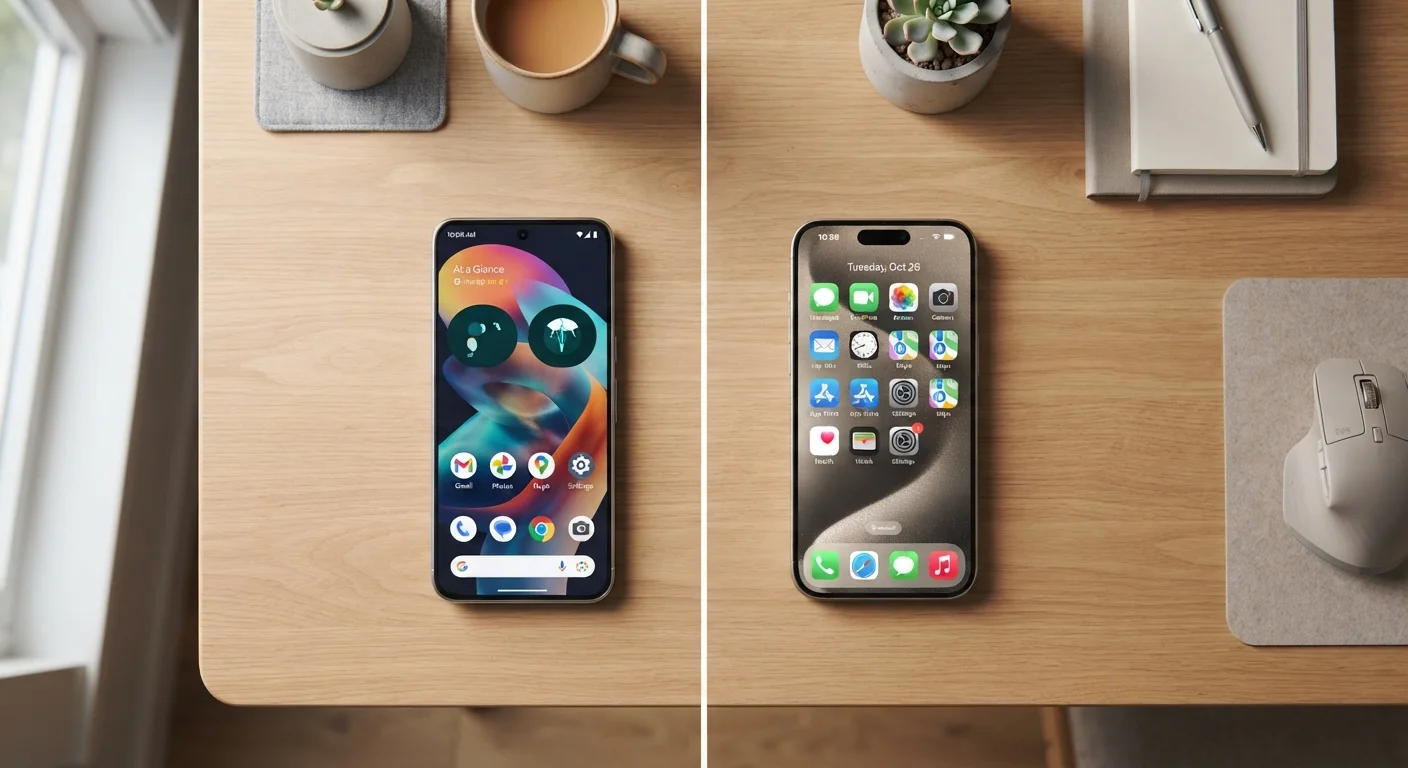
Photo credit: GadgetLite.net | All Things Tech
In this article
Beyond brand loyalty, here's how the two major mobile operating systems diverge in practical, day-to-day ways most users feel immediately.
Key Takeaways
- Android offers more customization and hardware variety; iOS delivers a tightly controlled, consistent experience.
- Update reliability differs significantly — iOS pushes updates to all supported devices simultaneously.
- App availability is nearly identical, but some platform-exclusive behaviors affect daily workflows.
- Your existing ecosystem — Google, Apple, or neither — is often the strongest deciding factor.
- Switching between platforms affects messaging, backups, and app habits more than most people expect.
Customization: How Much Control Do You Actually Get?
This is where Android and iOS diverge most visibly. Android lets you replace the default launcher (the home screen interface), set third-party browsers or email apps as system defaults, and access a file manager that works much like a desktop computer. You can sideload apps — install them outside the official store — though that comes with its own trade-offs worth understanding. See what changes when you skip the app store for the full picture.
iOS has traditionally kept tighter walls around its experience. In recent years Apple has opened some default app controls, but the core experience — home screen grid, system behaviors, inter-app communication — remains more constrained. For many users, that consistency is a feature, not a bug. There's less to configure and fewer ways to accidentally break something.
Software Updates: Who Gets Them, When, and for How Long
iOS updates roll out simultaneously to all supported devices the day Apple releases them. If your iPhone is on the supported list, you get the same update as everyone else, on the same day. Apple has historically supported devices for five to six years after launch.
Android's update story is more fragmented. Google's own Pixel phones receive updates promptly, but most Android manufacturers operate on their own schedules — sometimes months behind. The gap has narrowed as Google has pushed more requirements onto manufacturers, but it hasn't disappeared. If staying current on security patches matters to you, the device maker's track record is worth researching before you buy. For a broader look at what mobile OS updates actually deliver, here's what typically changes with each annual release.
Check Manufacturer Update History Before Buying
Before choosing an Android device, look up how many years of OS and security updates the manufacturer has committed to — and whether they've historically honored that commitment. Google, Samsung, and a handful of others publish explicit support timelines. This single factor can significantly affect the long-term value of your purchase.
The Ecosystem Factor: Where You're Already Invested
Neither platform lives in isolation. If you use a Mac, iPad, or Apple Watch, iOS integrates with those devices in ways that are genuinely difficult to replicate — Handoff, AirDrop, iMessage sync, and Universal Clipboard are daily-use features for people embedded in Apple's world. Similarly, Android pairs naturally with Google services: Gmail, Google Drive, Google Photos, and Chrome sync work seamlessly and carry over to any device, including desktops on any OS.
The messaging situation is worth calling out specifically. iMessage — Apple's built-in messaging service — works only between Apple devices. If you regularly communicate with a mix of iPhone and Android users, this creates real friction on both sides. Switching between platforms affects messaging and backups more than most people anticipate.
| Android | iOS | |
|---|---|---|
| Home screen customization | High — launchers, widgets, defaults | Moderate — widgets, limited defaults |
| Update speed & consistency | Varies by manufacturer | Simultaneous, all supported devices |
| Long-term software support | 3–7 years depending on brand | 5–6 years typically |
| Hardware variety | Hundreds of devices, wide price range | iPhone lineup only |
| Ecosystem integration | Best with Google services | Best with Apple devices |
| App availability | Nearly identical to iOS | Nearly identical to Android |
| Sideloading (non-store apps) | Supported with caveats | Restricted; limited exceptions |
Apps, Accessibility, and the Day-to-Day Reality
Most major apps exist on both platforms and are functionally comparable. The gap in app quality that existed a decade ago has largely closed. Where differences persist, it's usually in release timing — developers sometimes ship iOS versions first — or in platform-specific features like iOS widgets versus Android's more flexible widget system.
Both platforms include robust built-in accessibility tools. Modern mobile accessibility features go well beyond large text and are worth exploring regardless of which OS you use.
Hardware is another practical consideration. iOS runs exclusively on Apple's iPhone lineup. Android spans hundreds of devices across a wide price spectrum — from entry-level options to flagships. If budget or form factor is a priority, understanding what you actually gain at each price tier can sharpen your decision considerably. Explore more device coverage at our Phones and Tablets hub.

Author
Gadgets Editorial Team
Gadgets Editorial Team is the collective byline for our editorial team and contributor network. Articles published under this byline or an editorial pen name are researched, written, and reviewed according to our editorial standards for clarity, consistency, and independence before publication.
View all articles →