
Thin-and-Light Laptops vs. Traditional Clamshells: What You Actually Give Up
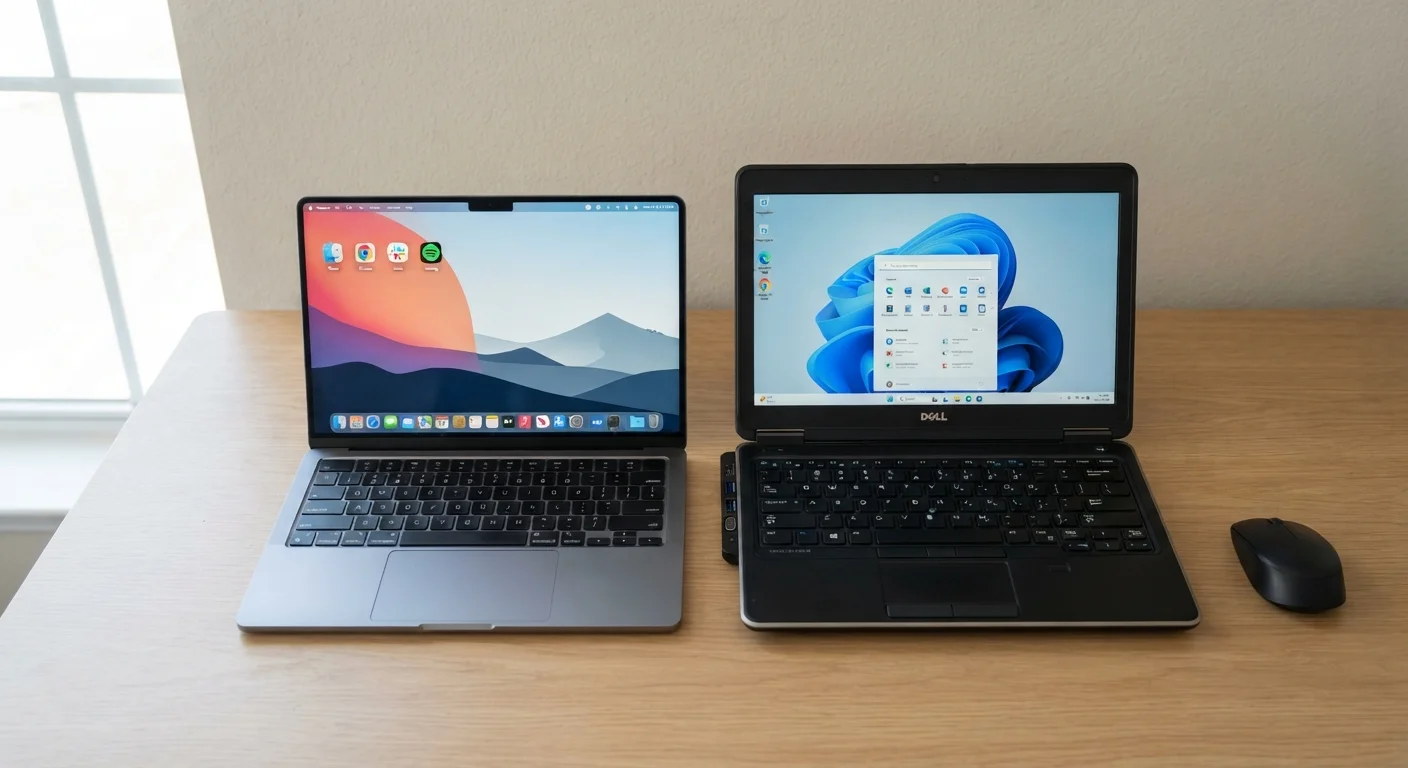
Photo credit: GadgetLite.net | All Things Tech
In this article
Portability comes with trade-offs. A clear breakdown of what changes when you choose an ultra-slim laptop over a standard-sized machine.
Key Takeaways
- Thin-and-light laptops typically weigh under 3 lbs; traditional clamshells can run 4–6 lbs with denser hardware inside.
- Slimmer designs often limit port selection, thermal headroom, and upgrade options compared to thicker machines.
- Battery life advantage in thin-and-lights is real but depends heavily on the specific model and workload.
- Traditional clamshells generally offer better sustained performance for demanding tasks like video editing or 3D rendering.
- Neither form factor is objectively better — the right choice depends entirely on how and where you actually use your laptop.
The Design Trade-Off, Explained Simply
Every thin-and-light laptop is the product of deliberate compromise. Engineers start with a target thickness and weight, then work backward — choosing components, cooling systems, and battery sizes that fit within that constraint. Traditional clamshells take the opposite approach: fit the hardware you need, then build the chassis around it.
That difference in philosophy has cascading effects. Thin-and-lights typically use lower-wattage processors that generate less heat, thinner fans or passive cooling, smaller batteries by physical volume (though often offset by efficiency gains), and fewer physical ports. Traditional clamshells have the internal space to accommodate higher-wattage chips, better thermal solutions, larger batteries, and a fuller port array.
Neither approach is lazy engineering — both represent deliberate choices with real consequences for everyday users. Understanding those consequences is what lets you pick the right machine. See also: how screen size fits into this equation, since display dimensions often track with overall chassis size.
| Criterion | Thin-and-Light | Traditional Clamshell |
|---|---|---|
| Typical weight | Under 3 lbs | 4–6 lbs |
| Port selection | Limited; often USB-C only | Fuller array; USB-A, HDMI, SD |
| Sustained performance | Can throttle under long loads | Better thermal headroom |
| Upgradability | Usually none (soldered) | Often RAM/storage upgradeable |
| Battery life | Competitive on efficient chips | Varies; larger battery possible |
| Build materials | Often premium (aluminum, carbon) | Mixed; plastic common at mid-range |
| Ideal use location | On the go, travel, commuting | Desk, home, studio |
What You Actually Lose (and Gain) Going Slim
Ports: This is where many buyers are caught off guard. Thin-and-light designs frequently drop USB-A ports, full-size HDMI, SD card readers, and Ethernet to shave millimeters off the chassis. You may end up relying on a USB-C hub or dock to connect everyday peripherals. If you frequently plug in external monitors, drives, or cameras, factor in the cost and inconvenience of adapters. A closer look at which ports matter most can help you assess your real-world needs before committing.
Sustained performance: A thin laptop may have an impressive processor on paper, but if the cooling system can't keep it at peak speed under load, performance drops — a process called thermal throttling. For short tasks like opening apps or drafting documents, this is invisible. For sustained tasks like exporting a long video or running a large spreadsheet model, the gap versus a thicker machine becomes measurable.
Repairability and upgrades: Thin designs often use soldered RAM and storage, meaning what you buy is what you're stuck with. Traditional clamshells are more likely to allow RAM upgrades or drive swaps, extending the useful life of the machine.
What you gain: Meaningful portability, reduced daily carrying weight, often a premium build feel, and in many cases competitive battery life — especially on models using efficient ARM-based or low-power x86 chips.
~2.6 lbs
Typical weight of a 13-inch thin-and-light
A pound or more lighter than a comparable 15-inch traditional clamshell — noticeable over a full commuting week.
15–28W
Common TDP range for thin-and-light processors
Traditional clamshell CPUs often run at 35–45W sustained, allowing more headroom for demanding workloads.
1–2 ports
Typical USB-C port count on slim ultrabooks
Many thin-and-light models ship with only USB-C/Thunderbolt ports, requiring adapters for legacy peripherals.
Who Each Format Actually Suits
The honest answer is that thin-and-lights dominate for a reason: most everyday computing tasks — web browsing, email, video calls, word processing, light spreadsheet work — don't stress modern processors regardless of thermals. For that majority of users, the portability benefit is real and the performance loss is largely theoretical.
Where traditional clamshells hold a genuine edge is in sustained heavy workloads, expandability over time, and connectivity without accessories. If your workflow regularly involves applications that peg the CPU or GPU for extended periods, a thicker machine will typically deliver more consistent output.
It's also worth thinking about where the laptop will primarily live. A machine that sits on a desk most of the day and moves occasionally is a very different tool from one that goes into a bag five days a week. If you're considering skipping a laptop altogether for home use, that trade-off is worth examining separately.
Price doesn't cleanly separate the two categories either. Premium thin-and-lights can cost significantly more than capable traditional clamshells — you're sometimes paying for materials and engineering rather than raw performance. The same price-tier logic explored in the phone world applies here: higher cost doesn't always mean better fit for your needs.
ARM vs. x86: A Relevant Side Note
Some thin-and-light laptops now use ARM-based processors (such as Apple's M-series chips or Qualcomm Snapdragon X chips in Windows machines) rather than traditional x86 designs. These chips are engineered specifically for efficiency, often delivering strong battery life and low heat in slim chassis. However, software compatibility — particularly for niche professional applications — can still be a consideration worth checking before purchasing an ARM-based Windows machine.

Author
Releases Editorial Team
Releases Editorial Team is the collective byline for our editorial team and contributor network. Articles published under this byline or an editorial pen name are researched, written, and reviewed according to our editorial standards for clarity, consistency, and independence before publication.
View all articles →