
Console vs PC Gaming: Where They Genuinely Differ and Where They Don't
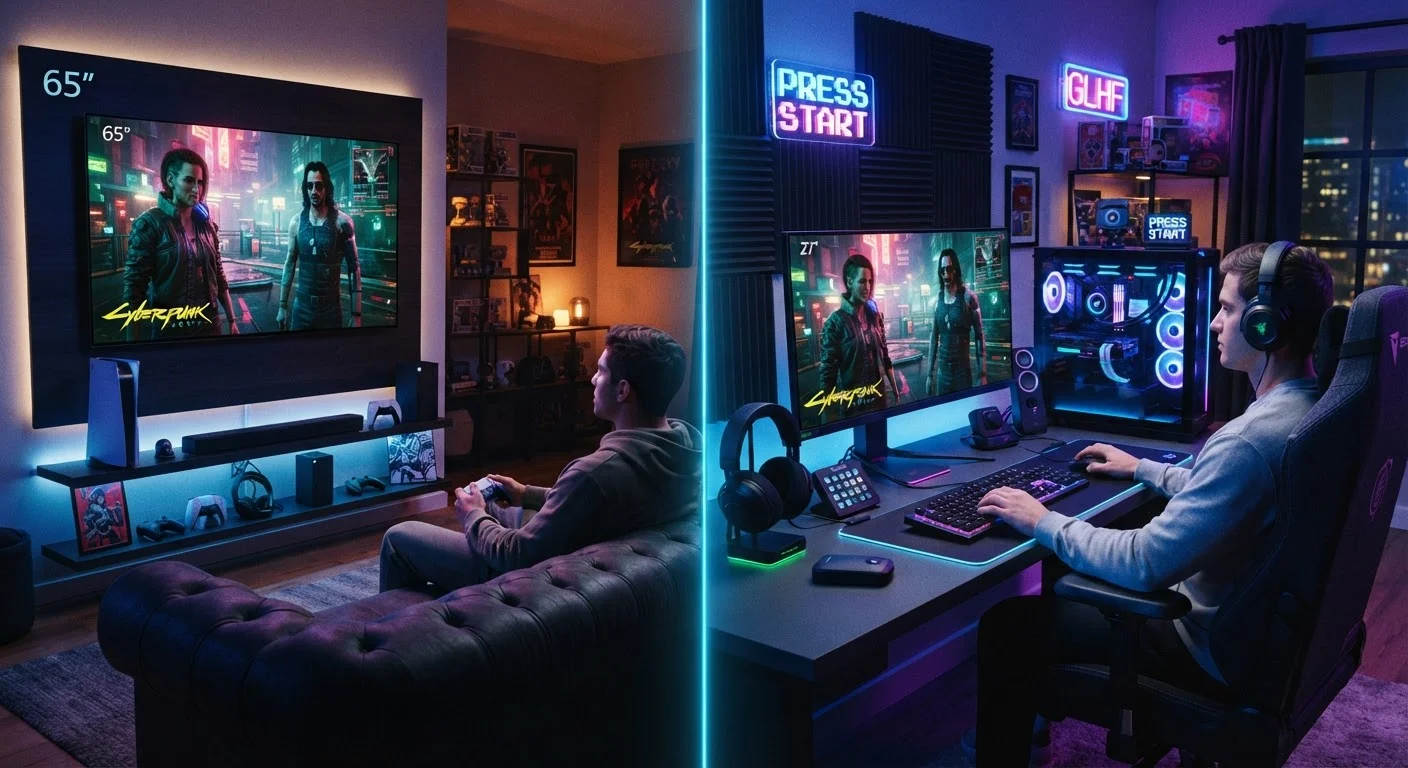
Photo credit: GadgetLite.net | All Things Tech
In this article
Performance, cost, game libraries, and social features — a side-by-side look at console and PC gaming for anyone trying to decide between them.
Key Takeaways
- Consoles offer a simpler, more consistent setup with less technical overhead for everyday players.
- PCs provide greater hardware flexibility, higher performance ceilings, and a broader software ecosystem.
- Upfront costs differ, but long-term spending on games and subscriptions can narrow the gap significantly.
- Both platforms share many of the same major titles today, though some exclusives remain platform-locked.
- Input preference — controller vs. mouse and keyboard — often shapes which platform feels most natural.
- Neither platform is objectively superior; the right choice depends on how and where you like to play.
Setup and Day-to-Day Convenience
This is where consoles genuinely shine. Plug in the hardware, connect to a TV, and you're gaming within minutes. Software updates happen in the background, and every game is optimised to run on identical hardware — no troubleshooting required. That predictability is a real advantage for people who just want to play without managing a system.
PC gaming demands more initial effort. Drivers need updating, settings benefit from manual tuning, and occasional compatibility issues pop up. That said, once a PC is configured to your liking, the day-to-day experience is smooth. It's a higher ceiling with a steeper ramp. For a deeper look at what console simplicity actually costs you, check out the trade-offs nobody talks about.
| Criterion | Console Gaming | PC Gaming |
|---|---|---|
| Setup complexity | Minimal — plug in and play | Moderate — drivers, settings tuning |
| Upfront hardware cost | Fixed, predictable price | Variable; scales with performance tier |
| Performance ceiling | Strong, but hardware is fixed | Higher ceiling, upgradeable over time |
| Game library breadth | Large; some exclusives | Very large; deeper back-catalogue |
| Input options | Controller-primary; KB/M limited | Full KB/M and controller support |
| Multipurpose use | Gaming and media only | Gaming, work, creativity, browsing |
| Backwards compatibility | Varies by platform generation | Generally strong across older titles |
Performance, Graphics, and Hardware
Modern consoles — like the PlayStation 5 and Xbox Series X — are genuinely powerful machines capable of 4K output, ray tracing, and high frame rates. For the vast majority of players, they look and feel spectacular on a big screen TV.
Where PC pulls ahead is at the top end. A high-specification gaming PC can exceed console performance meaningfully — higher resolutions, faster refresh rates, and more graphical headroom. But that advantage carries a price tag. A mid-range gaming PC tends to be roughly comparable to a current-gen console; the gap widens only as PC hardware spend increases. PC gaming's power and flexibility come at a real cost — it's worth understanding before committing.
120fps
Max frame rate on current-gen consoles
Both the PS5 and Xbox Series X support up to 120fps output, though most games target 60fps by default.
~35%
PC share of global gaming revenue
According to Newzoo's global games market data, PC gaming consistently accounts for roughly a third of worldwide gaming revenue.
50,000+
Titles available on Steam
Steam's catalogue has grown to over 50,000 games, dwarfing the libraries available on any single console storefront.
Game Libraries and Exclusives
The era of completely separate libraries is largely over. Most major multiplatform titles — think large open-world games, sports franchises, and shooters — release on both console and PC simultaneously. Cross-play between platforms is also increasingly common, so friends on different systems can often play together.
Exclusives still exist, though. PlayStation's first-party titles often debut console-only, while Xbox exclusives generally arrive on PC at launch. PC has its own exclusive ecosystem too, particularly in real-time strategy, simulation, and certain indie genres that rarely surface on consoles.
For anyone comparing all three major platforms at once, this breakdown of consoles, PCs, and mobile offers a useful wider view.
Cross-Play Is Changing the Landscape
Many major multiplayer titles now support cross-play, meaning console and PC players can share the same game servers. This has significantly reduced the 'my friends are on a different platform' problem that once made platform choice feel more consequential. It's worth checking whether the specific games you care about support cross-play before assuming a split.
Cost Over Time
Upfront, a current-gen console sits at a fixed price point that's easy to plan around. A gaming PC capable of similar performance costs more initially but doubles as a general-purpose computer — handling work, streaming, and browsing alongside gaming.
Long-term, both platforms require ongoing game purchases or subscription fees. Console subscription services (for online play and game libraries) are recurring costs. PC gaming storefronts frequently offer deep discounts on back-catalogues, which can offset hardware costs over time. Neither platform is definitively cheaper across the board — it depends heavily on how many games you buy and over what timeframe.
If you ever consider switching between platforms, know that your game library and purchases generally don't travel with you. Here's what actually transfers when you switch platforms — the answer may surprise you.
Controls and Input
Console controllers are ergonomically mature, comfortable for long sessions, and work exceptionally well for action, sports, and platformer games. Most PC games support controllers too, so this isn't an either/or if you game on PC.
Mouse-and-keyboard input, however, offers precision advantages in first-person shooters, real-time strategy, and competitive genres — which is why those game types tend to thrive on PC. Neither input method is universally better; genre and personal comfort matter most. Choosing between a controller and mouse-and-keyboard comes down to how and what you play. You can also explore gaming gear essentials to find accessories that fit either setup.

Author
Gaming Editorial Team
Gaming Editorial Team is the collective byline for our editorial team and contributor network. Articles published under this byline or an editorial pen name are researched, written, and reviewed according to our editorial standards for clarity, consistency, and independence before publication.
View all articles →