
Windows, macOS, and ChromeOS: Choosing the Right Operating System for Your Needs
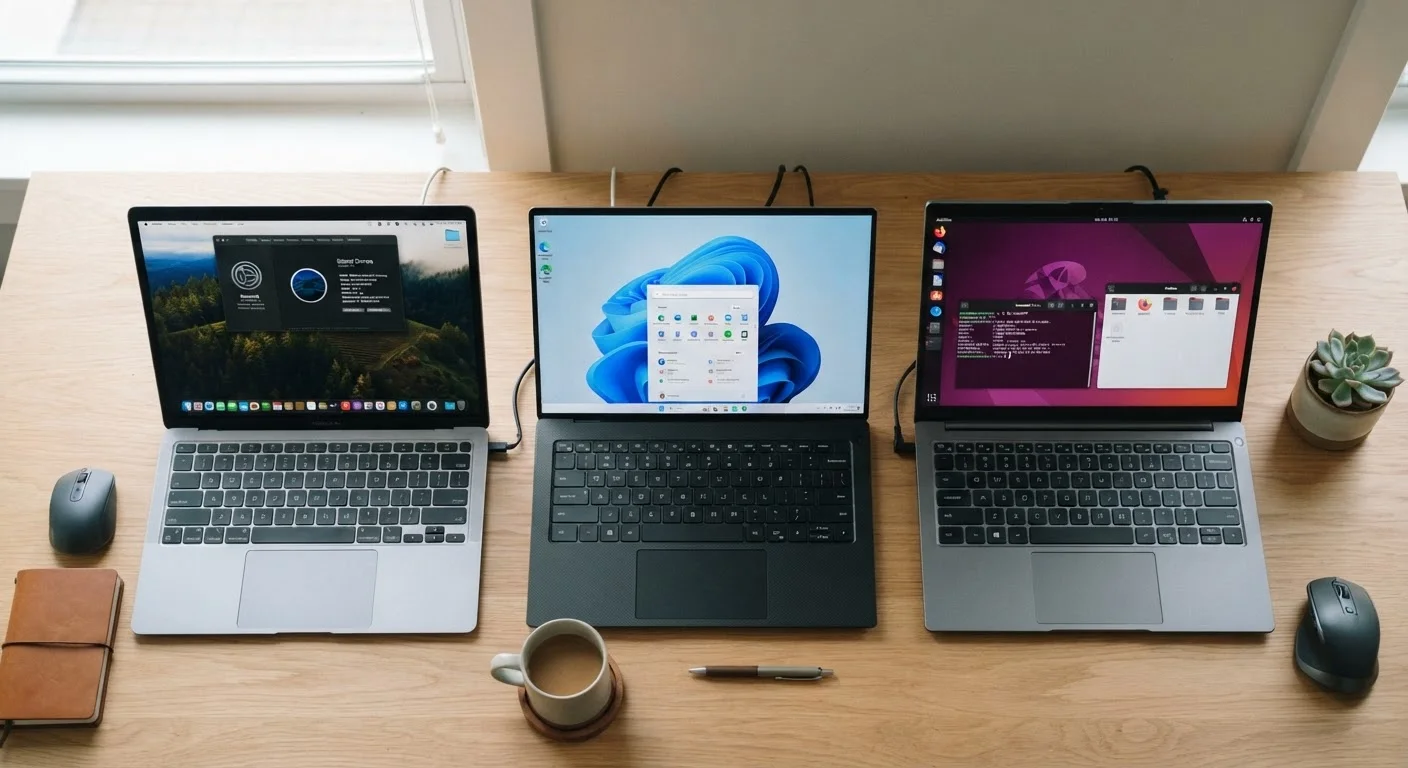
Photo credit: GadgetLite.net | All Things Tech
In this article
Your operating system shapes your entire computing experience. A grounded comparison of what each platform does well and where it falls short.
Key Takeaways
- Windows offers the broadest software compatibility and the widest range of hardware price points.
- macOS prioritizes a tightly integrated hardware-software experience, particularly for creative and Apple ecosystem users.
- ChromeOS is built around the browser and cloud, making it simple, fast, and low-maintenance for everyday tasks.
- Your existing devices, software needs, and budget should drive the decision more than brand preference.
- No single platform wins outright — each serves a distinct type of user well.
Why Your OS Choice Matters More Than Your Specs
Most buyers spend their research time comparing processors and storage, but the operating system (OS) — the software that runs everything on your machine — shapes your daily experience far more than any individual spec. It determines which apps you can install, how your device connects to your phone, how much maintenance it demands, and what your computing life actually feels like.
Understanding the three dominant desktop platforms — Windows, macOS, and ChromeOS — doesn't require a technical background. It requires knowing what you do, what you already own, and what trade-offs you're willing to accept. For a broader look at how software categories fit together, see our guide to software categories every device owner should know.
| Windows | macOS | ChromeOS | |
|---|---|---|---|
| Hardware options | Hundreds of devices, all price tiers | Apple hardware only, premium pricing | Affordable Chromebooks, limited range |
| Software compatibility | Widest app and software library | Strong creative and productivity suite | Browser-based and Android apps only |
| Gaming support | Full PC gaming ecosystem | Limited, improving slowly | Very limited, mostly casual |
| Ease of maintenance | Moderate — requires active upkeep | Low — Apple manages most updates | Very low — automatic, minimal effort |
| Ecosystem integration | Best with Android and Microsoft 365 | Best within Apple device family | Best with Google services and Android |
| Offline capability | Full — works entirely offline | Full — works entirely offline | Partial — some apps need connectivity |
| Starting price range | Under $300 to $3,000+ | Approximately $1,000 and above | Under $300 for most models |
Windows: Maximum Flexibility, Maximum Responsibility
Windows runs on hardware from dozens of manufacturers, across price points from under $300 to well over $3,000. That range is its greatest strength and, in some ways, its challenge. A $400 Windows laptop and a $2,000 one both run Windows — but the experience can differ enormously depending on the hardware underneath.
For software compatibility, Windows is the clear leader. Professional tools across engineering, accounting, and video production have long offered Windows versions first. It's also the dominant platform for PC gaming — a critical consideration for anyone planning to play titles beyond casual browser games. If gaming is part of your computing life, our first gaming setup guide covers how OS choice factors into platform selection.
The trade-off is maintenance. Windows machines, particularly those in the lower price range, can accumulate bloatware (pre-installed software you didn't ask for), require more active security attention, and feel less consistent across manufacturers. Users who want maximum control will prefer this; users who want a computer that stays out of the way may not.
Check Your Must-Have Apps First
Before choosing a platform, list the five or six applications you use daily and confirm they exist on your target OS. Some professional tools — particularly in engineering, legal, and accounting fields — have Windows-only versions. Discovering this after purchase is a costly lesson. Most vendors list system requirements clearly on their websites.
macOS: Tight Integration at a Premium
macOS runs exclusively on Apple hardware — there's no mixing and matching. That constraint is also what makes it work so well. Apple controls the full stack, which means the software is tuned for the specific chips and displays in its machines. The result is consistent performance, reliable battery life, and a stable environment that tends to require less hands-on management than Windows.
The platform earns its strongest marks among creative professionals. Video editors, designers, and audio engineers often cite macOS stability and the quality of creative tools available — including Apple's own suite — as central to their workflow. For households with iPhones and iPads, the continuity features (such as seamlessly transferring tasks between devices, answering phone calls on a Mac, or using an iPad as a second display) add real practical value. That ecosystem logic extends into the home as well — see how Apple organizes connected home devices for context on how far that integration reaches.
The barrier is cost. Entry-level Mac laptops start meaningfully higher than comparable-performing Windows machines, and there's no budget tier. For some users, the reliability and longevity of Mac hardware justifies the price over a longer ownership cycle — but that's a calculation each buyer needs to run for themselves.
ChromeOS: Built for the Browser Era
ChromeOS is Google's platform, designed from the ground up around the Chrome browser and cloud-based apps. If your day involves email, documents, video calls, and web browsing — and most of it is already done through a browser — a Chromebook running ChromeOS can handle it efficiently at a fraction of the cost of a Windows or Mac machine.
Setup is minimal. Sign in with a Google account, and your bookmarks, apps, and files are already there. Security updates happen automatically in the background. Because ChromeOS doesn't run traditional desktop software, the attack surface for malware is significantly smaller than Windows.
The limitations are real, though. If your work requires specific desktop applications — certain accounting packages, engineering tools, or full versions of creative software — ChromeOS may not support them. Android apps can run on many Chromebooks, which expands capability somewhat, but it's not a complete substitute for a full desktop environment. For anyone weighing a Chromebook against a tablet for light computing tasks, our tablet vs. laptop comparison offers a useful parallel look at that decision.
~73%
Global desktop OS market share held by Windows
According to StatCounter's global desktop OS data, Windows consistently holds the majority of desktop market share worldwide.
~15%
Global desktop share held by macOS
StatCounter data places macOS as the second most-used desktop platform, with share varying slightly by region.
Switching Platforms: What to Consider Before You Commit
Moving between operating systems has real friction. Software licenses, file formats, and learned habits all carry switching costs. Before committing to a new platform, it's worth auditing what software you actively use and checking whether it exists on the platform you're considering — not just in name, but in a version that matches your needs.
Your phone matters too. Android users tend to find ChromeOS and Windows integrate more smoothly with their devices. iPhone users often find macOS the most seamless pairing — features like Handoff, AirDrop, and iMessage continuity work across the Apple stack in ways that don't translate to other platforms. For a deeper look at how mobile OS choices ripple into your broader tech life, our Android vs. iOS breakdown explores exactly that dynamic.
There's no universally correct answer here. The right OS is the one that removes friction from your actual daily tasks — not the one with the most impressive spec sheet or the loudest community of advocates.

Author
Releases Editorial Team
Releases Editorial Team is the collective byline for our editorial team and contributor network. Articles published under this byline or an editorial pen name are researched, written, and reviewed according to our editorial standards for clarity, consistency, and independence before publication.
View all articles →