
Cloud Software vs. Desktop Software: Trading Control for Convenience
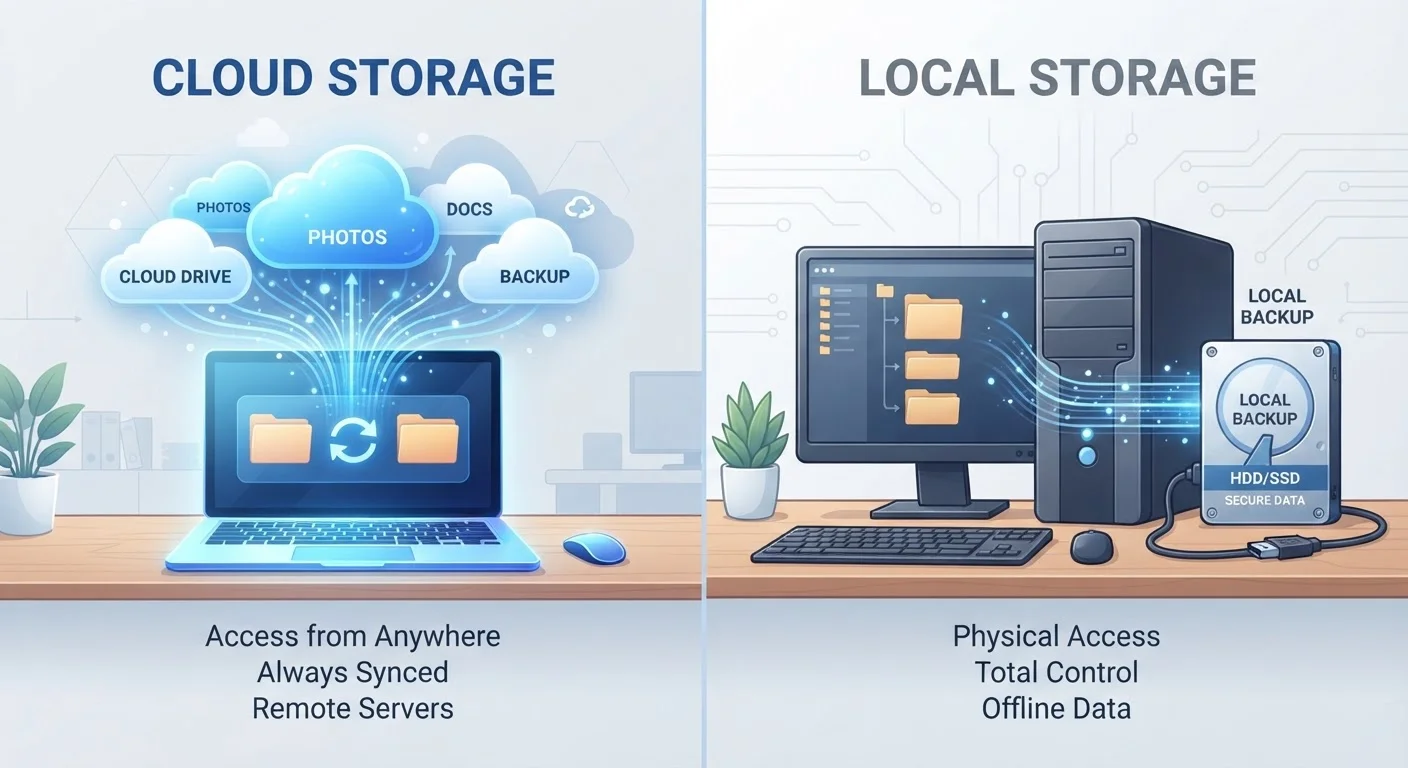
Photo credit: GadgetLite.net | All Things Tech
In this article
Storing your work in the cloud or keeping it local? Explore the real trade-offs between cloud-based and traditional desktop software.
Key Takeaways
- Cloud software runs via a browser or thin app and stores data on remote servers, requiring internet access.
- Desktop software is installed locally and works fully offline, giving you direct control over your files.
- Subscription pricing is common in cloud software; desktop software often involves a one-time purchase.
- Cloud apps update automatically, while desktop versions may require manual updates or paid upgrades.
- Your privacy exposure differs significantly between the two approaches - cloud providers can access server-side data.
- The right choice depends on your workflow, device habits, and how much you value convenience versus control.
What Actually Separates These Two Categories
Cloud software (also called web-based or SaaS - Software as a Service) runs on remote servers operated by a provider. You access it through a browser or a lightweight app, and your files are stored online rather than on your device. Think of tools like Google Docs, Microsoft 365, or Figma.
Desktop software is installed directly on your computer. It stores files locally on your hard drive and can operate fully without an internet connection. Classic examples include locally installed versions of Microsoft Office, Adobe Photoshop, or accounting tools like QuickBooks Desktop.
The distinction sounds simple, but it has real downstream effects on cost, control, privacy, and how you recover when things go wrong. For a deeper look at how storage location shapes your options, see our breakdown of local vs. cloud backup.
| Criterion | Cloud Software | Desktop Software |
|---|---|---|
| Internet required | Yes (usually) | No |
| File storage location | Provider's remote servers | Your local hard drive |
| Typical pricing model | Monthly/annual subscription | One-time purchase (varies) |
| Updates | Automatic, always current | Manual; major versions may cost extra |
| Multi-device access | Built-in sync across devices | Requires manual transfer or sync tool |
| Real-time collaboration | Native and seamless | Limited or requires add-ons |
| Data privacy control | Shared with provider | Stays on your hardware |
| Offline reliability | Limited (varies by app) | Full functionality offline |
The Real Trade-offs Worth Understanding
Updates and maintenance work very differently between the two. Cloud apps update silently in the background - you always have the current version without lifting a finger. Desktop software typically requires you to download and install updates manually, and major new versions sometimes cost extra.
Cost structure is another meaningful difference. Cloud software almost universally uses subscription pricing - monthly or annual fees that continue as long as you use the product. Desktop software is more commonly sold as a one-time purchase, though that model has been shifting. If you've ever felt frustrated by a beloved app switching to a subscription, you're not alone.
Privacy and data exposure deserve careful thought. When your files live on a provider's servers, their privacy policy, security practices, and business continuity all affect your data. This doesn't make cloud software unsafe, but it does mean you're trusting a third party. The trade-offs between convenience and data exposure apply here in a very direct way.
~73%
Enterprises using cloud-based software
Flexera's State of the Cloud report has consistently found the majority of organizations running workloads in the cloud, reflecting broad industry adoption.
2-3×
Faster feature release cycle in cloud vs. desktop
Industry analysts generally observe that SaaS vendors can ship updates continuously, whereas boxed software typically operates on annual or semi-annual release cycles.
Performance can tilt either way. Desktop apps typically use your local processing power directly, which matters for video editing, 3D rendering, or audio production. Cloud apps can feel slower on older hardware or poor connections, but high-end cloud platforms increasingly offload processing to powerful remote servers.
How to Think Through the Choice for Your Situation
Neither model is universally better - the right fit depends on your specific habits and priorities.
- How often do you switch devices? If you move between a work laptop and a home machine regularly, cloud software's automatic sync is genuinely valuable. Desktop software requires manual file transfers or a separate sync tool to replicate that flexibility.
- How important is offline access? If you work in places with unreliable Wi-Fi - on planes, in rural areas, or during outages - desktop software is the more dependable choice. Some cloud apps offer limited offline modes, but they're rarely as full-featured.
- Do you care about long-term file access? Desktop software lets you open your files indefinitely, even if the company that made it disappears. Cloud services can shut down or change their terms, potentially affecting your access. This connects to broader questions about whether putting everything in the cloud is the right call.
- Is collaboration central to your workflow? Real-time co-editing is a native strength of cloud platforms that desktop software has historically not matched well.
For mobile users weighing similar questions about where files actually live, the considerations around cloud versus local storage on mobile devices overlap significantly with this decision.
Hybrid Models Are Increasingly Common
Many modern applications blur the line between cloud and desktop. Microsoft Word, for example, can be installed locally while also syncing files to OneDrive. Adobe apps run on your desktop but tie into cloud libraries and licensing. This means you don't always have to choose one model exclusively - but it also means it's worth reading the fine print on where your data actually ends up.

Author
Apps & Software Editorial Team
Apps & Software Editorial Team is the collective byline for our editorial team and contributor network. Articles published under this byline or an editorial pen name are researched, written, and reviewed according to our editorial standards for clarity, consistency, and independence before publication.
View all articles →