
Integrated vs. Dedicated Graphics: When the Difference Genuinely Matters
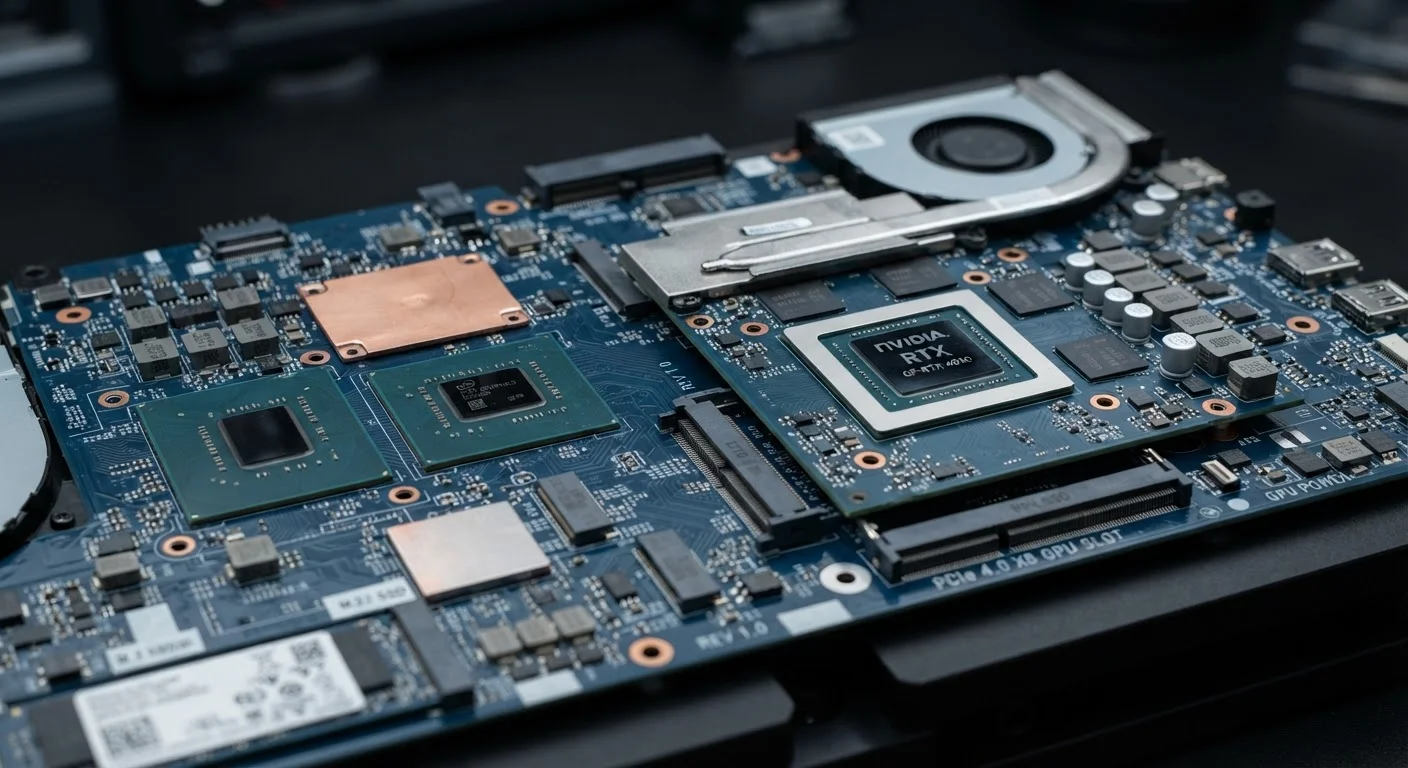
Photo credit: GadgetLite.net | All Things Tech
In this article
Not everyone needs a discrete GPU. Find out which tasks actually benefit from dedicated graphics — and which don't.
Key Takeaways
- Integrated graphics share system RAM and CPU die space; dedicated GPUs have their own memory and processing units.
- Most everyday computing tasks — browsing, streaming, and Office apps — run fine on integrated graphics.
- Gaming above 1080p, 3D rendering, and video editing at 4K are where dedicated graphics provide real, measurable gains.
- Dedicated GPUs consume significantly more power and generate more heat, affecting laptop battery life.
- Modern integrated graphics from AMD and Intel have narrowed the gap for light gaming and creative work.
- Choosing dedicated graphics when you don't need it adds cost without delivering any practical benefit.
What Each Option Actually Is
The term integrated graphics means the GPU (graphics processing unit) is built directly into the same chip as the CPU. It uses a portion of the system's regular RAM rather than having its own dedicated pool of memory. Intel's Iris Xe and AMD's Radeon 780M (found in Ryzen 7000 series mobile chips) are common examples. Because everything shares one chip and one memory pool, integrated graphics are efficient but resource-constrained.
Dedicated graphics — also called discrete graphics — means a separate physical card or module with its own processor and its own high-bandwidth memory, typically GDDR6 or GDDR6X. That independent memory pool is crucial: it means the GPU isn't competing with your applications for RAM bandwidth, which translates directly into faster frame rendering and smoother performance under load.
This architectural difference is the root cause of every practical gap between the two. It's not just a marketing tier — it's a fundamentally different way of handling visual computing tasks.
| Criterion | Integrated Graphics | Dedicated Graphics |
|---|---|---|
| Physical design | Built into CPU chip | Separate card or module |
| Memory type | Shares system RAM | Own GDDR memory pool |
| Gaming performance | Light/casual titles only | Modern games at high settings |
| 4K video export | Slow without GPU acceleration | Significantly faster with GPU encoding |
| Laptop battery impact | Minimal — efficient by design | Noticeable drain under load |
| Upfront cost | Included in CPU price | Adds meaningful cost to build |
| Ideal workload | Productivity, browsing, streaming | Gaming, 3D work, video production |
Where the Gap Is Real — and Where It Isn't
The clearest way to think about this: ask whether your task generates a large volume of pixel data that needs to be processed quickly. If it does, dedicated graphics matter. If it doesn't, you're unlikely to notice the difference.
Tasks where integrated graphics are genuinely sufficient:
- Web browsing and video conferencing
- Streaming video, including 4K via services like Netflix or YouTube
- Microsoft Office, Google Workspace, and similar productivity tools
- Light photo editing in apps like Lightroom at lower resolutions
- Casual 2D games and older titles
Tasks where dedicated graphics provide measurable improvement:
- Modern PC games at 1080p or higher with quality settings above minimum
- Exporting 4K or 8K video in DaVinci Resolve, Premiere Pro, or similar tools
- Real-time 3D rendering in Blender, AutoCAD, or engineering software
- Running local AI/machine learning models that leverage GPU acceleration
It's worth noting that the gap has narrowed meaningfully at the lower end. AMD's integrated Radeon graphics can run some less-demanding games at 1080p at playable frame rates — a scenario that would have required a discrete GPU just a few years ago. For a broader look at how performance tiers play out in practice, see our breakdown of where real performance differences live.
A Note on "Gaming-Ready" Marketing Language
Some laptops are marketed as gaming-capable based on having a discrete GPU, but the specific GPU model matters enormously. An entry-level discrete chip may only marginally outperform a strong integrated solution in certain workloads. Always check benchmark comparisons for the specific GPU model listed — not just whether the machine has a discrete card.
Power, Heat, and What It Costs You Day-to-Day
Dedicated graphics aren't just more expensive upfront — they carry ongoing costs in power draw and thermal output. A laptop with a discrete GPU will typically drain its battery noticeably faster under load, and it will require a larger, heavier chassis to accommodate cooling. If you're deciding between laptop configurations, that trade-off is worth taking seriously. Our desktop vs. laptop trade-offs article explores how these choices affect portability and daily use more broadly.
Desktops absorb the power and heat penalty more gracefully — a desktop with a mid-range discrete GPU can sit passively most of the time and ramp its fans only under load. But for laptop buyers, integrated graphics often mean six-plus hours of battery life versus three-to-four hours on a similarly specced machine with a discrete GPU running demanding software.
3–4×
Faster GPU-accelerated video export
GPU-accelerated encoding in tools like DaVinci Resolve can be three to four times faster than CPU-only rendering on comparable hardware, according to published benchmark data from GPU manufacturers.
~40%
Typical battery life reduction with discrete GPU
Independent laptop reviews consistently find that enabling a discrete GPU under load reduces battery runtime by roughly 30–50% compared to running on integrated graphics alone.
The decision essentially comes down to your actual workload. Paying for dedicated graphics when your workflow doesn't require it means spending more money for hardware that will spend most of its time idle. If gaming is part of the equation, our console vs. PC gaming comparison gives useful context on how GPU choice fits into the broader platform decision.

Author
Releases Editorial Team
Releases Editorial Team is the collective byline for our editorial team and contributor network. Articles published under this byline or an editorial pen name are researched, written, and reviewed according to our editorial standards for clarity, consistency, and independence before publication.
View all articles →