
Tablet vs. Laptop: Mapping the Right Tool to the Right Task
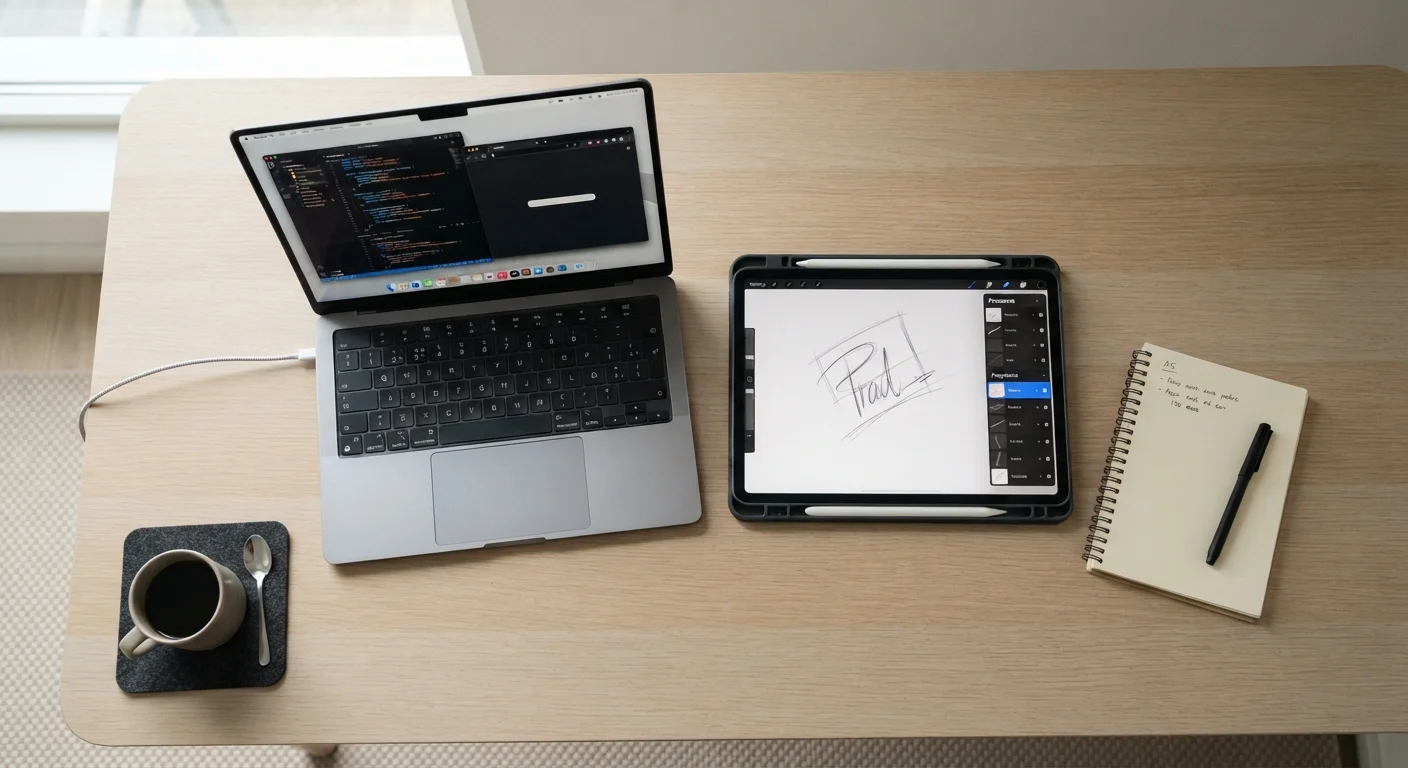
Photo credit: GadgetLite.net | All Things Tech
In this article
Tablets and laptops overlap more than ever — but they're still built for different things. Find out which makes sense based on how you actually use your device.
Key Takeaways
- Tablets excel at portability and touch-driven tasks like reading, drawing, and streaming.
- Laptops handle demanding productivity tasks, complex software, and multitasking more reliably.
- High-end tablets with keyboard cases blur the line, but most still run mobile-first operating systems.
- Your primary use case — consumption vs. creation — is the clearest way to decide.
- Many households benefit from owning both, using each for what it does best.
What Each Device Is Actually Built For
Despite years of convergence, tablets and laptops are still engineered around different priorities. Tablets are built around a touchscreen-first experience — lightweight, instant-on, and optimized for interaction through taps, swipes, and stylus input. Laptops are built around sustained productivity — a physical keyboard, a trackpad, and a full operating system capable of running complex, multitasking workloads.
The confusion arises because the gap has narrowed. Tablet operating systems have become more capable, and detachable keyboard accessories now let some tablets mimic a laptop form factor. But hardware design tells only part of the story. The operating system underneath still shapes what each device can and can't do. Most tablets run mobile-derived platforms that prioritize app-based workflows, while laptops run full desktop operating systems with broader software compatibility.
For a deeper look at how this plays out in daily work contexts, see our guide to choosing between a tablet and laptop for how you actually work.
| Criterion | Tablet | Laptop |
|---|---|---|
| Portability | Lighter, more compact | Heavier, bulkier |
| Input method | Touchscreen, stylus | Physical keyboard, trackpad |
| Operating system | Mobile-derived (iOS, Android) | Full desktop OS (Windows, macOS) |
| Software compatibility | App-based, limited pro software | Broad, including professional apps |
| Multitasking | Limited split-screen | Full windowed multitasking |
| Battery life (passive use) | Typically longer | Varies; shorter under load |
| Typing comfort | On-screen or accessory keyboard | Built-in physical keyboard |
| Best primary use | Consumption, drawing, reading | Creation, productivity, work |
Where Tablets Have a Clear Advantage
Tablets shine when portability and simplicity are the priority. They're lighter than most laptops, often significantly so, and their batteries tend to last longer under passive-use conditions like reading or streaming video. The touchscreen interface is genuinely better than a trackpad for certain tasks — scrolling through a news feed, annotating a PDF, sketching a diagram, or navigating a map all feel more natural with direct touch.
For digital artists, stylus-compatible tablets are a compelling tool. The latency and pressure sensitivity of dedicated tablet displays have improved to the point where many illustrators prefer them over traditional input devices. Similarly, for students who primarily read textbooks, highlight notes, and review slides, a tablet handles the job with less weight and distraction than a full laptop.
~1.5 lbs
Typical weight of a mid-range tablet
Most mainstream tablets weigh between 1 and 1.5 pounds, compared to 3–5 pounds for a standard laptop, a meaningful difference for daily carry.
10–12 hrs
Average tablet battery life for video playback
Tablet manufacturers commonly quote 10 to 12 hours of video playback, reflecting the efficiency advantage of mobile-optimized hardware under passive workloads.
60%+
PC users who also own a tablet
Industry surveys have consistently found that a majority of laptop owners also use a tablet, suggesting the two devices are frequently complementary rather than competing.
Tablets also integrate more seamlessly into ecosystems built around a smartphone. If you already live in a mobile-first environment — messaging, cloud photo storage, streaming apps — a tablet slots in naturally. For more context on where tablets fit relative to phones, our breakdown of smartphones vs. tablets is worth reading.
Where Laptops Still Win
For anyone who spends significant time creating — writing, coding, editing video, building spreadsheets, running design software — laptops remain the more capable and comfortable choice. A physical keyboard is still faster and less fatiguing for extended typing than any touchscreen alternative. And full desktop operating systems give users access to a broader library of professional software that many tablet platforms simply don't support.
Multitasking is another area where laptops hold an edge. Running multiple windows side by side, switching between a browser, a document editor, and a communication tool simultaneously is still smoother on a laptop. While high-end tablets have introduced split-screen modes, the experience often feels constrained compared to a desktop windowing environment.
If you're weighing a laptop against other computer form factors, our comparison of desktops and laptops for home use covers the broader trade-offs in detail. And once you've settled on a laptop, choosing the right screen size is its own decision worth thinking through carefully.
The Hybrid Middle Ground — and Its Limits
A growing category of devices attempts to bridge both worlds. Detachable keyboards and kickstand designs let tablets double as laptop replacements, and some high-end tablets run productivity-focused software environments that approach a full desktop experience. For light workloads — email, documents, video calls — these hybrid configurations can genuinely replace a laptop for some users.
However, the limitations surface under pressure. Hybrid setups often compromise on keyboard comfort, thermal performance under sustained load, and full software compatibility. They tend to work best as primary devices for users whose work is genuinely light, or as secondary devices supplementing a desktop or dedicated laptop at home.
Screen size is a related consideration that often goes overlooked. If the appeal of a tablet is a compact, easy-to-carry screen, it's worth understanding how that size compares to a large phone. Our look at small tablets vs. large phones addresses that overlap directly. The broader smartphones and tablets hub also offers useful context for navigating today's device landscape.

Author
Electronics Editorial Team
Electronics Editorial Team is the collective byline for our editorial team and contributor network. Articles published under this byline or an editorial pen name are researched, written, and reviewed according to our editorial standards for clarity, consistency, and independence before publication.
View all articles →