
Room-by-Room Guide to Useful Home Tech
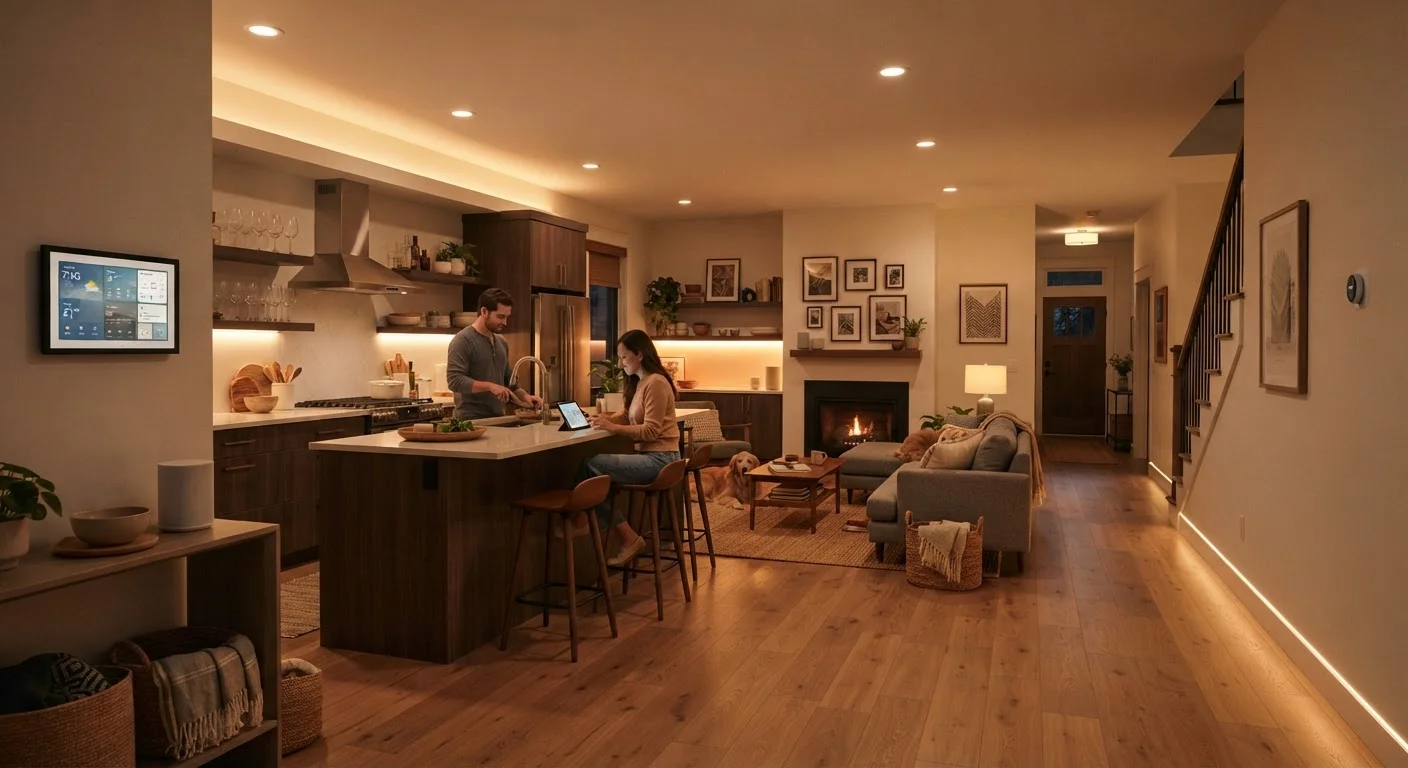
Photo credit: GadgetLite.net | All Things Tech
In this article
From the kitchen to the bedroom, certain devices genuinely improve daily life in each room. A practical look at what works where and why.
Key Takeaways
- Different rooms have different tech needs — matching the device to the space is more important than buying the newest gadget.
- Smart home devices work best when they solve a specific, recurring friction point rather than adding novelty.
- Starting with one or two rooms lets you learn what actually gets used before expanding your setup.
- Energy-aware devices in high-use rooms can reduce waste without requiring constant manual attention.
Why Room Context Changes Everything
Most people approach home tech the wrong way — they buy a device because it looks impressive, then try to find a use for it. The more useful approach is the opposite: identify the small daily frustrations in each room, then ask whether technology actually addresses them.
Smart home devices span a wide range of functions, from voice-controlled speakers to automated lighting and connected appliances. The key is knowing which category solves a real problem in a specific space. A bedroom and a kitchen have almost nothing in common in terms of what tech improves daily life there.
The list below takes a room-by-room view — practical, grounded, and skeptical of anything that creates more complexity than it removes. If you're newer to this space, a beginner-friendly smart home starting guide can help you get the vocabulary and logic straight before buying anything.
Start With One Room's Biggest Friction Point
Rather than planning a whole-home setup upfront, pick the room where a daily annoyance is most consistent — a dark entryway, a chaotic desk, an alarm that startles you awake. Solve that one thing first, use it for a month, then decide whether to expand. This approach prevents buying tech that ends up unused and gives you a genuine sense of what actually helps.
Room-by-Room: What Actually Earns Its Place
Kitchen: Display or Voice Assistant Near the Counter
The kitchen is where information needs to be hands-free. Timers, unit conversions, recipe steps, and grocery reminders all compete for attention while your hands are full or wet. A smart display mounted or placed near the prep area handles all of this without requiring you to touch your phone.
Voice assistants excel here specifically because the interaction model — speak, get an answer, move on — matches the pace of cooking. The display form factor adds value when you want to follow a recipe step-by-step without squinting at a phone screen propped against a bowl.
Hands-free information access is the kitchen's biggest tech win.
Living Room: Smart Lighting With Dimming Control
Living rooms host wildly different activities — movie watching, reading, video calls, casual conversation — often within the same evening. Static overhead lighting handles none of these particularly well. Smart bulbs or smart switches that support dimming and warm-to-cool color temperature adjustment let the room shift to match what you're actually doing.
This doesn't require a full smart home ecosystem. Many smart bulbs work with a single hub or directly through a phone app. The practical improvement is immediate and doesn't depend on anyone else in the household learning new habits.
Adjustable lighting transforms a living room's usability across different activities.
Bedroom: A Smart Alarm That Works With Your Sleep Cycle
Standard alarms yank you awake at a fixed time regardless of where you are in a sleep cycle. Smart alarm apps and dedicated wake-up light devices use a window — typically 20–30 minutes — to detect lighter sleep phases or simulate sunrise gradually, which many users find produces noticeably easier mornings.
Wake-up lights are particularly useful in winter months or north-facing bedrooms where natural light arrives late. They require no app, no ecosystem, and no connectivity — they simply turn on slowly at a set time. That simplicity is part of why they tend to actually get used.
Gradual wake-up tech addresses one of the most common daily frustrations with almost no setup.
Home Office: A USB-C Hub and Smart Power Strip
Home offices accumulate devices fast — monitor, laptop, webcam, external drive, headset, phone charger. A quality USB-C hub centralizes connectivity so your laptop has one cable to plug in rather than six. This single change meaningfully reduces desk clutter and the daily friction of disconnecting and reconnecting when you move the laptop.
Pairing that with a smart power strip — which can cut standby power to peripherals when the main device goes idle — reduces background energy draw without any ongoing effort. Evidence suggests smart power strips offer modest but real energy savings in always-on home office setups.
A single USB-C hub eliminates the most common desk-setup frustration immediately.
Entryway: A Video Doorbell or Smart Lock
The entryway is a high-value location for home tech because the use case is narrow and clear: know who's at the door without being at the door, and control access without physically handing over keys. Video doorbells address the first need; smart locks address the second.
Both work independently and don't require a broader smart home setup to deliver value. A video doorbell with local storage (rather than a cloud subscription) keeps ongoing costs predictable. A smart lock with a keypad eliminates the problem of lost or copied keys for households that share access with cleaners, dog walkers, or family members.
Entryway tech has one of the clearest return-on-use ratios of any room in the home.
Bathroom: A Waterproof Bluetooth Speaker
Bathrooms are genuinely hostile to most electronics — humidity, water splashes, and limited surfaces make sophisticated tech impractical. A properly rated waterproof Bluetooth speaker (look for IPX5 or higher) is the one device that consistently earns its place here. It handles podcasts, music, and even phone calls without risk.
Beyond audio, some people find a small humidity sensor useful in bathrooms with ventilation issues — it alerts when moisture levels stay elevated after a shower, which can flag early mold risk. That's a $15–$30 sensor with a clear, ongoing purpose rather than a novelty.
Waterproof audio is the single most practical bathroom tech addition available.
Compatibility Is Worth Checking Early
Many smart home devices work within specific ecosystems — some require a hub, others only work with certain voice assistants or phone platforms. Before buying, confirm that a device works with the phone OS and any existing smart home setup you already have. Understanding how smart devices connect can save you a frustrating return trip.
Building Outward Without Losing Control
Once you've added tech to two or three rooms that genuinely needed it, it's tempting to automate everything. Resist that impulse — complexity compounds quickly. Smart home automation works best when routines are simple and reliable, not when every device is in a chain that breaks when one thing goes offline.
For rooms where energy use is a concern — particularly living rooms and home offices with multiple screens and devices running simultaneously — the research on energy-saving home tech is worth reviewing before you commit. And if you're ever unsure whether smart tech is actually simplifying your life, a balanced look at where smart home tech delivers — and where it doesn't is a useful reality check. The goal is a home that works better, not one that requires a manual to operate.

Author
Gadgets Editorial Team
Gadgets Editorial Team is the collective byline for our editorial team and contributor network. Articles published under this byline or an editorial pen name are researched, written, and reviewed according to our editorial standards for clarity, consistency, and independence before publication.
View all articles →