
Smart Home Devices Explained: What They Actually Do and How They Connect
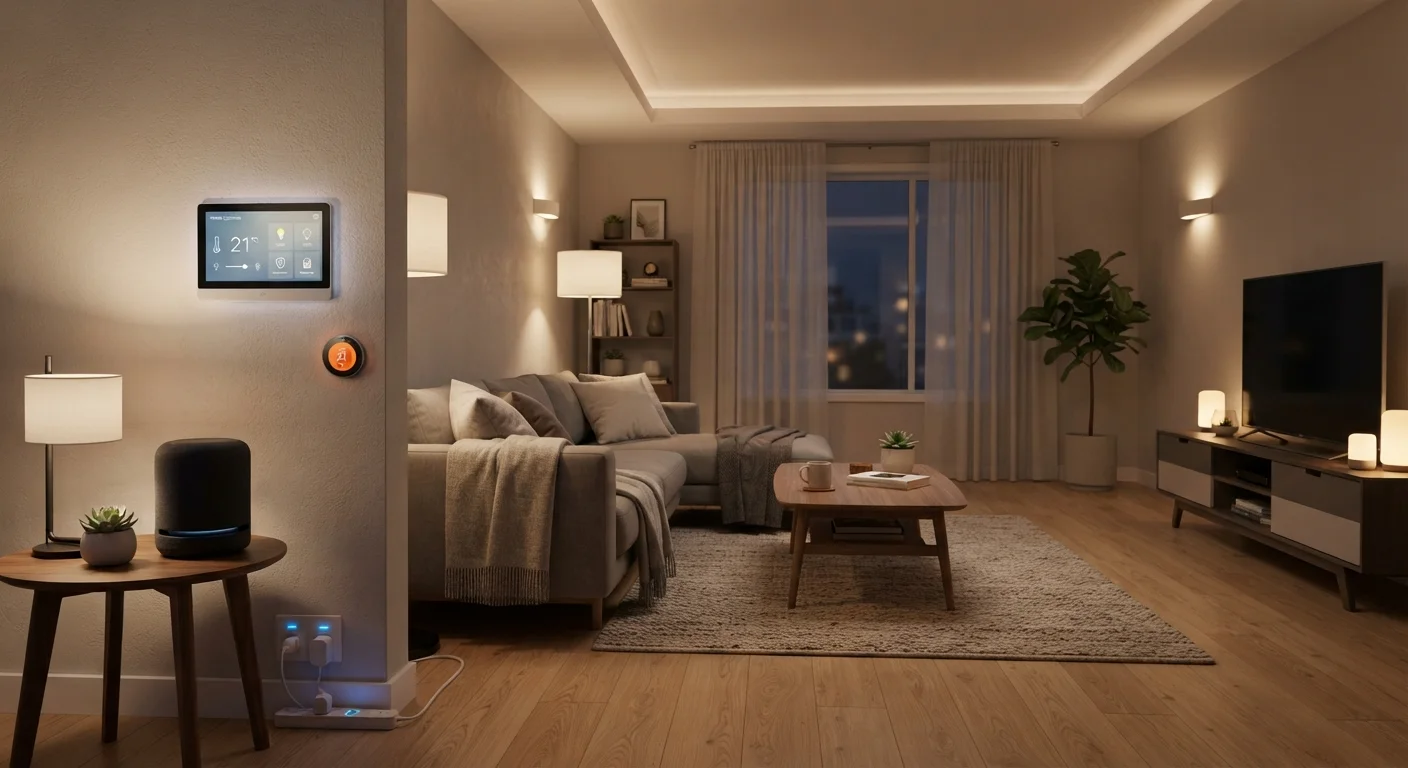
Photo credit: GadgetLite.net | All Things Tech
In this article
Cut through the jargon. Learn what smart home devices actually do, how they talk to each other, and which setups make everyday life simpler.
Key Takeaways
- Smart home devices connect to your network so you can control them remotely or set them to act automatically.
- Devices use different wireless protocols — Wi-Fi, Zigbee, Z-Wave, or Thread — which affects how they work together.
- A hub or ecosystem platform (like Google Home or Apple HomeKit) is often needed to coordinate multiple devices.
- Starting small with one or two devices is a practical way to learn without overwhelming your network or budget.
- Compatibility matters — checking whether devices share the same ecosystem saves frustration later.
What Smart Home Devices Actually Do
At their core, smart home devices do two things: they collect information (temperature, motion, power usage) and they act on instructions (turn on, lock, adjust). What separates them from ordinary electronics is connectivity — the ability to send that information somewhere useful and accept commands from outside the device itself.
A smart thermostat, for example, doesn't just control your HVAC. It learns your schedule, monitors whether anyone is home, and can be adjusted from your phone before you walk in the door. A smart lock records who enters and when, and can grant temporary access to a guest without you handing over a physical key.
The practical value isn't about novelty — it's about removing small friction points from daily life. Lights that turn off automatically when a room is empty, an alert when a package is delivered, a dryer that sends a notification when the cycle ends — these are incremental improvements that add up.
Start With One Clear Use Case
Before buying any smart home device, identify a specific daily friction point you want to remove — like lights staying on in empty rooms or not knowing if the front door is locked. Solving one real problem first helps you understand how these devices actually behave before expanding your setup.
For a wider look at what's possible once individual devices work in concert, see our guide on smart home automation.
How Smart Home Devices Connect to Each Other
Connectivity is where most confusion starts. Smart home devices don't all speak the same language, and understanding the basics helps you avoid buying products that won't work together.
Wi-Fi is the most familiar option — devices connect directly to your home router, no extra hardware needed. The downside is that a large number of Wi-Fi devices can strain older routers and drain batteries faster on battery-powered sensors.
Zigbee and Z-Wave are low-power wireless protocols designed specifically for smart home use. They create a mesh network — each device can relay signals to others, extending range. The catch is that they typically require a compatible hub to bridge them to your Wi-Fi network and your phone. Our detailed comparison of Thread, Zigbee, and Z-Wave explains the differences in plain language.
Thread is a newer mesh protocol designed to be more efficient and more interoperable. It underpins part of the Matter standard — an industry effort to make devices from different brands work together more reliably.
57%
U.S. households owning at least one smart home device
According to a 2023 Parks Associates report, more than half of U.S. broadband households own at least one connected home device.
3+
Average devices per smart home owner
Industry surveys consistently find that once consumers adopt one smart home device, they tend to add more — typically averaging three or more connected devices per household.
Matter
Cross-brand interoperability standard gaining adoption
Matter, backed by Apple, Google, Amazon, and Samsung, launched in 2022 and is increasingly supported across new smart home product lines to reduce compatibility friction.
Understanding which protocol your devices use is one of the most useful things you can do before buying. It determines hub requirements, range, battery life, and long-term compatibility.
Ecosystems: The Invisible Glue
Even when devices use compatible protocols, they usually need an ecosystem platform to become truly useful together. An ecosystem — Google Home, Amazon Alexa, Apple HomeKit, Samsung SmartThings — acts as the coordinator. It's the layer that lets you say "turn off all the lights" and have three different brands of bulbs respond simultaneously.
Each ecosystem has its own app, its own supported device list, and its own approach to automations. Choosing one to anchor your setup early prevents the frustration of discovering that a device you bought doesn't appear in your preferred app. For a fuller breakdown of how these platforms work, our article on smart home ecosystems walks through the key differences.
It's also worth acknowledging the trade-offs honestly. The convenience versus complexity question is real — more devices mean more things to manage, update, and troubleshoot.
Getting Started Without Overcomplicating It
The most common mistake new smart home users make is buying too many devices at once before understanding how they'll work together. A better approach: pick one problem you actually want to solve — porch lights left on, forgetting to lock the door — and start there.
Smart plugs are a good entry point because they let you automate ordinary appliances without any permanent installation. Smart bulbs are similarly low-commitment. Both work with most major ecosystems and teach you the basics of scheduling and remote control without requiring a hub.
Once you're comfortable, you can layer in devices that solve more specific needs — a video doorbell, a smart thermostat, window or door sensors. Each addition should answer a clear "why" before you add it. If you're curious about common misconceptions that trip people up before they even get started, our piece on home automation myths is worth a read.
Your Router Is Part of the System
Most smart home guides focus on the devices themselves, but your router's performance directly affects reliability. Older routers weren't designed to handle dozens of connected devices. If you're planning to grow your smart home setup, a dual-band or mesh Wi-Fi router can prevent a lot of connectivity headaches before they start.
Your home's existing Wi-Fi network matters more than most guides admit. Older or underpowered routers can struggle when you add many smart devices. A mesh router system can make the whole setup noticeably more stable.
Frequently Asked Questions

Author
Gadgets Editorial Team
Gadgets Editorial Team is the collective byline for our editorial team and contributor network. Articles published under this byline or an editorial pen name are researched, written, and reviewed according to our editorial standards for clarity, consistency, and independence before publication.
View all articles →