
Your First Smart Home: A Practical Starting Point for Complete Beginners
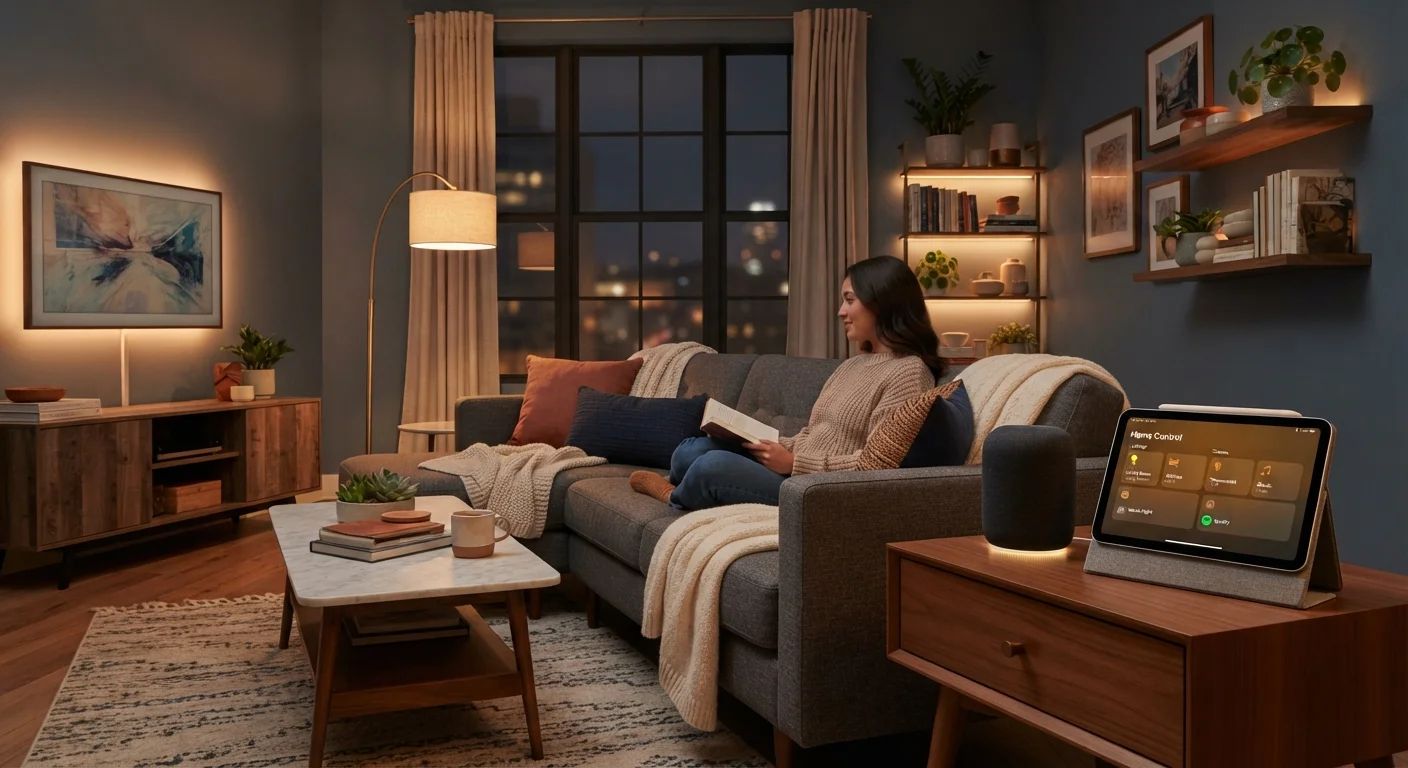
Photo credit: GadgetLite.net | All Things Tech
In this article
Never bought a smart home device before? This guide covers the concepts, vocabulary, and logical order for building a setup that actually works.
Key Takeaways
- A smart home is built incrementally — you don't need to automate everything at once.
- Your home Wi-Fi network is the foundation every smart device depends on.
- Choosing a single ecosystem early prevents compatibility headaches later.
- Start with high-impact, low-complexity devices like smart bulbs or a smart speaker.
- Privacy and security settings deserve attention before devices go live on your network.
What 'Smart Home' Actually Means
At its simplest, a smart home is one where everyday devices — lights, plugs, thermostats, door locks — can be controlled remotely, automated on schedules, or respond to triggers like motion or time of day. The word "smart" just means the device has a processor and a wireless radio that lets it communicate with a phone, voice assistant, or other devices.
You don't need to rewire your house or buy into a futuristic vision. A single smart bulb controlled from your phone qualifies. The point is that these devices add a layer of convenience, efficiency, or awareness that traditional hardware simply can't offer. For a broader look at everyday electronics that fit this category, explore the Home Tech Essentials hub.
Key Concepts to Know Before You Buy
Before spending anything, getting comfortable with a few foundational terms will save you from buying devices that don't work together.
Ecosystem
A family of devices and apps from one platform that are designed to work together seamlessly, typically centered around a voice assistant or smartphone operating system.
Hub
A central device that connects and coordinates smart home gadgets, especially those using protocols like Zigbee or Z-Wave that can't connect directly to your router.
Protocol
The wireless language a smart device uses to communicate — common examples include Wi-Fi, Bluetooth, Zigbee, Z-Wave, and the newer Matter standard.
Automation
A rule you set up that causes one or more devices to act automatically — for example, turning lights off at a set time or when everyone leaves home.
Matter
An open industry standard that allows smart home devices from different manufacturers to communicate with each other, reducing ecosystem lock-in.
Firmware
Built-in software installed on a smart device by the manufacturer, which can be updated over the internet to fix bugs or add features.
The most important concept for beginners is the ecosystem. Devices designed around one platform — say, one major voice assistant — tend to work together smoothly. Mixing ecosystems isn't impossible, but it adds friction. Decide early which ecosystem fits your existing devices best, and lean into it.
Your home network matters just as much as the devices themselves. Slow or patchy Wi-Fi is the silent cause of most smart home frustrations. If your router struggles to cover your whole home, address that first. The Home Network Tips hub has practical guidance on strengthening your connection before adding devices to it.
Where to Start: A Logical First Order
The most common beginner mistake is buying a complex device before the basics are in place. A logical starting sequence looks like this:
- Confirm your Wi-Fi coverage. Every device on this list needs it. Fix gaps first.
- Add a smart speaker or display. This becomes the voice control hub for your other devices and is intuitive from day one.
- Install smart bulbs in one room. Lighting is the highest-visibility, lowest-risk entry point. One room teaches you the app experience before you commit more.
- Add a smart plug. Turning an ordinary lamp or fan into a smart device costs little and shows you how scheduling and remote control work in practice.
- Consider a smart thermostat. Once you're comfortable with apps and schedules, a thermostat offers tangible efficiency gains over time.
Pick One Room, Learn the Workflow
Setting up your first smart device in a single room — rather than tackling the whole house — lets you learn the app, troubleshoot in a low-stakes environment, and decide whether you actually use the features before buying more. Most experienced smart home users recommend the living room or bedroom as the best starting point.
If you're new to setting up consumer electronics in general, our first-timer's unboxing and setup walkthrough explains the full process from plugging in to connecting accounts.
Common Beginner Mistakes to Avoid
Even well-intentioned purchases can create frustration when a few basics are overlooked.
Compatibility Is Not Guaranteed
A device being 'smart' does not mean it works with every voice assistant or app. Always check the device's packaging or product page for explicit compatibility with your chosen platform before purchasing. Returning incompatible hardware is inconvenient — verifying upfront takes two minutes.
- Skipping compatibility checks. Confirm that any device you buy lists your voice assistant or app platform as supported before purchasing.
- Underestimating setup time. Most devices take five to fifteen minutes to set up — but only if your Wi-Fi is stable and the app is current. Budget time accordingly.
- Ignoring default passwords. Many devices ship with generic credentials. Change them during setup, not later.
- Overbuying at the start. Automating every corner of a home on day one is overwhelming and rarely sticks. Start with one room or one use case.
Growing Your Setup Over Time
Once you're comfortable with a few devices, expansion becomes natural rather than daunting. Most platforms allow you to group devices into rooms, build routines that trigger multiple actions at once, and share access with other household members.
As your setup grows, you may want to revisit your network infrastructure — a mesh Wi-Fi system handles dozens of connected devices more reliably than a single router. You might also explore local control options for devices you want to work without depending on a cloud server.
Smart homes are personal. There's no single correct configuration — only the one that reduces friction in your daily routine. If your interest extends to other types of personal technology, our guide on choosing your first wearable device applies a similarly grounded approach to that category.
Home Network Tips Hub
Covers Wi-Fi setup, router placement, and keeping all your smart devices reliably connected — essential reading before adding multiple devices to your home.
Home Tech Essentials Hub
An editorial hub exploring smart home devices and everyday electronics designed to simplify daily life, with coverage spanning categories from lighting to security.
Frequently Asked Questions

Author
Electronics Editorial Team
Electronics Editorial Team is the collective byline for our editorial team and contributor network. Articles published under this byline or an editorial pen name are researched, written, and reviewed according to our editorial standards for clarity, consistency, and independence before publication.
View all articles →