
Your First Wearable: Everything You Need to Know Before Strapping One On
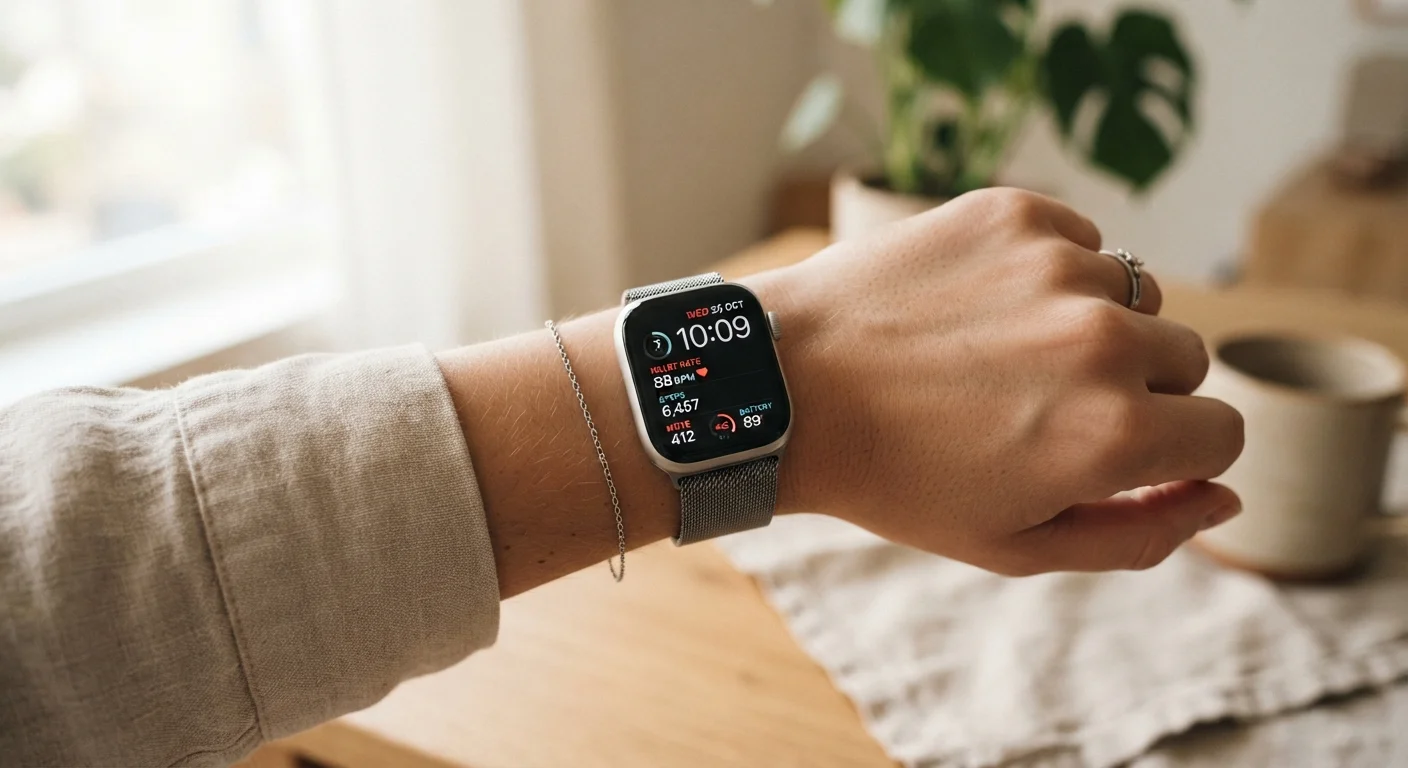
Photo credit: GadgetLite.net | All Things Tech
In this article
New to wearable tech? This guide covers the basics — how they work, what to expect, and how to get the most out of your first device.
Key Takeaways
- Wearables use onboard sensors to collect data about your body and environment in real time.
- Smartwatches, fitness trackers, smart earbuds, and smart rings each serve different everyday purposes.
- Most wearables require a companion smartphone app to unlock their full feature set.
- Battery life, comfort, and app ecosystem matter more than raw specs for daily use.
- Data from wearables is informational — it should complement, not replace, professional health advice.
What Wearables Actually Do
At their core, wearables are small computers you wear on your body. They use miniaturized sensors — accelerometers, optical heart rate monitors, GPS chips, and microphones — to collect data about how you move, sleep, and exert yourself, then translate that raw information into readable insights through a connected app.
The appeal is continuity. Unlike picking up your phone to check something, a wearable passively monitors in the background throughout the day. That continuous picture is what makes the data meaningful over time. For a broader look at how the hardware and software fit together, this sensor-to-ecosystem overview explains each layer in plain terms.
Accelerometer
A sensor inside a wearable that detects movement and orientation. It's how your device counts steps and recognizes whether you're walking, running, or sitting still.
Optical heart rate monitor
A sensor that uses light to detect blood flow through your skin, estimating your heart rate without any chest strap or electrodes.
Companion app
The smartphone application that pairs with your wearable to display synced data, manage settings, and deliver software updates.
Water resistance rating
A standardized measurement (often expressed as ATM or an IP code) indicating how well a device can withstand exposure to water, from splashes to full submersion.
Resting heart rate
Your heart rate when you are calm and still, typically measured during sleep. It's a common baseline metric used to track cardiovascular fitness trends over time.
Firmware
The built-in software that runs directly on your wearable device. Manufacturers release firmware updates to fix bugs, improve accuracy, and occasionally add new features.
The Main Types Worth Knowing
Not every wearable does the same thing, and matching the device to your actual habits makes a real difference.
- Smartwatches are the most versatile category — notifications, fitness tracking, contactless payments, and app support all in one device on your wrist.
- Fitness trackers prioritize health metrics like steps, heart rate, and sleep with longer battery life and simpler interfaces.
- Smart earbuds add health tracking to audio, capturing heart rate or activity data while you listen.
- Smart rings offer discreet 24/7 monitoring without a screen, appealing to people who want data without the wrist presence.
If you're still weighing which category suits your lifestyle, this introduction to wearable categories walks through each option in detail. You can also explore the full Wearables & Accessories hub for category-level coverage.
Setting Up Your First Device
First-time setup is where many people run into friction. Most devices follow the same general sequence: charge fully, download the companion app, create an account, and follow the in-app pairing steps over Bluetooth. The process is usually straightforward, but a few things routinely trip people up.
Permissions are the biggest source of confusion. Wearable apps commonly request access to location, notifications, health data, and background activity — each permission unlocks a specific feature. Skipping them during setup often leads to incomplete functionality later.
Grant Permissions Before You Skip Past Them
When your companion app prompts for permissions during setup, take a moment to read each one. Allowing notifications gives you wrist alerts; enabling health data access lets the app build a complete activity picture. You can always revisit permissions in your phone's settings, but approving them upfront saves a troubleshooting session later.
Before you even open the box, it's worth running through a short checklist. This pre-setup checklist covers firmware updates, privacy settings, and account security steps that most first-timers overlook. For a deeper dive into the pairing process specifically, this pairing guide covers Bluetooth troubleshooting and app permissions step by step.
Reading and Using Your Data
Once set up, you'll quickly find yourself looking at dashboards full of numbers — daily steps, resting heart rate, sleep stages, blood oxygen estimates, stress scores. The instinct is to optimize every metric immediately, but that approach tends to cause frustration more than progress.
A more useful starting point is simply observing your baselines for two to three weeks before drawing conclusions. What's your typical resting heart rate? How consistent is your sleep? Personal baselines make individual data points meaningful. A single night of poor sleep is noise; a consistent pattern is a signal worth acting on.
Wearable Data Is Not Medical Advice
Heart rate, blood oxygen, and stress estimates from consumer wearables are general wellness indicators — they are not diagnostic tools. If a reading concerns you, consult a qualified healthcare provider rather than relying solely on what your device reports. Wearable sensors can be affected by movement, skin tone, fit, and device placement.
For a complete picture of how wearables fit into everyday routines across different use cases, this complete wearable overview covers practical applications from fitness to travel to workday use.
Common First-Time Questions
A few practical points that don't fit neatly elsewhere but matter once you're actually wearing the device:
- Fit and wear position
- Optical heart rate sensors require consistent skin contact. Wearing the device too loosely, or too far from the wrist bone, reduces accuracy. Snug but comfortable is the goal.
- Charging habits
- Most wearables don't benefit from waiting until the battery is nearly empty. Charging overnight or during a shower break (for non-waterproof devices, charging during a break in your routine) keeps you covered without overthinking it.
- Software updates
- Manufacturers push firmware updates that fix bugs and sometimes add features. Keeping the device updated is one of the simplest ways to maintain performance and security.
Still deciding which type of device to start with? This grounded beginner's guide walks through the questions worth asking before committing to any specific category.
Frequently Asked Questions

Author
Electronics Editorial Team
Electronics Editorial Team is the collective byline for our editorial team and contributor network. Articles published under this byline or an editorial pen name are researched, written, and reviewed according to our editorial standards for clarity, consistency, and independence before publication.
View all articles →