
The Case for and Against Putting Everything in the Cloud
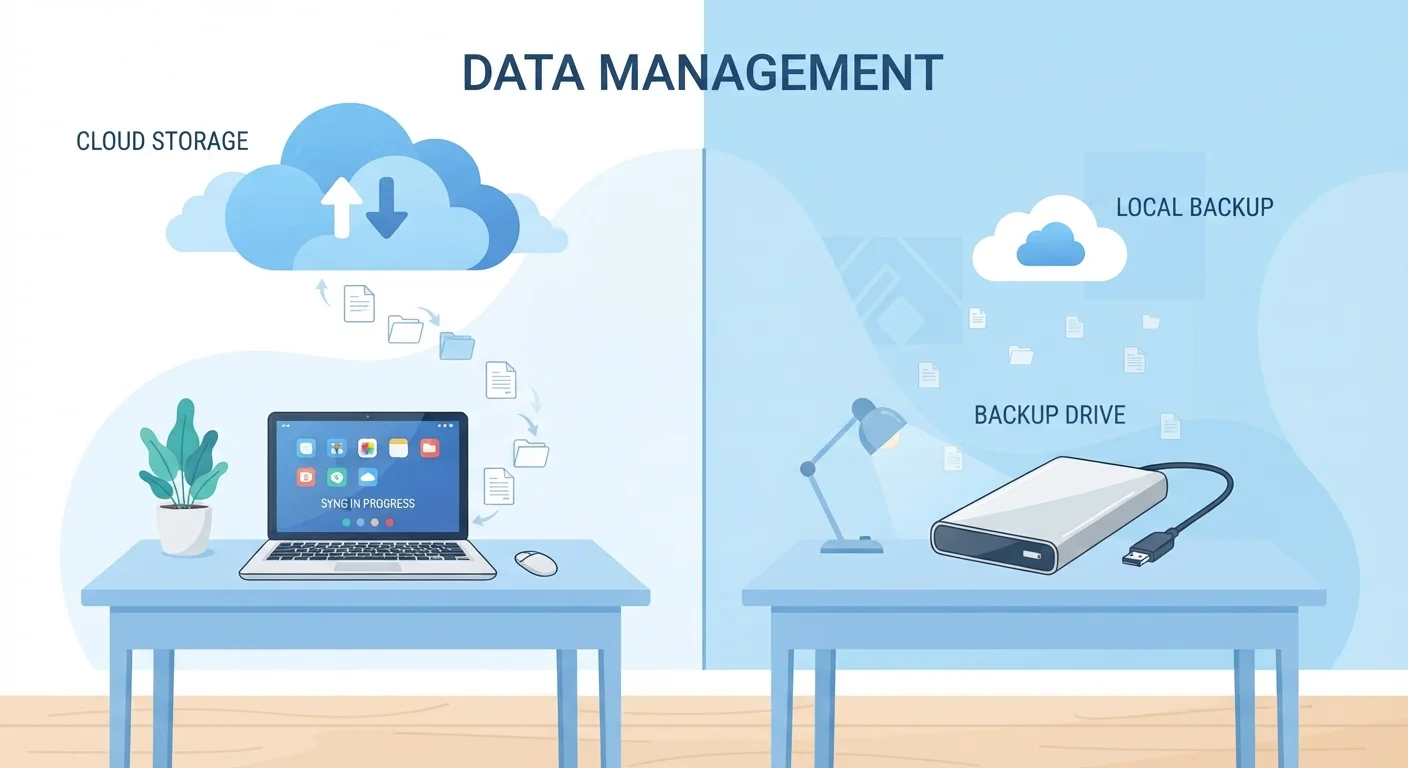
Photo credit: GadgetLite.net | All Things Tech
In this article
Cloud storage is convenient, but it's not the right answer for every file or every person. A balanced look at the trade-offs.
Key Takeaways
- Cloud storage makes your files accessible from any device with an internet connection.
- Storing files in the cloud is not the same as backing them up - a key distinction many users miss.
- Privacy, internet dependency, and ongoing subscription costs are legitimate downsides to consider.
- A hybrid approach - cloud for some files, local storage for others - works well for most people.
- No single storage method is right for every file or every situation.
Access your files from any internet-connected device
Whether you're switching from a laptop to a phone or working from a different computer, your files are available without carrying a physical drive. This is one of the most practical day-to-day benefits for people who move between devices.
Frees up storage space on your devices
Moving files to the cloud reduces what's stored locally, which can meaningfully improve performance on phones and laptops with limited built-in storage. Many cloud services let you access files on demand without downloading them permanently.
Simplifies sharing and collaboration
Sending a link to a shared folder is far easier than emailing large files or managing USB drives. Most cloud services support granular sharing controls, which Sharing Files and Folders Through the Cloud Without Losing Control covers in detail.
Provides an offsite copy of important files
If a device is lost, stolen, or damaged, files already synced to the cloud survive that event. This acts as a safety net - though it's worth understanding its limits before relying on it as your only backup.
Automatic syncing keeps files current across devices
Changes made on one device update everywhere without any manual step required. This removes the friction of manually transferring updated files between a phone, tablet, and computer.
Requires a reliable internet connection to work well
Without internet access, files stored only in the cloud are either unavailable or limited to whatever you've explicitly marked for offline use. This is a real limitation for travelers or anyone with inconsistent connectivity.
Ongoing subscription costs add up over time
Free tiers fill up quickly, and most people eventually pay a monthly or annual fee to maintain usable storage. Unlike buying a hard drive once, cloud storage is a recurring expense with no endpoint.
Syncing is not the same as backing up
If a file is deleted or corrupted, that change syncs to all your devices. Without version history or a separate backup strategy, cloud storage alone doesn't protect you from accidental data loss.
Privacy depends on a third party's policies
Your files live on servers owned and operated by another company. While reputable providers have strong security practices, uploading sensitive documents means accepting some degree of third-party data handling.
Upload and download speeds can be a bottleneck
Large files - high-resolution videos, raw photo files, large project archives - take significant time to sync over a typical home internet connection. This can make cloud storage impractical for heavy media workflows.
Service disruptions can lock you out temporarily
Cloud services occasionally experience outages. If you rely solely on cloud storage with no local copies, even a brief provider outage can prevent access to files you need right away.
What "Putting Everything in the Cloud" Actually Means
When people talk about the cloud, they usually mean storing files - photos, documents, videos - on remote servers run by a third party, rather than keeping them only on a personal device or hard drive. Services that do this sync your files across devices and let you access them through an internet connection.
Going "all in" on cloud storage means relying on that model for most or all of your files, rather than keeping a local copy. It sounds simple, but there are real trade-offs worth thinking through before you commit. For a plain-language breakdown of how cloud and local storage actually differ, see Local Storage vs Cloud Storage: Two Very Different Places for Your Files.
Access your files from any internet-connected device
Whether you're switching from a laptop to a phone or working from a different computer, your files are available without carrying a physical drive. This is one of the most practical day-to-day benefits for people who move between devices.
Frees up storage space on your devices
Moving files to the cloud reduces what's stored locally, which can meaningfully improve performance on phones and laptops with limited built-in storage. Many cloud services let you access files on demand without downloading them permanently.
Simplifies sharing and collaboration
Sending a link to a shared folder is far easier than emailing large files or managing USB drives. Most cloud services support granular sharing controls, which Sharing Files and Folders Through the Cloud Without Losing Control covers in detail.
Provides an offsite copy of important files
If a device is lost, stolen, or damaged, files already synced to the cloud survive that event. This acts as a safety net - though it's worth understanding its limits before relying on it as your only backup.
Automatic syncing keeps files current across devices
Changes made on one device update everywhere without any manual step required. This removes the friction of manually transferring updated files between a phone, tablet, and computer.
The Downsides You Should Know About
Cloud storage has real advantages, but it's not without friction. Several common pain points catch users off guard.
Requires a reliable internet connection to work well
Without internet access, files stored only in the cloud are either unavailable or limited to whatever you've explicitly marked for offline use. This is a real limitation for travelers or anyone with inconsistent connectivity.
Ongoing subscription costs add up over time
Free tiers fill up quickly, and most people eventually pay a monthly or annual fee to maintain usable storage. Unlike buying a hard drive once, cloud storage is a recurring expense with no endpoint.
Syncing is not the same as backing up
If a file is deleted or corrupted, that change syncs to all your devices. Without version history or a separate backup strategy, cloud storage alone doesn't protect you from accidental data loss.
Privacy depends on a third party's policies
Your files live on servers owned and operated by another company. While reputable providers have strong security practices, uploading sensitive documents means accepting some degree of third-party data handling.
Upload and download speeds can be a bottleneck
Large files - high-resolution videos, raw photo files, large project archives - take significant time to sync over a typical home internet connection. This can make cloud storage impractical for heavy media workflows.
Service disruptions can lock you out temporarily
Cloud services occasionally experience outages. If you rely solely on cloud storage with no local copies, even a brief provider outage can prevent access to files you need right away.
One of the biggest misconceptions is treating cloud storage as an automatic backup. If you delete a file - or a syncing error wipes it - that change often propagates across all your devices. That's not backup behavior; it's mirroring. Why Your Files Aren't Truly Safe Just Because They're in the Cloud explains exactly where this gap appears and how to close it.
Cloud Storage vs. Cloud Backup: Not the Same Thing
Cloud storage syncs your files across devices - meaning deletions and changes replicate everywhere. Cloud backup, by contrast, creates a protected snapshot you can restore from even if files are deleted or overwritten. Many people assume their cloud storage service is also backing up their files; it usually isn't. Check why cloud storage isn't a true backup to understand the gap and how to fill it.
Who Should Be Cautious About Going All-In
Cloud-first storage isn't a bad idea - but it's a worse fit for some people and some file types. A few scenarios where caution makes sense:
- Sensitive personal files: Medical records, financial documents, and legal files carry privacy risks if stored with a third party, even a reputable one. Encryption helps, but local storage keeps sensitive data entirely under your control.
- Large media libraries: Video editors, photographers, and musicians often work with files that are gigabytes in size. Uploading and downloading those files repeatedly over the internet is slow and can eat through storage quotas quickly.
- Unreliable internet access: If your home connection drops frequently, or you travel to places with spotty coverage, cloud-only storage creates real accessibility problems.
If you're weighing cloud backup against local backup for important files, Local Backup vs. Cloud Backup: Weighing the Trade-offs walks through the considerations clearly. For mobile-specific trade-offs, Cloud Storage and Local Storage on Mobile Devices is also worth a read.
~68%
Adults who use cloud storage regularly
Pew Research Center surveys on American technology use have consistently found a majority of adults store files or data in the cloud, though exact figures vary by year and demographic.
15 GB
Typical free cloud storage tier size
Many major cloud storage providers offer around 15 GB of free storage before requiring a paid upgrade, which fills quickly once photos and videos are included.
Finding the Right Balance
Most people don't need to pick sides. A hybrid approach - using cloud storage for files you access regularly or want to share, while keeping local copies of critical or large files - handles the majority of real-world needs without exposing you to the downsides of either extreme.
A few practical principles:
- Keep at least one local copy of files you can't afford to lose. Cloud storage is useful redundancy, not a replacement for a backup you control.
- Use cloud storage for collaboration and cross-device access - that's genuinely where it shines.
- Be selective about what you upload. Not every file needs to live everywhere. Keeping Your Cloud Files Organised So You Can Actually Find Them has practical guidance for avoiding the digital junk drawer problem.
Cloud storage also intersects with the software you use day-to-day. Cloud Software vs. Desktop Software: Trading Control for Convenience covers how the same access-vs-control tension plays out for apps, not just files.

Author
Cloud Editorial Team
Cloud Editorial Team is the collective byline for our editorial team and contributor network. Articles published under this byline or an editorial pen name are researched, written, and reviewed according to our editorial standards for clarity, consistency, and independence before publication.
View all articles →