
Local Backup vs. Cloud Backup: Weighing the Trade-offs
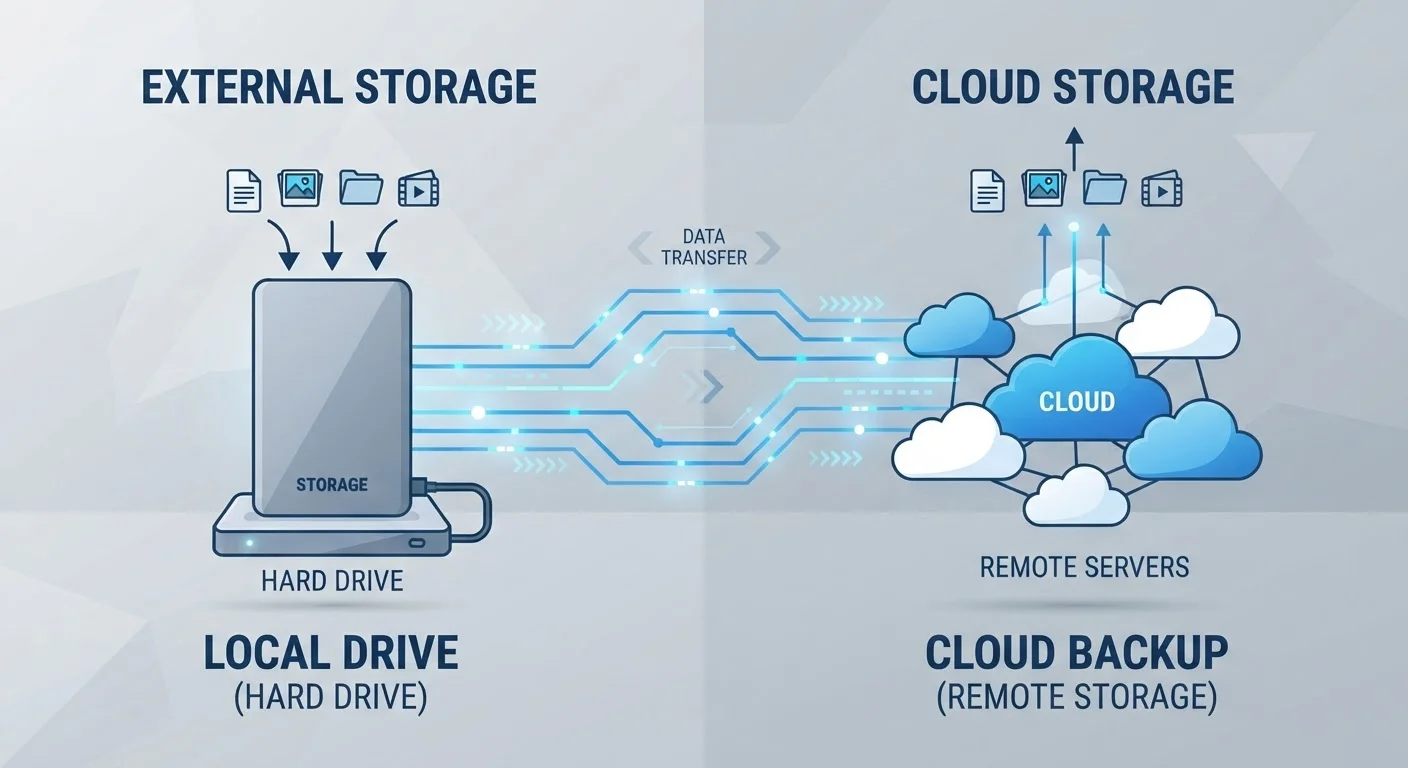
Photo credit: GadgetLite.net | All Things Tech
In this article
External drives or cloud services — both have genuine strengths and real limitations. Here's how to think through the choice for your situation.
Key Takeaways
- Local backup gives you fast, offline access and no ongoing subscription costs.
- Cloud backup protects data from physical disasters like theft, fire, or flood.
- Both methods have real weaknesses - using them together covers the most ground.
- The right balance depends on how much data you have, your budget, and your risk tolerance.
Fast restore speeds, even for large data sets
Restoring from a local drive doesn't depend on your internet connection, so recovery is limited only by the drive's read speed - typically far faster than downloading from the cloud.
No recurring subscription fees
Once you buy the hardware, there's no monthly cost to maintain it. For large storage needs, this can be more economical over several years.
Full control over where your data lives
Nothing is transmitted over the internet or stored on a third-party server, which appeals to users with privacy or compliance concerns.
Works without internet access
Local drives function regardless of network availability, making them reliable in areas with slow, unreliable, or metered connections.
Vulnerable to physical loss, damage, or theft
If the drive and the device it's backing up are in the same location, a fire, flood, or theft can destroy both simultaneously.
Requires manual action or setup to stay current
Unless you configure scheduled backups, it's easy to fall behind - leaving weeks or months of new data unprotected.
Hardware can fail without warning
Hard drives have a finite lifespan and can fail unexpectedly. A backup stored on aging hardware may not be readable when you actually need it.
Dependent on internet speed and service uptime
Uploading and restoring large backups over a slow connection can take an impractical amount of time, and access relies on the service remaining operational.
What We Mean by Local and Cloud Backup
A local backup means copying your data to a physical device you own - typically an external hard drive or USB drive that sits in your home or office. A cloud backup means sending copies of your data over the internet to servers maintained by a service provider, where they're stored remotely and can be accessed from any device with internet access.
Both accomplish the same core goal: keeping a second (or third) copy of your data so that losing your primary device doesn't mean losing everything. But how they do that - and where they fall short - is quite different. If you're still building intuition around what storage types actually mean, this overview of local vs. cloud storage lays out the foundational concepts clearly.
Backup vs. Sync: Not the Same Thing
It's easy to assume that syncing your files to a cloud service - like automatically uploading photos to a photo library - counts as a backup. It doesn't, at least not fully. Sync mirrors your current files; if you delete or overwrite something, that change propagates everywhere. A true backup preserves historical copies. Cloud sync and cloud backup work very differently, and knowing the distinction can prevent a painful surprise.
The Case for Local Backup
Local backup has a few qualities that cloud services simply can't replicate.
Fast restore speeds, even for large data sets
Restoring from a local drive doesn't depend on your internet connection, so recovery is limited only by the drive's read speed - typically far faster than downloading from the cloud.
No recurring subscription fees
Once you buy the hardware, there's no monthly cost to maintain it. For large storage needs, this can be more economical over several years.
Full control over where your data lives
Nothing is transmitted over the internet or stored on a third-party server, which appeals to users with privacy or compliance concerns.
Works without internet access
Local drives function regardless of network availability, making them reliable in areas with slow, unreliable, or metered connections.
Speed is the most immediate advantage. Restoring 200 GB of photos from an external drive takes minutes; pulling the same data down from the cloud over a typical home internet connection can take hours or even days. If you work with large video files or raw photos, that difference is significant.
Cost is another factor. You pay once for an external drive and own it outright - no monthly bill, no storage tier to manage. For someone who needs a terabyte or more of backup space, buying hardware often works out cheaper over several years than subscribing to an equivalent cloud plan.
Privacy-conscious users also prefer keeping sensitive data entirely under their own control, with no third-party server involved.
The Case for Cloud Backup
Cloud backup solves a problem local drives can't: protecting your data from whatever is happening where you physically are.
Vulnerable to physical loss, damage, or theft
If the drive and the device it's backing up are in the same location, a fire, flood, or theft can destroy both simultaneously.
Requires manual action or setup to stay current
Unless you configure scheduled backups, it's easy to fall behind - leaving weeks or months of new data unprotected.
Hardware can fail without warning
Hard drives have a finite lifespan and can fail unexpectedly. A backup stored on aging hardware may not be readable when you actually need it.
Dependent on internet speed and service uptime
Uploading and restoring large backups over a slow connection can take an impractical amount of time, and access relies on the service remaining operational.
If a fire, flood, or burglary takes out your home or office, a local drive stored right next to your laptop disappears along with it. Cloud backup survives those events because your data lives somewhere else entirely.
Cloud services also handle the logistics of backing up automatically. Many run quietly in the background, sending new or changed files to the cloud without requiring any action from you. That automation matters because the most common reason backups fail is simply that people forget to run them.
File versioning - the ability to recover an older version of a document, not just the most recent copy - is another feature many cloud backup services include. Understanding how versioning works can help you see why it's more useful than it might first appear.
30%
PC users who have never backed up their data
Surveys consistently find that a significant share of computer users have no backup routine in place, leaving them fully exposed to data loss.
1 in 10
Hard drives that fail within the first year
Industry reliability studies suggest roughly 10% of hard drives experience failure within their first year of use, underscoring the risk of single-point storage.
Why One Method Alone Leaves You Exposed
Relying only on local backup means a single physical event can erase your backup along with the original. Relying only on cloud backup means a slow or interrupted internet connection could leave you without access to your data exactly when you need it most - and it means trusting that the service remains available and affordable indefinitely.
A well-established principle in data protection, the 3-2-1 backup rule, addresses this directly: keep three copies of your data, on two different types of media, with one copy stored offsite. A local drive plus a cloud backup naturally satisfies that structure.
Before committing to a cloud service, it's also worth thinking through what you actually need. Estimating how much cloud storage your backup actually requires is a practical step that prevents overpaying for space you don't need - or underestimating and running short. And if you're evaluating specific services, these angles for choosing a cloud storage service are worth reviewing before you decide.

Author
Cloud Editorial Team
Cloud Editorial Team is the collective byline for our editorial team and contributor network. Articles published under this byline or an editorial pen name are researched, written, and reviewed according to our editorial standards for clarity, consistency, and independence before publication.
View all articles →