
Your First Gaming Setup: Everything a Casual Player Actually Needs
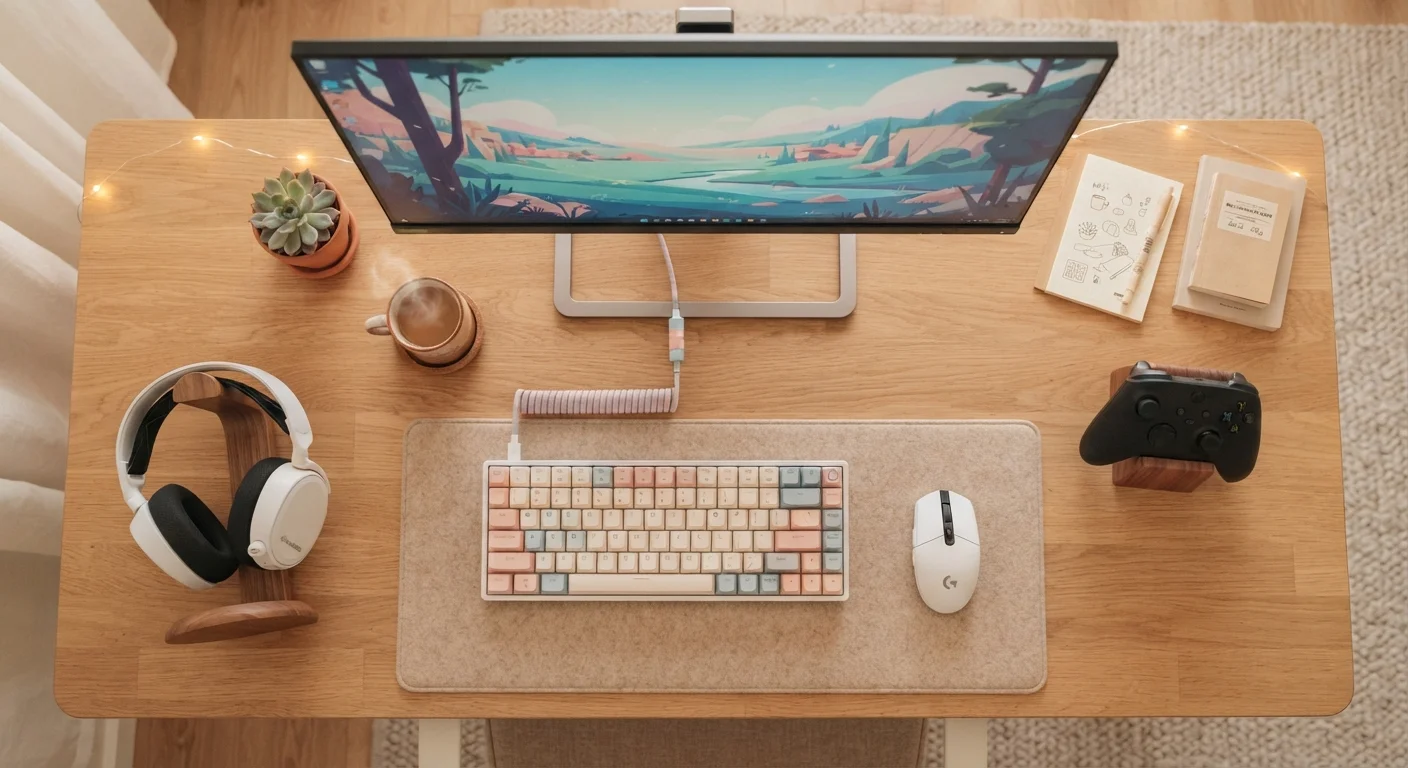
Photo credit: GadgetLite.net | All Things Tech
In this article
Starting out in gaming? This guide covers the core gear you need — and what you can safely skip until later.
Key Takeaways
- Choosing the right platform is the single most important first decision for any new gamer.
- Most casual players only need a console or PC, a display, and a controller or keyboard to get started.
- Expensive accessories like mechanical keyboards and high-end headsets are optional upgrades, not requirements.
- A comfortable, ergonomic play space matters more than premium gear for long-term enjoyment.
- Building your setup gradually saves money and helps you spend on gear that actually suits your play style.
Start With the Platform, Not the Accessories
Before you think about headsets, controllers, or desk lighting, you need to settle one question: where are you going to play? Your platform — console, PC, or mobile — shapes every other decision that follows.
Consoles like PlayStation and Xbox are designed to be plug-and-play. You connect them to a TV, set up an account, and you're gaming within the hour. A gaming PC offers more long-term flexibility but demands more upfront research. Mobile gaming on a smartphone or tablet requires the least investment and no dedicated space at all.
There's no universally correct answer, but there is a right answer for you — based on the games you want to play, the space you have, and how much setup complexity you're comfortable with. Our platform selection guide walks through each option without the jargon so you can match one to your lifestyle confidently. For a broader comparison of what each platform offers, the Gaming Platforms hub is a great place to explore.
Platform
The hardware and software system you use to play games — for example, a PlayStation console, an Xbox, a gaming PC, or a smartphone. Your platform determines which games you can play.
Refresh rate
How many times per second your display updates the image, measured in Hz. A higher refresh rate (like 144Hz) can make fast motion look smoother, but 60Hz is perfectly fine for most casual gaming.
Input device
The hardware you use to control a game — a controller, a keyboard and mouse, or a touchscreen. Your platform largely determines which input device you'll use.
Multiplayer subscription
A recurring paid service required by most consoles to access online multiplayer features. Examples include PlayStation Plus and Xbox Game Pass Core.
Resolution
The number of pixels displayed on your screen, often described as 1080p or 4K. Higher resolution means a sharper image, but the difference is most noticeable on larger screens viewed up close.
Bias lighting
A soft light placed behind your monitor or TV that reduces the harsh contrast between a bright screen and a dark room, which can help reduce eye strain during long sessions.
The Core Gear You Actually Need
Once you've settled on a platform, your actual gear list is shorter than most online guides suggest. Here's what genuinely matters at the start:
- The platform itself — console, gaming PC, or a capable smartphone.
- A display — your existing TV works fine for console. PC gamers need a monitor, but a standard 1080p, 60Hz screen is more than adequate for casual play.
- An input device — a controller for console, or a basic keyboard and mouse for PC. Stock controllers that come bundled with consoles are genuinely good.
- Audio — built-in TV speakers or whatever earbuds you already own. That's it for starters.
- An internet connection — most modern games require or strongly benefit from being online, both for updates and multiplayer.
That's the entire foundation. Everything else is an upgrade path, not a starting requirement.
Borrow Before You Buy If You Can
If a friend or family member has a console or gaming PC, ask to try it before committing to your own. Even an hour of hands-on time tells you far more about whether a platform suits you than any spec sheet or review. Many public libraries also lend gaming equipment in some areas — worth checking.
What You Can Safely Skip for Now
Gaming marketing is loud, and it often targets new players who don't yet know what they actually need. Here's a realistic look at what you can hold off on:
- Mechanical keyboards — satisfying but unnecessary unless you find a standard keyboard genuinely uncomfortable after extended use.
- High-refresh-rate monitors (144Hz+) — these benefit competitive, fast-paced gaming. For casual play, you won't notice the difference.
- Dedicated gaming headsets — useful for multiplayer voice chat, but not day-one essential.
- Capture cards and streaming equipment — great if content creation is your goal, but irrelevant until you know what games you actually enjoy.
- RGB lighting — aesthetically fun, functionally zero impact on gameplay.
If you're tempted to spend on upgrades early, it's worth reading why new players often overspend on gear before making a purchase decision.
Don't Let Gear Replace Practice
It's tempting to think that better hardware will make you a better player, but for casual gaming that logic almost never holds. The skills that make gaming more enjoyable — learning a game's mechanics, understanding its pacing, getting comfortable with controls — come from playing, not spending. Gear can remove genuine friction, but it can't substitute for time with the game itself.
Setting Up Your Space Comfortably
Your physical environment affects how much you enjoy gaming just as much as your hardware does. A few practical things to get right from day one:
- Screen distance — for a TV, a general guideline is to sit roughly 1.5 to 2.5 times the diagonal screen size away. For a PC monitor, around arm's length (roughly 20–28 inches) tends to work well for most people.
- Seat height — your feet should sit flat on the floor, and your elbows should be roughly level with your desk or armrests. A standard adjustable office chair handles this well.
- Lighting — avoid playing in complete darkness. A lamp or bias lighting behind the monitor reduces eye strain during longer sessions.
If you're planning longer gaming sessions, setting up your chair and desk ergonomically is worth a read before you settle into habits that are hard to undo.
Building Up Over Time
The smartest approach to a gaming setup is incremental. Start lean, play for a few weeks or months, and then identify the specific friction points in your experience. That's when spending on upgrades makes sense — because you're solving a real problem rather than a hypothetical one.
Maybe you realize you play a lot of online multiplayer and voice chat matters — that's when a headset earns its place. Maybe you're drawn to fast-paced competitive games and start noticing input lag — that's when a higher-refresh-rate monitor starts making sense.
When you're ready to evaluate what gaps actually exist in your setup, the upgrade readiness checklist is a practical tool for making confident decisions. And if you want to understand which accessories genuinely improve play versus which are mostly marketing, this breakdown of gaming gear worth buying will save you real money.
Building gradually isn't settling — it's smart. The best gaming setup is the one that fits how you actually play, not how a product page imagines you do.
Gaming Platforms Hub
A structured overview comparing consoles, PC, and mobile gaming to help you identify which platform fits your lifestyle and the types of games you want to play.
Ergonomic Gaming Space Setup Guide
Practical steps for arranging your chair, desk, and monitor so your body holds up comfortably across longer gaming sessions without strain.
Frequently Asked Questions

Author
Gaming Editorial Team
Gaming Editorial Team is the collective byline for our editorial team and contributor network. Articles published under this byline or an editorial pen name are researched, written, and reviewed according to our editorial standards for clarity, consistency, and independence before publication.
View all articles →