
Spending on Gear Before Improving Fundamentals: A Common Trap for New Players
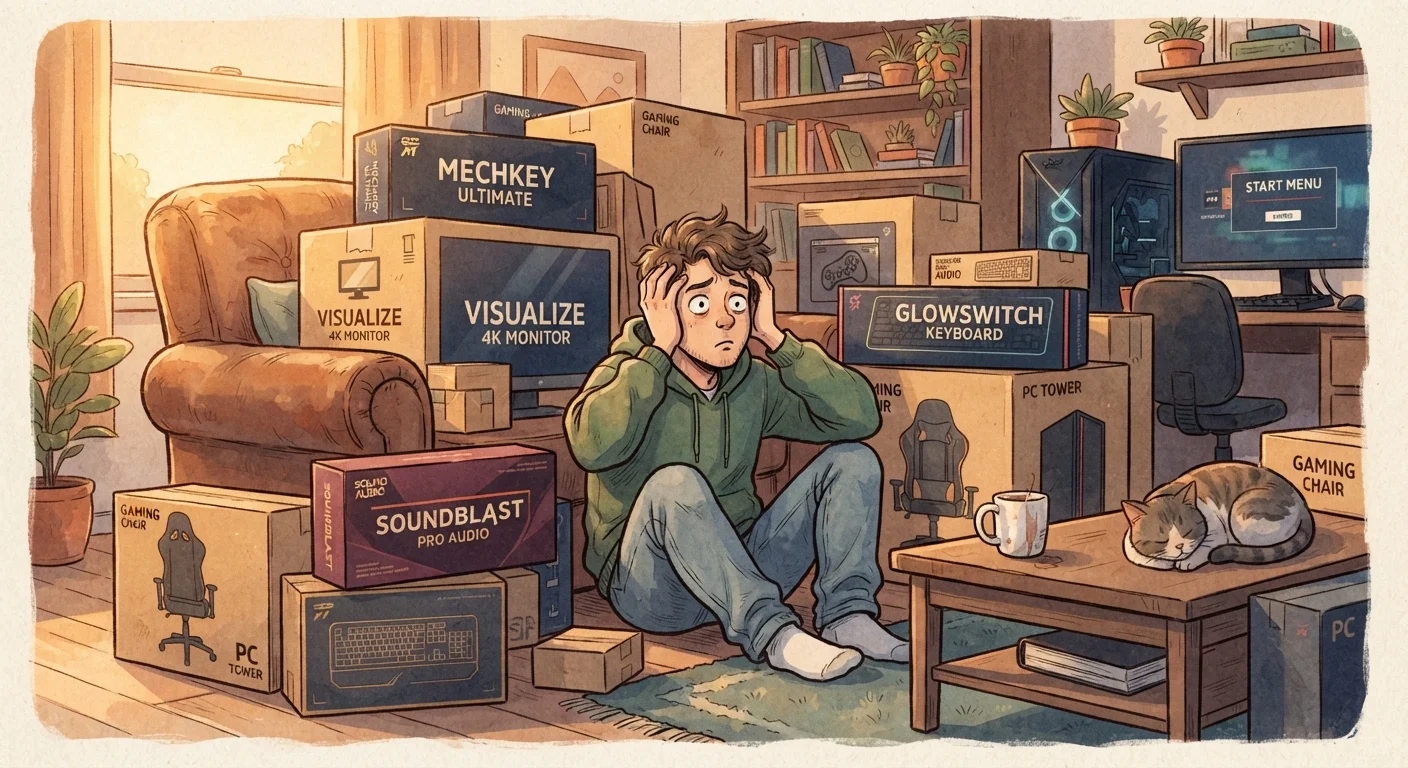
Photo credit: GadgetLite.net | All Things Tech
In this article
New players often overinvest in hardware hoping it will fix skill gaps. Here's why that logic backfires — and what to focus on first.
Key Takeaways
- Hardware upgrades rarely compensate for gaps in core gaming skills and game knowledge.
- New players improve fastest by practicing consistently, not by spending more on gear.
- Mid-range, functional equipment is sufficient for most casual and developing players.
- Identifying genuine hardware bottlenecks before upgrading saves money and frustration.
- Marketers target new players with performance promises that aren't skill-level relevant.
Why New Players Fall Into the Gear Trap
It's one of the most relatable rookie moves in gaming: you hit a wall, you start losing more than you'd like, and almost immediately you start eyeing a new mouse, a fancier headset, or a monitor with specs that sound borderline scientific. The logic feels sound — better gear, better game. But it almost never works that way, especially when you're still learning the ropes.
Gaming hardware marketing is genuinely excellent at implying that equipment is the limiting factor in your performance. When you're new, it's hard to know any better. The truth is that at early and intermediate skill levels, fundamentals — game sense, positioning, timing, muscle memory — account for the overwhelming majority of performance. Gear is a much smaller slice than the ads suggest.
This pattern is common enough that it's worth calling out directly. As our colleagues explore in The Electronics Upgrade Trap, the pressure to upgrade constantly is a feature of product marketing cycles, not a reflection of genuine need. Recognizing that pressure is the first step to spending smarter.
Gear Won't Fix What Practice Solves
No headset, controller, or monitor upgrade will compensate for lack of game knowledge, muscle memory, or strategic thinking. Before spending on hardware, honestly assess whether your current gear is genuinely limiting you — or whether more playtime and deliberate practice would close the gap faster and for free.
The Mistakes New Players Make Most Often
The gear-before-fundamentals trap shows up in surprisingly consistent ways. Understanding the specific mistakes — and why they feel so reasonable in the moment — makes them much easier to sidestep.
Buying premium peripherals before developing basic game sense or control habits.
Why it happens: Marketing for high-end gaming gear heavily implies that better hardware equals better performance, and new players haven't yet learned how little equipment matters at early skill levels.
Treating a high-refresh-rate monitor as a shortcut to competitive success.
Why it happens: Refresh rate is one of the most marketed monitor specs, and players assume the millisecond advantages seen at pro levels translate directly to their own play.
Overspending on audio gear expecting it to replace game awareness and map knowledge.
Why it happens: Spatial audio and high-end headsets are heavily promoted as competitive advantages, making new players believe positional sound tracking requires premium equipment.
Assuming a mechanical keyboard will meaningfully improve reaction times.
Why it happens: Mechanical keyboards are associated with serious gaming culture, and new players conflate professional-grade tools with professional-level outcomes.
Copying a professional player's full gear loadout without matching skill context.
Why it happens: Pro setups are highly visible on streams and social media, creating the impression that replicating the equipment replicates the results.
If you're putting together your first setup and want a grounded starting point, Your First Gaming Setup breaks down exactly what you need versus what you can safely skip for now.
How to Know When a Gear Upgrade Actually Makes Sense
This isn't a case against ever upgrading — some hardware differences are real and worth addressing. The key is learning to distinguish a genuine equipment bottleneck from frustration looking for an easy fix.
Ask yourself: Is my current gear causing a specific, repeatable problem? Is my controller drifting? Is my monitor introducing visible input lag I can actually feel? Are audio dropouts breaking immersion in ways that affect play? If the answer to any of those is a clear yes, an upgrade has a rational case. If the honest answer is "I'm just losing and I want it to stop," that's a fundamentals problem, not a hardware problem.
~80%
Performance gap attributable to skill vs. gear
Gaming coaches and competitive analysts broadly estimate that at non-professional levels, the vast majority of performance differences come from skill and decision-making rather than equipment specifications.
60Hz
Refresh rate comfortable for most casual play
Display technology research consistently shows that refresh-rate gains become perceptually meaningful primarily at high skill levels with fast, precise input — not during typical casual or learning-stage play.
Before committing any budget, run through a readiness check. This upgrade readiness checklist is a practical tool for identifying real gaps in your current setup. And if you want to understand which accessories actually move the needle for everyday players versus which ones are pure spec-sheet theatre, Gaming Gear That Actually Improves Casual Play is a worthwhile read before you open your wallet.
The players who improve fastest aren't always the ones with the shiniest setups — they're the ones who put in deliberate practice with whatever they have. Gear can support skill; it can't replace it.

Author
Gaming Editorial Team
Gaming Editorial Team is the collective byline for our editorial team and contributor network. Articles published under this byline or an editorial pen name are researched, written, and reviewed according to our editorial standards for clarity, consistency, and independence before publication.
View all articles →