
Smart Lighting From Scratch: A First-Timer's Complete Introduction
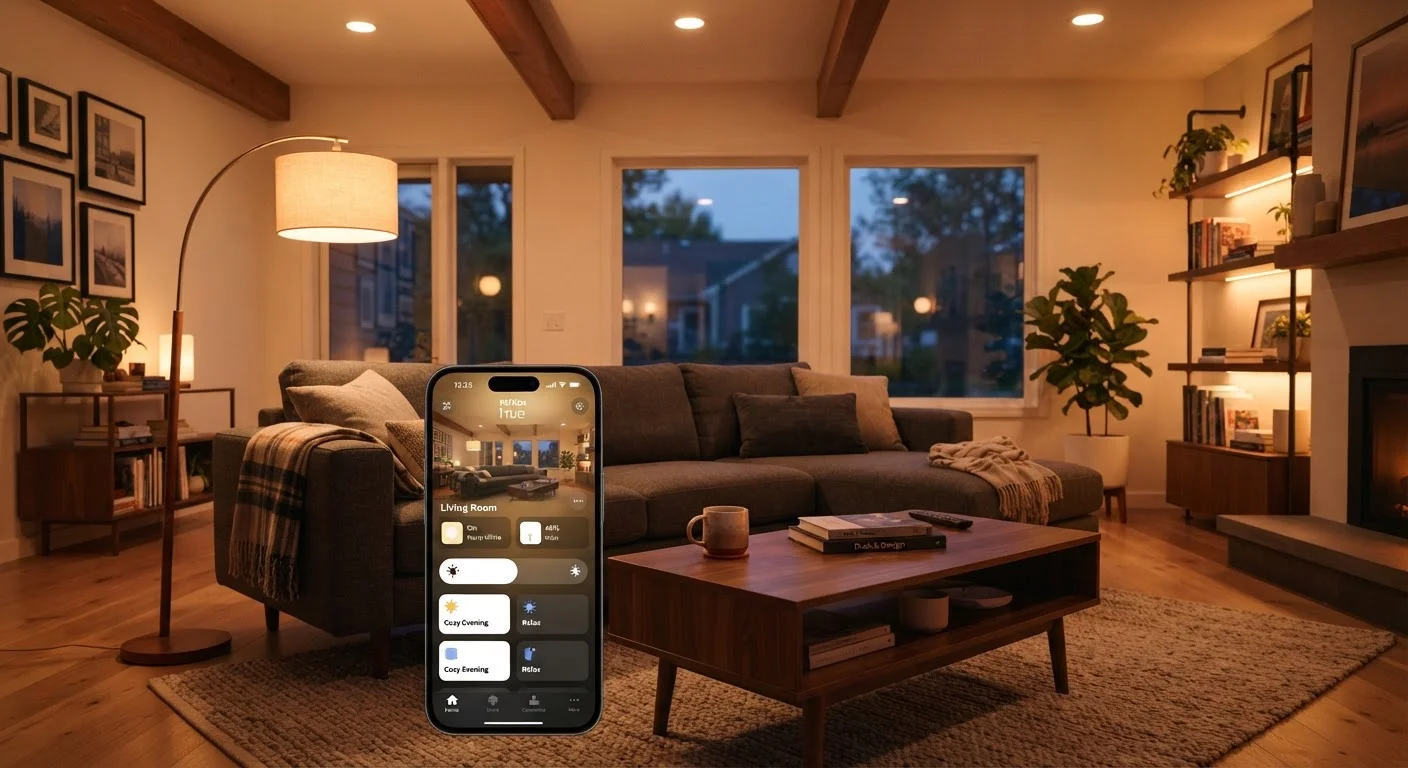
Photo credit: GadgetLite.net | All Things Tech
In this article
Smart bulbs, switches, and scenes can transform how you light your home. Start here to understand how it all works before buying a single bulb.
Key Takeaways
- Smart lighting includes bulbs, switches, and strips — each suited to different situations and budgets.
- You don't need a hub or smart speaker to get started; Wi-Fi bulbs work directly with your phone.
- Smart switches preserve normal wall-switch behavior and work with any bulb, including non-smart ones.
- Scenes and schedules are where smart lighting pays off daily — not just novelty remote control.
- Start with one room to test your preferred ecosystem before expanding throughout your home.
What Smart Lighting Actually Is
Smart lighting refers to light sources — bulbs, fixtures, or LED strips — that can be controlled remotely or automatically, rather than only by a physical wall switch. At its most basic, a smart bulb replaces a standard bulb in any lamp or fixture and connects to your smartphone so you can turn it on, dim it, or change its color from across the room or across the country.
The appeal goes beyond novelty. Smart lighting can adjust automatically to the time of day, respond to voice commands through a smart speaker, or trigger when you arrive home. If you want a broader look at how lighting fits into a connected home, the smart home automation overview explains the bigger picture well.
Smart bulb
A light bulb with built-in wireless connectivity that lets you control it remotely via an app, voice assistant, or automation — without rewiring anything.
Smart switch
A wall switch replacement with wireless connectivity that controls any bulb wired to it, allowing remote or automated control while preserving normal switch behavior.
Hub
A central device that acts as a translator between your router and smart devices using protocols like Zigbee or Z-Wave. Some smart speakers have hubs built in.
Color temperature
A measure of how warm (yellowish) or cool (bluish-white) a light appears, expressed in Kelvin. Lower values like 2700K feel cozy; higher values like 5000K feel daylight-bright.
Mesh network
A wireless setup where devices relay signals to each other, extending range and reliability — commonly used by Zigbee and Z-Wave smart lighting systems.
Matter
A cross-brand smart home standard that allows devices from different manufacturers to work together without being locked into a single company's ecosystem.
Smart Bulbs vs. Smart Switches: Which Should You Start With?
This is the first real decision new buyers face, and it matters more than brand or color capability.
Smart Bulbs
Smart bulbs screw into existing sockets. They're easy to install — literally plug-and-play — and many support color changing and tunable white light. The downside: if someone turns off the wall switch, the bulb loses power entirely and can't respond to app or voice commands until the switch is flipped back on. This frustrates households with multiple people who default to wall switches.
Smart Switches
Smart switches replace the wall switch itself. Once installed, every bulb wired to that switch gets smart functionality — you can even use inexpensive standard bulbs. Wall-switch behavior is preserved, so your household doesn't have to change habits. The trade-off is that installation involves working with your home's wiring, which some renters or first-timers aren't comfortable with.
Test With One Room First
Before committing to an ecosystem, buy a single smart bulb or switch and live with it for a week. Pay attention to app reliability, connection stability, and whether your household actually uses the features. Expanding later is easy — undoing a whole-home purchase of incompatible hardware is not.
For renters or anyone who wants zero installation complexity, smart bulbs are the logical starting point. Homeowners who want whole-room control without training everyone to avoid the wall switch often prefer smart switches.
How Smart Lighting Connects to Your Home
Smart bulbs and switches communicate using one of several wireless protocols. Understanding the differences helps you avoid buying incompatible hardware.
- Wi-Fi: Connects directly to your home router. No hub needed, easy setup, but many bulbs on one network can add congestion on older routers.
- Bluetooth: Works within short range, often without internet. Control is limited to when your phone is nearby unless paired with a bridge device.
- Zigbee / Z-Wave: Low-power mesh protocols that extend range by relaying signals through other devices on the same network. These require a compatible hub or smart home controller but tend to be more reliable and scalable.
- Matter: A newer cross-platform standard designed to let devices from different brands work together without ecosystem lock-in. Support is growing across major platforms.
If you're already using a smart speaker like Amazon Echo or Google Nest, check whether it includes a built-in hub for Zigbee — several models do, which means Zigbee bulbs can work without buying separate hardware.
Wi-Fi Bulb Limits on Older Routers
Most home routers handle everyday devices without issue, but older or budget routers can struggle when dozens of Wi-Fi smart bulbs are added to the network. If you plan to outfit multiple rooms with Wi-Fi bulbs, confirm your router supports the expected device count — or consider a Zigbee-based system, which offloads traffic from your main Wi-Fi network.
Scenes, Schedules, and Automation Basics
Once bulbs are connected, the real value of smart lighting unlocks through software features.
Scenes
A scene is a saved lighting preset — specific brightness and color temperature settings applied to one or more bulbs simultaneously. Common examples: a bright, cool-white setting for morning routines, or a dim, warm-amber setting for winding down in the evening. Most apps let you activate scenes with one tap or a voice command.
Schedules
Schedules let lights turn on, off, or shift to a specific scene at set times — automatically, without any manual input. Lights can gradually brighten at sunrise to help you wake up, or dim after 10 p.m. as a subtle wind-down signal.
Automations
Automations tie lighting to triggers beyond time: your location, another device's status, or a sensor reading. When your phone's GPS shows you've left home, all lights turn off. When a motion sensor detects activity in the hallway at night, a dim warm light turns on briefly. These are the features that separate genuinely useful smart lighting from glorified remote controls. For a glossary of the terms you'll encounter while shopping, see smart lighting terminology explained.
How to Start Without Overcommitting
The most common mistake first-timers make is buying bulbs for every room before confirming they like the ecosystem. A single smart bulb in a lamp you use daily is enough to evaluate the app, connection reliability, and whether your household will actually use the features.
A sensible first-timer approach:
- Pick one room or one lamp as a test case.
- Choose a Wi-Fi bulb for simplicity, or a Zigbee bulb if you already own a compatible hub.
- Confirm voice assistant compatibility before purchasing if you intend to use voice control.
- Set up one schedule and one scene within the first week — that's when you'll discover whether smart lighting fits your daily routine.
- Expand room by room once you're confident, sticking to one ecosystem to keep control unified in a single app.
For more on building out a connected home gradually, the practical smart home starting guide covers the logical order for adding devices without creating compatibility headaches. Smart lighting is one of the lowest-friction entry points into home tech — the key is resisting the urge to overbuy before you know what you actually want.
Avoid Mixing Ecosystems Early On
Buying bulbs from different brands that use different apps and protocols can quickly create a frustrating, fragmented experience. Stick to one ecosystem when starting out. If cross-brand compatibility matters to you long-term, look for devices that support the Matter standard, which is designed specifically to reduce lock-in.
Frequently Asked Questions

Author
Gadgets Editorial Team
Gadgets Editorial Team is the collective byline for our editorial team and contributor network. Articles published under this byline or an editorial pen name are researched, written, and reviewed according to our editorial standards for clarity, consistency, and independence before publication.
View all articles →