
Smart Plugs, Explained: What They Actually Do and When They're Worth It
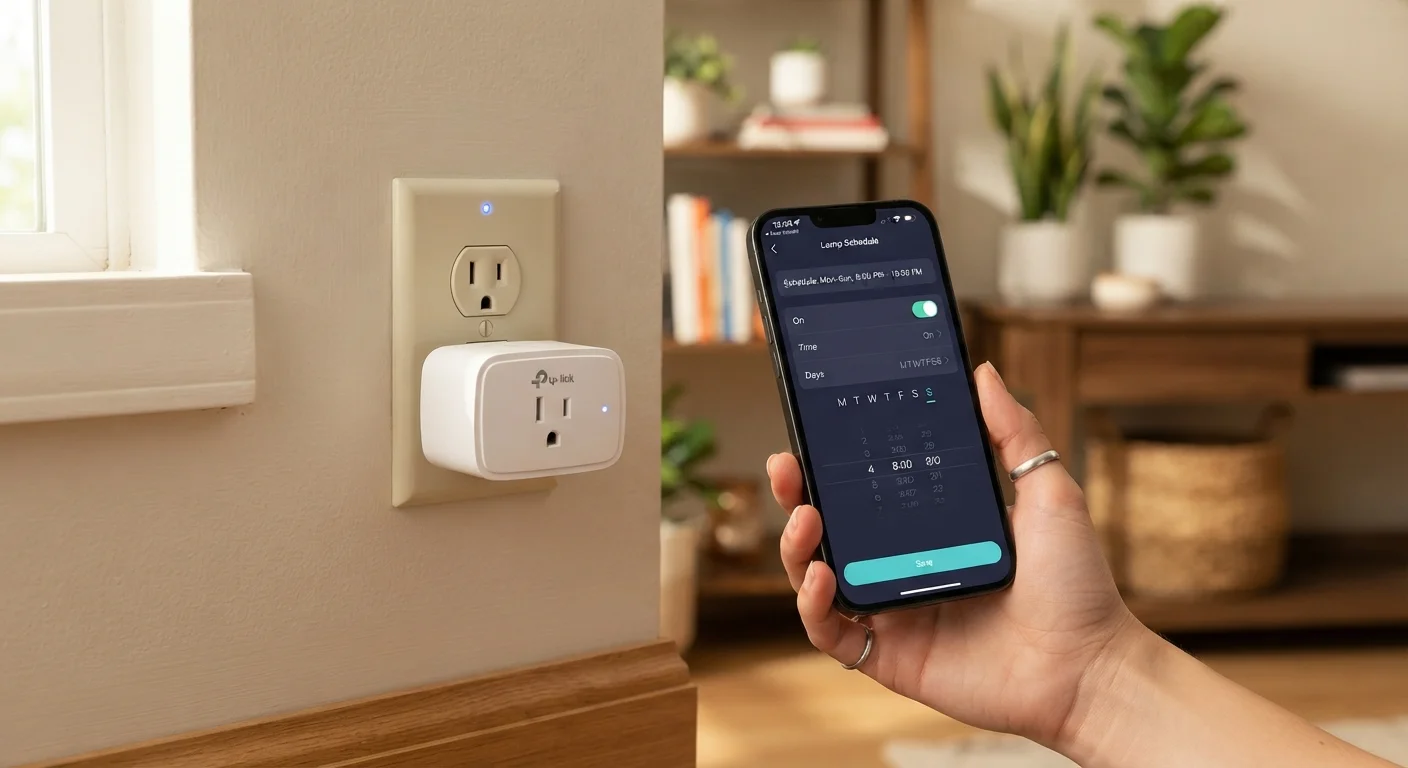
Photo credit: GadgetLite.net | All Things Tech
In this article
Smart plugs can automate ordinary appliances, but they're not magic. Understand exactly what they do before adding them to your home.
Key Takeaways
- Smart plugs control power to an appliance — they cannot change what that appliance does.
- Scheduling and remote access are the two most practical everyday benefits.
- They work best with simple, single-function devices like lamps, fans, and coffee makers.
- Energy monitoring is a built-in feature on many models, not a separate purchase.
- Compatibility with your existing smart home ecosystem matters before you buy.
What a Smart Plug Actually Does
Strip away the marketing language and a smart plug does one thing: it controls whether electricity flows to whatever is plugged into it. That's it. It doesn't make your coffee maker smarter, it doesn't give your floor lamp an internet connection, and it won't add features to an appliance that the manufacturer didn't build in.
What it does add is control over the power supply — remotely, on a schedule, or as part of a larger home automation routine. A lamp plugged into a smart plug can be switched on from your phone before you get home. A fan can be set to run only during sleeping hours. A holiday decoration can power itself on at sunset every day without you touching a single switch.
Understanding that boundary — power control, not device intelligence — is the most important thing to grasp before buying. If an appliance requires you to press a physical button each time it starts (a toaster, for instance), restoring power to it does nothing useful. Smart plugs deliver value with devices that resume normal operation the moment power is supplied.
Smart Plugs Don't Upgrade Appliances
A common misconception is that a smart plug makes an appliance 'smart.' It doesn't — it only controls whether that appliance has power. The appliance itself has no awareness of the smart plug, no app integration, and no additional features. Think of it as a remotely controllable on/off switch, nothing more.
The Features That Actually Matter Day-to-Day
Beyond basic on/off switching, most smart plugs offer a handful of features worth understanding:
- Scheduling: Set appliances to turn on or off at specific times. This is genuinely useful for routines — morning coffee, bedroom lighting, or automatically cutting power to a TV at a set hour.
- Remote access: Control plugs from anywhere with an internet connection. Forgot to turn off the iron? Check and switch it off from your phone.
- Voice control: When paired with a voice assistant platform, you can use spoken commands to control connected devices hands-free.
- Energy monitoring: A growing number of smart plugs display real-time and historical power consumption for the connected device. This pairs well with broader efforts to understand home energy use — see what research says about home tech and energy savings for context.
- Automation triggers: Smart plugs can participate in multi-device routines, such as turning on a lamp whenever a smart sensor detects motion at the front door.
~5W
Typical smart plug standby power draw
Smart plugs themselves consume a small amount of power continuously to maintain their Wi-Fi or mesh connection, which is worth factoring into energy calculations.
2.4 GHz
Wi-Fi band most smart plugs use
The majority of Wi-Fi smart plugs operate on the 2.4 GHz band rather than 5 GHz, which offers better range through walls but a more congested frequency in dense housing.
10–15A
Typical maximum current rating
Most consumer smart plugs are rated for 10 to 15 amps, which covers the majority of household appliances but excludes high-draw devices like electric dryers or large heaters.
When Smart Plugs Are Worth It — and When They're Not
Smart plugs are genuinely useful in a specific set of scenarios. They're a low-effort way to bring basic automation to appliances you already own, without replacing them. A standard lamp becomes schedule-aware. An old coffee maker gains a morning routine. A window fan can be set to switch off automatically.
They make the least sense when attached to devices that don't respond predictably to power cycling, or when the added complexity outweighs the convenience. If you'd have to walk over and press a button every time anyway, the smart plug adds friction rather than removing it.
They're also worth reconsidering if you haven't yet thought about which smart home ecosystem you're working within. Plugs that don't communicate with your existing hub or voice assistant can end up as isolated islands requiring a separate app. Understanding smart home ecosystems before you buy can save real frustration later.
Test With One Appliance First
Before buying several smart plugs at once, start with a single device you interact with daily — a bedside lamp or a kitchen appliance with a simple on/off cycle. Living with it for a week will tell you whether the scheduling and remote access features genuinely fit your routine, or whether you're just adding steps to something that was already simple.
Fitting Smart Plugs Into a Bigger Picture
Smart plugs are often the first smart home purchase people make — and for good reason. They're inexpensive, reversible, and require no installation beyond plugging them in. They're also a practical way to test whether scheduled or remote device control actually fits your habits before committing to more complex smart home infrastructure.
As a standalone purchase, they solve specific, real problems. As part of a connected home setup, they become one node in a broader system of routines and automations. If you're curious about how that bigger picture fits together, our guide to smart home automation covers how individual devices like smart plugs can work together in coordinated routines.
The honest answer to whether a smart plug is worth it: it depends on what you plug into it. Match the tool to a real habit or a genuine inconvenience, and it tends to earn its place. Buy it hoping it transforms your home, and it's likely to end up in a drawer.
Frequently Asked Questions

Author
Electronics Editorial Team
Electronics Editorial Team is the collective byline for our editorial team and contributor network. Articles published under this byline or an editorial pen name are researched, written, and reviewed according to our editorial standards for clarity, consistency, and independence before publication.
View all articles →