
Smart Displays vs. Smart Speakers: Which One Fits Your Home Better?
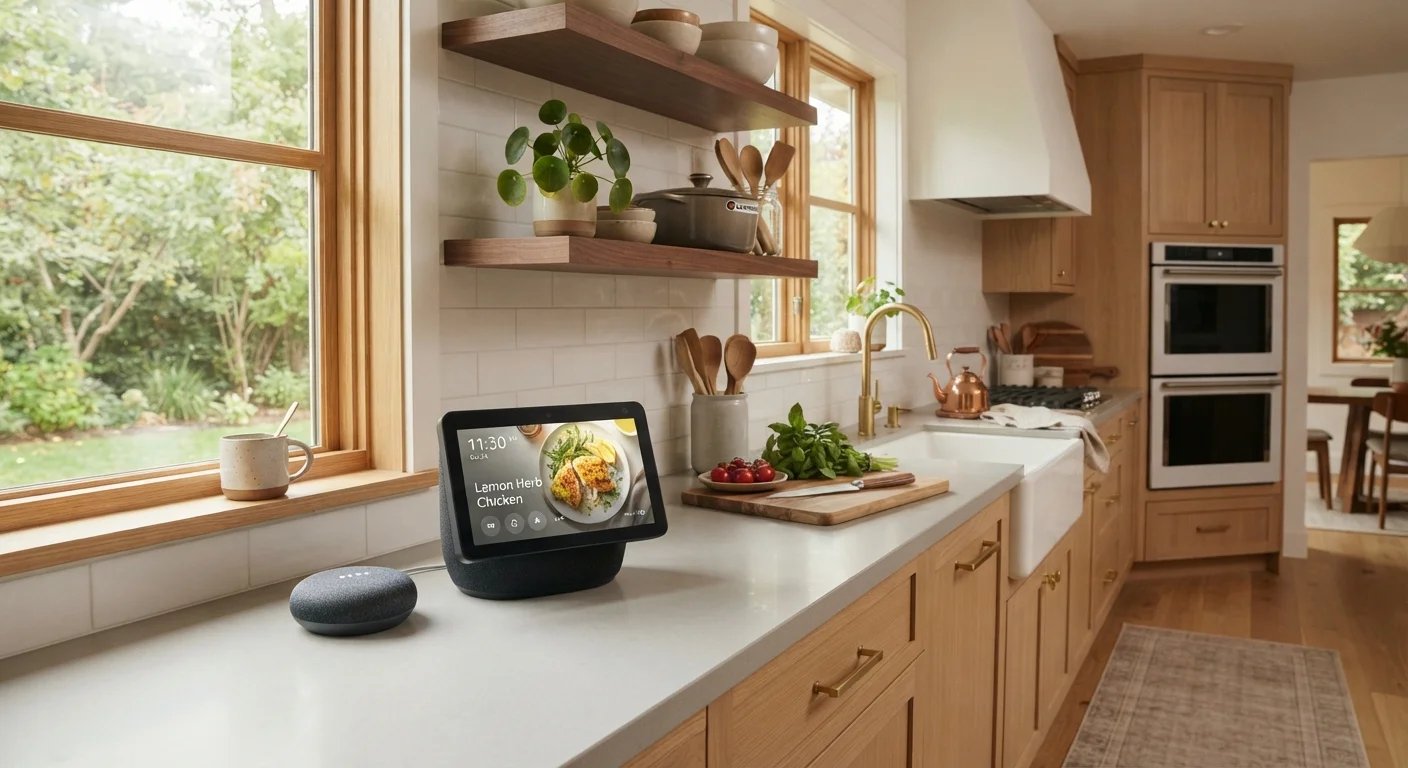
Photo credit: GadgetLite.net | All Things Tech
In this article
Both sit on your countertop and respond to your voice — but they serve different needs. See how smart displays and smart speakers really compare.
Key Takeaways
- Smart displays add a touchscreen to voice assistant features, while smart speakers stay audio-only.
- Displays cost noticeably more than speakers at comparable quality tiers.
- Smart speakers are simpler to set up and blend into more room types unobtrusively.
- Displays shine for video calls, visual recipes, and home camera monitoring.
- Both categories run popular voice assistants and can control compatible smart home devices.
- Your main use cases — not brand loyalty — should drive which device you choose.
What Each Device Actually Is
Strip away the marketing language and the distinction is straightforward. A smart speaker is a voice-activated device with a microphone array, an audio driver, and a connected voice assistant. You talk to it; it talks back. A smart display is essentially a smart speaker with a touchscreen bolted on — you get everything a speaker does, plus visual responses, video playback, and a camera for calls.
Both categories run voice assistants (Amazon Alexa, Google Assistant, and in some ecosystems, others) and can control compatible smart home devices like lights, thermostats, and locks. If you want a broader picture of how these devices fit into a connected home, see our smart home devices explainer for context on how they all talk to each other.
The core question isn't which device is more advanced — it's which set of features you'll actually use daily.
How They Stack Up: A Side-by-Side Look
The table below compares the two categories across the dimensions that matter most to everyday users. Keep in mind these reflect general category traits, not any single product.
| Criterion | Smart Display | Smart Speaker |
|---|---|---|
| Screen | Yes — touchscreen included | No screen |
| Camera | Built-in (with privacy cover) | Not included |
| Audio quality | Good, but screen limits speaker size | Often better at same price |
| Starting price (approx.) | $80–$100+ | Under $30 |
| Video calls | Supported hands-free | Audio calls only |
| Smart home control | Full voice + visual control | Full voice control |
| Footprint | Larger; screen takes up space | Compact; fits anywhere |
| Ideal room placement | Kitchen, living room | Bedroom, office, bathroom |
Price is the most immediate differentiator. Entry-level smart speakers start under $30, while smart displays with comparable build quality typically start around $80–$100. That gap widens at premium tiers. For households already stretched on gadget budgets, that delta matters.
Where Smart Displays Pull Ahead
The screen unlocks a genuinely different category of usefulness. Here's where displays earn their extra cost:
- Video calls: Hands-free calls while cooking, cleaning, or supervising kids are far more practical on a display than holding up a phone.
- Recipe mode: Step-by-step visual instructions with photos mean you don't have to remember what comes next or re-ask the device constantly.
- Home camera feeds: Say "show me the front door" and your camera footage appears instantly — no app required.
- Visual media: YouTube videos, photo slideshows, and streaming content become accessible on a secondary screen that doesn't tie up your TV.
~40%
Smart display owners who use video calling weekly
According to consumer survey data compiled by Strategy Analytics, video calling is among the most-used features on smart display devices.
2x+
Typical price difference between displays and speakers
Retail pricing comparisons across major US electronics retailers show smart displays generally cost twice or more what an entry-level smart speaker costs.
Smart displays also serve as a kind of household dashboard — weather, calendar events, and reminders appear on-screen passively, which many users find genuinely useful in high-traffic areas like kitchens.
Where Smart Speakers Hold Their Own
For pure audio and voice interaction, smart speakers remain the sharper tool. A well-designed speaker can fill a room with richer, more balanced sound than most displays at a similar price, because display manufacturers are splitting hardware investment between screen and speaker components.
Speakers are also less intrusive. There's no screen glow, no ambient display to distract during a dinner party or disturb a light sleeper. They fit naturally on a nightstand, in a bathroom, or on a bookshelf without demanding visual attention.
Setup is simpler too — typically just plugging in, opening an app, and connecting to Wi-Fi. If you're new to smart home gadgets, our first-time smart speaker setup guide walks through the whole process in plain English.
For smart home control — adjusting lights, checking the weather, setting timers — a speaker handles all of it as capably as a display. The screen adds convenience, not capability, for these tasks.
Voice Assistants Work the Same on Both
The voice assistant running on a smart speaker or display — whether Alexa or Google Assistant — has the same core capabilities on both device types. The screen doesn't give you a smarter assistant; it gives you a visual way to interact with the same one. So if your main use case is smart home control, reminders, or music, the screen is genuinely optional.
Privacy: A Note on Screens and Cameras
Smart displays include cameras, which raises a privacy consideration that speakers don't. Most displays have a physical shutter or a hardware switch to disable the camera when not in use — a meaningful safeguard worth using in bedrooms or private spaces.
Both device types use always-on microphones to detect wake words, which is a separate and well-documented privacy trade-off regardless of device type. Our companion piece on voice assistants and what they remember covers what recordings are stored and how to manage them.
The short version: place any smart display where a camera makes sense — a kitchen or living room — and use the physical privacy cover in rooms where it doesn't.
Making the Call for Your Home
Think about where the device will live and what you'll realistically ask it to do most days. A kitchen benefits most from a display: you'll use the screen for recipes, timers, and quick video calls. A living room may split evenly depending on whether you want ambient music or a secondary media screen. A bedroom almost always suits a speaker better.
It's also worth considering whether you already have screens nearby. If a tablet or laptop is always within reach in your workspace, a smart display may duplicate rather than add value. A speaker in that context lets you keep your hands on the keyboard while still getting voice assistance.
You don't have to pick just one category for your whole home — many households run a display in the kitchen and speakers in other rooms. For a broader look at how smart home tech actually plays out day-to-day, our piece on smart home convenience versus complexity gives an honest assessment of where these devices deliver and where they fall short.

Author
Gadgets Editorial Team
Gadgets Editorial Team is the collective byline for our editorial team and contributor network. Articles published under this byline or an editorial pen name are researched, written, and reviewed according to our editorial standards for clarity, consistency, and independence before publication.
View all articles →