
SMS Codes vs. Authenticator Apps for Two-Factor Login
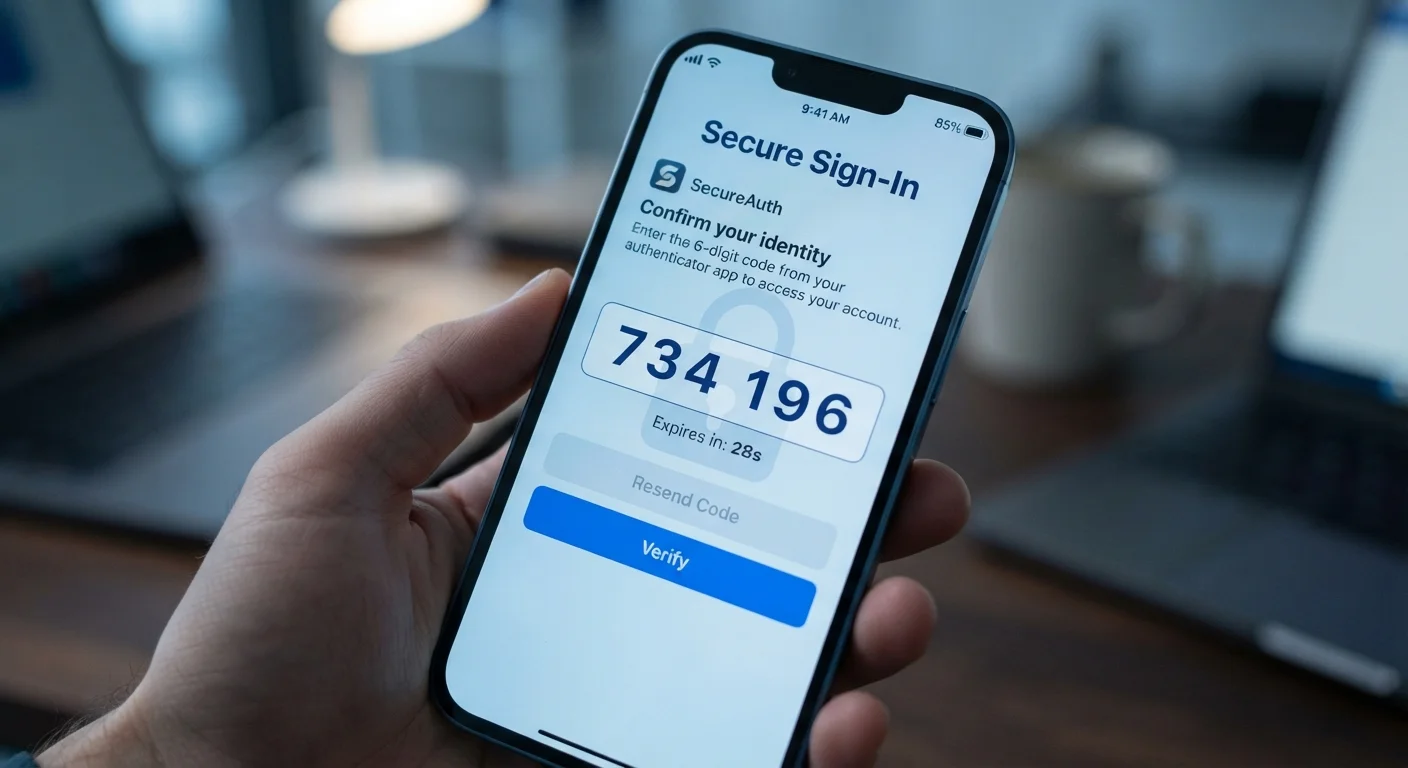
Photo credit: GadgetLite.net | All Things Tech
In this article
Both verify your identity, but one is significantly easier for attackers to bypass. Understand the key differences before choosing.
Key Takeaways
- SMS codes are convenient but can be intercepted through SIM-swapping attacks and SS7 network vulnerabilities.
- Authenticator apps generate codes locally on your device, making them much harder for attackers to steal remotely.
- Both methods are far better than using no two-factor authentication at all.
- Switching from SMS to an authenticator app is straightforward on most major platforms.
- Your phone number can be hijacked without your knowledge, undermining SMS-based security.
How Each Method Actually Works
When you enable two-factor authentication (2FA) - a login process that requires both your password and a second form of verification - you'll usually be offered at least one of these two options.
SMS codes work by sending a one-time numeric code to your registered mobile number via text message. After entering your password, you wait for a text, then type in the code. The code expires quickly, usually within a few minutes.
Authenticator apps work differently. Apps such as Google Authenticator, Microsoft Authenticator, or Authy install on your smartphone and generate time-based one-time passwords (TOTP) - six-digit codes that refresh every 30 seconds. These codes are generated entirely on your device using a secret key shared once during setup. No text message is sent; no network connection is required to generate the code.
If you're new to 2FA entirely, our introduction to two-factor authentication explains the foundational concept before you choose a method.
| Criterion | SMS Codes | Authenticator Apps |
|---|---|---|
| Setup required | None - uses existing phone number | Install an app, scan a QR code |
| Vulnerable to SIM swapping | Yes | No |
| Works without cell signal | No | Yes - codes generated offline |
| Can be intercepted in transit | Yes, via SS7 flaws | No - code never transmitted |
| Phishing risk | Higher - real-time relay possible | Lower, though not zero |
| Works if you change carrier | Depends on number portability | Yes - tied to device, not number |
| Overall security level | Good | Stronger |
Why SMS Codes Are the Weaker Option
SMS codes have two well-documented security gaps that make them easier for attackers to exploit compared to app-based codes.
SIM swapping is the primary threat. An attacker contacts your mobile carrier, impersonates you using personal details gathered from data breaches or social media, and convinces the carrier to transfer your phone number to a SIM card the attacker controls. From that point, every SMS sent to your number - including 2FA codes - goes to them, not you. This attack requires no technical skill, just social engineering of a carrier's customer support team.
SS7 vulnerabilities are a deeper infrastructure issue. SS7 (Signaling System No. 7) is the aging protocol that global phone networks use to route calls and texts. Researchers have demonstrated that flaws in SS7 can allow a sophisticated attacker to intercept SMS messages in transit without ever touching your phone or carrier account. This type of attack is less common and requires more resources, but it's a real, documented risk.
Additionally, SMS codes can be captured through phishing. A fake login page can prompt you to enter your SMS code in real time, relaying it to the attacker's session before it expires. Our article on how scammers fake legitimacy explains how convincing these fake pages can appear.
~2,000+
SIM-swap complaints filed with the FCC
The U.S. Federal Communications Commission documented thousands of SIM-swapping complaints, prompting new carrier authentication rules adopted in 2023.
99.9%
of automated account attacks blocked by MFA
Microsoft's security research has indicated that enabling any form of multi-factor authentication blocks the vast majority of automated credential-stuffing attacks.
The Case for Authenticator Apps
Authenticator apps sidestep the vulnerabilities above because they're completely independent of your phone number. Your carrier cannot be socially engineered to redirect them. They work offline, so there's no message to intercept in transit.
The code lives on your device, generated by an algorithm seeded with a private key established during setup. Even if an attacker knows your password and your phone number, they cannot get an authenticator code without physical access to your device - or malware installed on it.
Setup takes only a few minutes. Most platforms display a QR code during the 2FA enrollment process; you scan it with your authenticator app, and the account is linked. After that, login works just like SMS: enter your password, open the app, type in the current code.
One practical consideration: if you lose your phone, you'll need backup codes (which most platforms provide at setup) or a secondary recovery method. It's worth saving those backup codes somewhere secure before you need them.
For a broader look at how authenticator apps compare to hardware security keys and other methods, see our full comparison of every 2FA method.
Don't Skip Backup Codes
When you enroll an authenticator app, the platform will typically offer a set of one-time backup codes. These are your safety net if you lose or replace your device. Store them somewhere secure - a password manager, an encrypted note, or printed and locked away. Without them, recovering account access can be a lengthy, frustrating process.
Making the Switch: What You Should Do
If you currently use SMS codes on important accounts - email, banking, cloud storage, social media - switching to an authenticator app is worth the ten minutes it takes.
- Install a reputable authenticator app from your device's official app store.
- Log in to the account you want to secure and navigate to its security or privacy settings.
- Look for the two-factor authentication or two-step verification section.
- Choose the authenticator app option and scan the QR code displayed.
- Save the backup codes provided - store them somewhere offline or in a password manager.
- Confirm the setup by entering a code from the app when prompted.
If a service only offers SMS and no app-based option, enabling SMS 2FA is still worthwhile. It raises the barrier significantly compared to a password alone. Be aware of the risks, and stay alert to SMS phishing tactics that could trick you into surrendering a code.
When in doubt about any message asking for a code or login detail, our guide on verifying suspicious messages before you respond gives you a practical checklist to follow.

Author
Cyber Security Editorial Team
Cyber Security Editorial Team is the collective byline for our editorial team and contributor network. Articles published under this byline or an editorial pen name are researched, written, and reviewed according to our editorial standards for clarity, consistency, and independence before publication.
View all articles →