
How Cloud Storage Services Decide What to Charge You
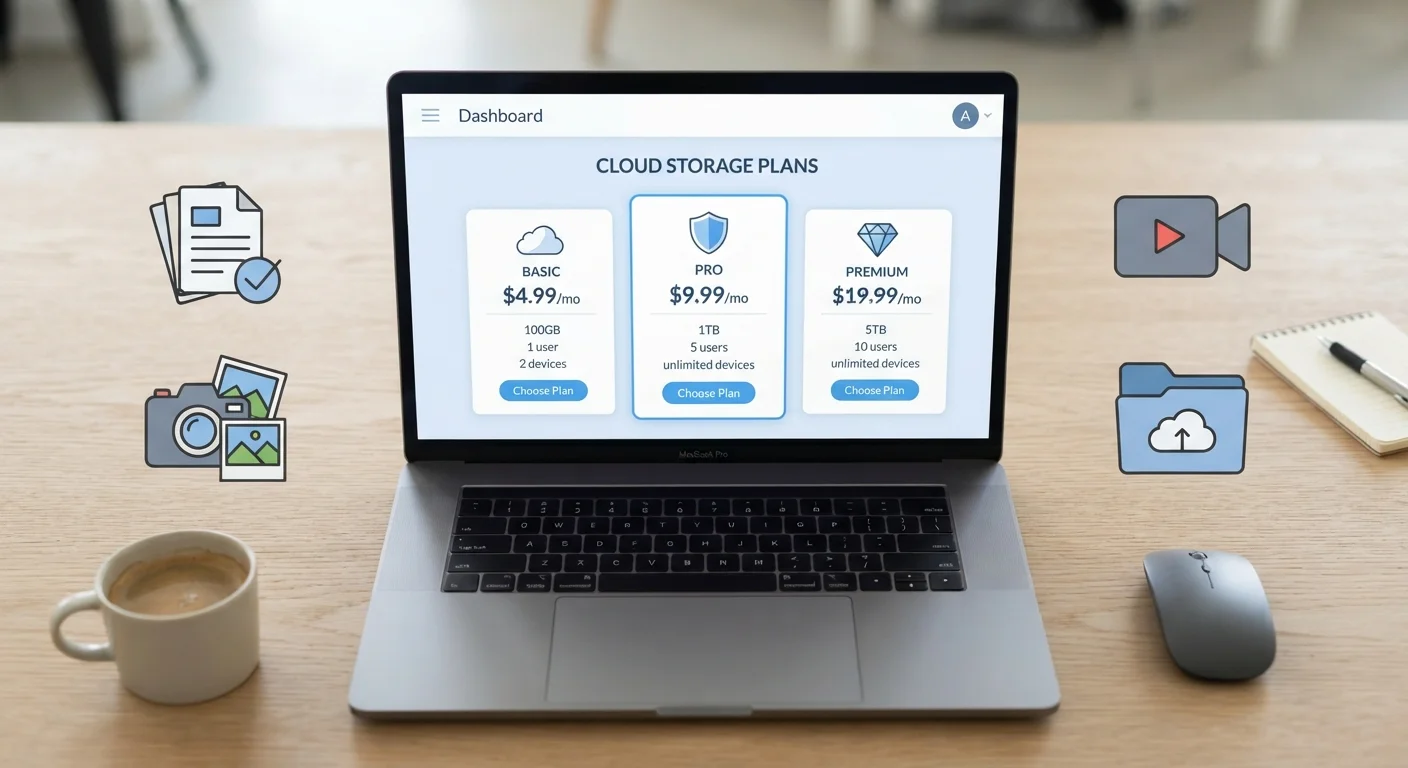
Photo credit: GadgetLite.net | All Things Tech
In this article
Storage tiers, per-GB pricing, family plans — a plain-language breakdown of how cloud storage costs are structured.
Key Takeaways
- Most cloud storage services start with a free tier that offers a limited amount of space.
- Paid plans are usually sold in storage tiers - fixed blocks of space at set prices.
- Annual billing almost always costs less per month than paying month-to-month.
- Family or group plans let multiple users share a larger pool of storage for one price.
- You pay for allocated space, not just the space you're currently using.
- Understanding pricing structure helps you avoid paying for more storage than you actually need.
The Free Tier: Your Starting Point
Nearly every cloud storage service hooks you in with a free plan. These typically offer anywhere from 2 GB to 15 GB of storage - enough to hold a modest collection of documents or photos, but not much more. The free tier serves two purposes: it gives you a low-risk way to try the service, and it gives the company a chance to convert you into a paying customer once you run out of room.
It's worth knowing that free storage is real, functional storage - you're not getting a watered-down product. But you are getting a limited one. If you're curious about exactly what free plans include and where their ceilings sit, our breakdown of free vs. paid cloud storage plans walks through the specifics.
Check Your Usage Before Upgrading
Before paying for more storage, check how much you're actually using. Most cloud apps show your current usage in account settings. You may be able to free up significant space just by deleting old backups, duplicate files, or app data you no longer need - potentially staying on a cheaper tier a while longer.
How Storage Tiers Work
Once you outgrow the free plan, you move into paid territory - and here's where pricing gets structured around tiers. A tier is simply a fixed block of storage sold at a set price. A service might offer 100 GB for a few dollars a month, 200 GB for a bit more, and 2 TB for significantly more. You pick the tier that fits your needs and pay that flat rate.
The key thing to understand is that you're paying for allocated space, not consumed space. If you buy a 200 GB plan and only use 80 GB, you're still paying for 200 GB. This is no different from a phone plan with a data cap - the capacity is reserved for you whether you use it or not.
15 GB
Typical free storage offered by major services
Several widely used cloud platforms offer around 15 GB of free storage as a starting tier, though amounts vary by provider.
1-2 TB
Most common mid-tier paid storage block
A 1 or 2 terabyte plan is the most frequently offered mid-range paid option across mainstream cloud storage services.
Tier jumps are often large. Services tend to skip straight from 100 GB to 200 GB to 1 or 2 TB, with nothing in between. This can feel frustrating if your needs fall awkwardly between two options, but it's how the economics of offering cloud infrastructure work.
Monthly vs. Annual Billing
Most paid plans give you a choice: pay month-to-month, or commit to a full year upfront. Annual billing is almost always cheaper - sometimes by 15-20% compared to paying monthly. The catch is commitment. If you pay for a year and switch services six months in, you typically don't get a refund for the unused time.
Monthly billing costs more but keeps you flexible. It makes sense if you only need extra storage temporarily - say, for a big project or a move - or if you're still deciding which service fits your life. For most people who've settled on a service they like, annual billing is the more practical option. This also ties into how software pricing models more broadly work; our explainer on freemium, subscription, and one-time purchase models puts it in useful context.
Family and Group Plans
Many services offer a higher-tier plan designed for households or small groups. Instead of five people each paying for individual 200 GB plans, one family plan might give the whole group 2 TB to share - at a price that works out cheaper per person.
Each member usually gets their own account and private storage space within that shared pool. The total pool is shared, but your files stay separate from everyone else's. If one person uses 800 GB of the 2 TB pool, less is available for the others - so it helps to have some awareness of who's storing what.
Before choosing any plan type, it's worth thinking through what you actually need from a service. Our guide on what to consider when choosing a cloud storage service covers the full picture beyond just price.
What You're Actually Paying For
Price reflects more than raw gigabytes. When you pay for cloud storage, you're also paying for the infrastructure that keeps your files available around the clock, the security systems protecting your data, version history features that let you recover older copies of files, and the apps that make accessing your files convenient across devices.
Understanding the vocabulary around all of this - terms like redundancy, encryption, and sync - helps you evaluate whether a plan is actually worth the price. Our plain-language cloud storage glossary is a good place to get grounded in those terms before you commit to anything.
If you're also weighing how much storage to keep on your device versus in the cloud, that involves a different set of trade-offs entirely - see our piece on cloud storage vs. local storage on mobile devices for a clear breakdown.
Frequently Asked Questions

Author
Cloud Editorial Team
Cloud Editorial Team is the collective byline for our editorial team and contributor network. Articles published under this byline or an editorial pen name are researched, written, and reviewed according to our editorial standards for clarity, consistency, and independence before publication.
View all articles →