
Freemium, Subscription, or One-Time Purchase: How Software Pricing Models Work
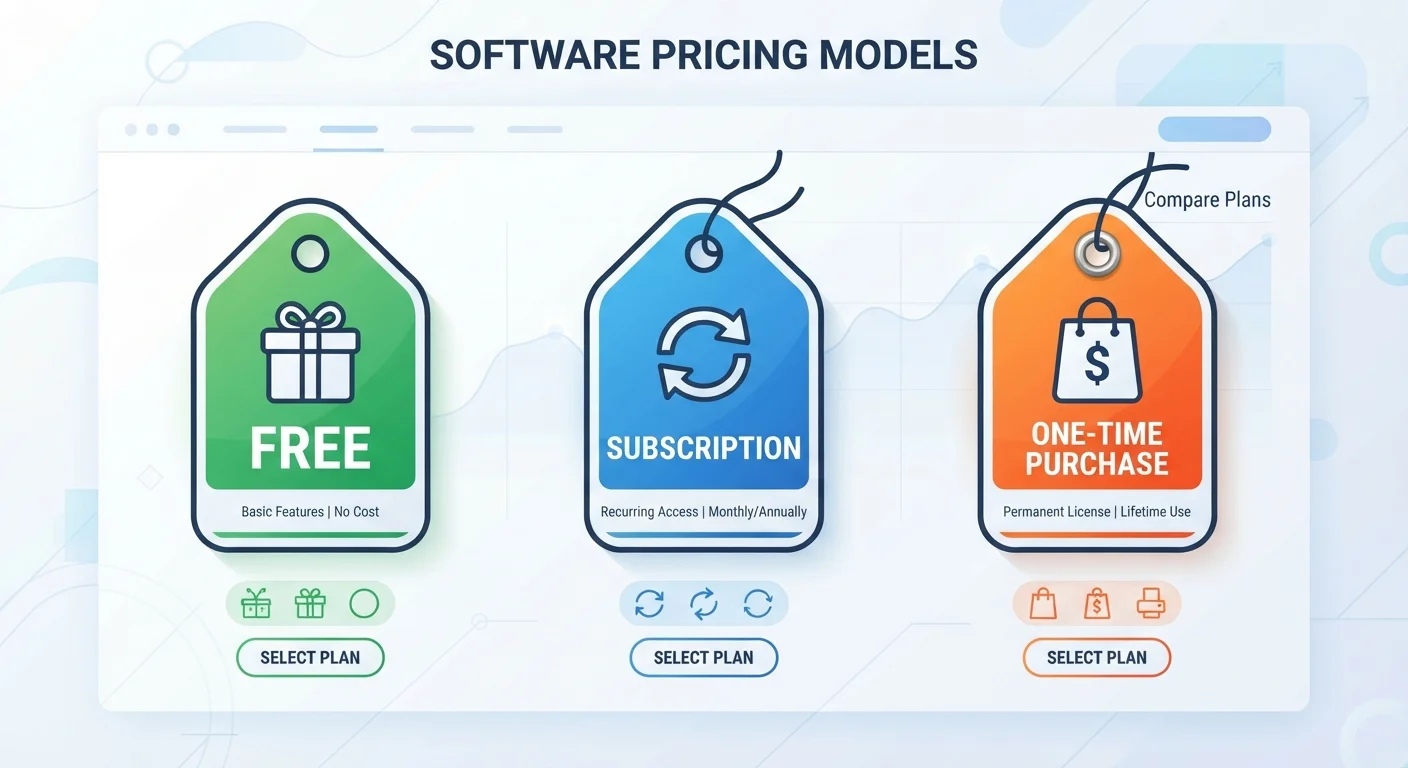
Photo credit: GadgetLite.net | All Things Tech
In this article
Software costs money in more ways than one. Understand the logic behind freemium, subscriptions, and perpetual licences to make clearer choices.
Key Takeaways
- Freemium apps are free to download but lock key features behind a paywall.
- Subscriptions give continuous access to updated software for a recurring fee.
- One-time purchases grant permanent access but may not include future version upgrades.
- No single pricing model is universally better - it depends on how often you use the software.
- Reading pricing terms carefully helps you avoid unexpected charges.
Why Software Pricing Is More Complicated Than It Looks
Walk through any app store and you'll notice the price tag on an app rarely tells the whole story. Some apps cost nothing upfront but charge monthly for the features you actually want. Others ask for a single payment and hand you the software forever. Still others bill you every year whether you think about it or not.
Understanding how these models work isn't about being savvy with money - it's about knowing what you're signing up for before you tap Download or enter your card number. The three dominant structures you'll encounter are freemium, subscription, and one-time purchase (also called a perpetual licence). Each has a different logic, and each suits different habits.
For more on the legal side of software ownership, see our plain-language guide to software licences.
Freemium: Free to Start, Paid to Unlock
The word freemium blends "free" and "premium" - and that tension is exactly the point. You download the app at no cost, use a limited version, and hit a wall when you want more. That wall might be a usage cap, an ad-heavy interface, missing tools, or restricted file exports.
Freemium works well for exploration. It lets you test whether an app actually fits your workflow before spending anything. Note-taking apps, cloud storage services, and creative tools commonly use this model.
Check What the Free Tier Actually Limits
Before adopting a freemium app into your daily routine, look for its pricing page and read what the free tier restricts. Limits on storage, exports, or device syncing can matter a lot once the app becomes part of your workflow. A few minutes of research upfront saves frustration later.
The catch is that freemium tiers can feel generous right up until the moment you depend on the app - then the upgrade prompt arrives at the worst time. It's worth reviewing what the free tier actually limits before building a routine around the app.
Subscriptions: Pay Ongoing, Always Current
A subscription charges you - monthly or annually - for continued access. Stop paying, and access typically ends. In exchange, you usually get every update and new feature the developer releases during your subscription period, plus support and often cloud sync across devices.
This model suits users whose needs evolve, who want the latest security patches, or who rely on the software professionally. It also suits developers, since recurring revenue lets them fund ongoing work rather than banking on large upfront purchases.
| Freemium | Subscription | One-Time Purchase | |
|---|---|---|---|
| Upfront cost | $0 | Low (first billing cycle) | Higher, paid once |
| Long-term cost | Low to moderate (if upgraded) | Can be high over years | Fixed, no recurring fees |
| Access if you stop paying | Free tier remains | Access ends | Purchased version remains |
| Feature updates included | Limited or none | Yes, ongoing | Current version only |
| Best for | Casual or exploratory use | Power users, professionals | Stable, long-term needs |
| Common examples | Notes, storage, creative apps | Office suites, security tools | Utilities, one-purpose tools |
The downside is long-term cost. A $10/month subscription costs $120 per year, and $600 over five years. That can exceed the price of a one-time purchase several times over if the software is stable and your needs don't change much.
Cloud storage is a category where this tradeoff is very visible. Our article on what changes when you upgrade a cloud storage plan breaks down what you actually gain at each tier.
One-Time Purchase: Pay Once, Keep It
A one-time purchase - sometimes called a perpetual licence - means you pay a single price and keep that version of the software indefinitely. You own access to the version you bought, and it continues working even if you never pay again.
The trade-off is that "forever" typically means the version you purchased, not every future version. Developers may release a new major version - with new features or compatibility improvements - and charge separately for it. Security updates may also taper off as a product ages.
This model suits users with stable, well-defined needs: a photo editor for occasional use, a utility that performs one job reliably, or software for a device that won't need major OS changes soon. It becomes less appealing for software categories that evolve rapidly, like security tools or productivity suites.
Older Software May Lose Compatibility Over Time
One-time purchases can run into problems when your operating system or device hardware updates significantly. A perpetual licence doesn't guarantee the software will work on future OS versions. If you rely on a one-time-purchase app for important tasks, check the developer's update and support policy before assuming it will run indefinitely on new hardware.
Choosing Based on How You Actually Use Software
The right pricing model depends less on which sounds cheapest and more on your actual usage pattern. Ask yourself three questions before committing:
- How often will I use this? Daily use often justifies a subscription. Monthly or occasional use may not.
- Do I need the latest features? If your work depends on cutting-edge tools, subscriptions keep you current. If the current feature set is enough, a one-time purchase or freemium tier may serve you fine.
- How long do I expect to use it? Calculate the total subscription cost over two or three years and compare it to a one-time price, if one exists.
None of these models is inherently fairer than another - they reflect different bets about how software gets made and used. Understanding the logic behind each one puts the decision back in your hands.

Author
Apps & Software Editorial Team
Apps & Software Editorial Team is the collective byline for our editorial team and contributor network. Articles published under this byline or an editorial pen name are researched, written, and reviewed according to our editorial standards for clarity, consistency, and independence before publication.
View all articles →