
The Tradeoffs of Convenience: Weighing App Features Against Data Exposure
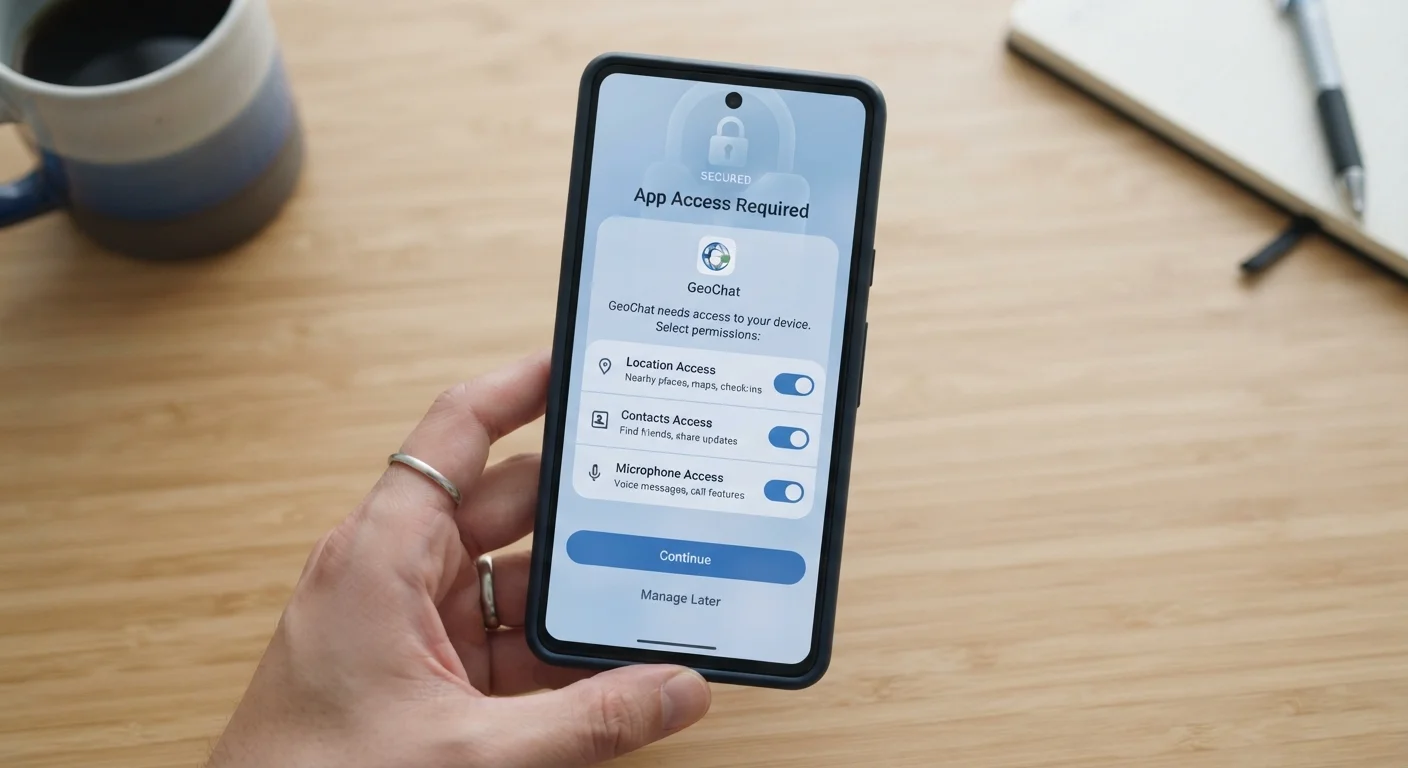
Photo credit: GadgetLite.net | All Things Tech
In this article
Personalisation, autofill, and location services are useful — but they come at a data cost. Understand what you're exchanging.
Key Takeaways
- Convenient app features like autofill and location services require sharing personal data to function.
- The value of each permission varies - some features genuinely need data access, others do not.
- You can often adjust permissions after installation without fully disabling the app.
- Reading permission prompts carefully before accepting is one of the most effective privacy habits you can build.
- Data collected for one purpose can sometimes be used, shared, or sold for others.
Personalisation makes apps genuinely more useful
When apps know your location, habits, or preferences, they can surface relevant information faster - saving time and reducing friction in everyday tasks like navigation, shopping, or news browsing.
Autofill and saved data speed up repeated actions
Storing form data, passwords, or payment details reduces the time spent on repetitive input and lowers the chance of errors - a meaningful productivity gain for heavy app users.
Location services enable genuinely helpful features
From real-time traffic alerts to local business recommendations, precise location access underpins some of the most practically valuable things a smartphone can do.
Synced accounts keep data consistent across devices
Cloud-connected apps ensure your preferences, history, and progress stay consistent whether you're on a phone, tablet, or desktop - a convenience that requires background data sharing to function.
Notifications and background access improve responsiveness
Apps that run in the background or send timely alerts - like ride-share, delivery, or messaging apps - depend on always-on permissions to function at the speed users expect.
Data collected can be used beyond its original purpose
Information gathered to power one feature - like location for navigation - may also be used for ad targeting, shared with data brokers, or retained long after you stop using the app.
Permission prompts rarely explain actual data use
The moment you're asked to allow access, you're given minimal context about how the data will be stored, how long it will be kept, or who else might see it.
Broad permissions create larger attack surfaces
Every additional type of data an app can access increases what an attacker could potentially reach if the app, its servers, or your device are compromised.
Convenience features can normalise over-sharing
Repeated exposure to permission prompts often leads to automatic acceptance - a habit that over time can result in apps holding far more access than users would consciously choose to grant.
Anonymised data offers weaker protection than it implies
Data described as anonymised in privacy policies is not always irreversible. Combining location history, device identifiers, and behavioural patterns can allow individuals to be re-identified.
What You're Actually Agreeing To
When an app asks for permission to access your location, contacts, or microphone, it's presenting a deal. You get a feature; the app gets data. The challenge is that the terms of that deal are rarely spelled out clearly in the moment you're tapping 'Allow.'
App permissions are the gateways through which software accesses different parts of your device. Location access lets a maps app guide you home - but it can also build a detailed log of where you go and when. Contact access lets a messaging app find your friends - but those contacts may be uploaded to external servers. This isn't inherently malicious, but it is worth understanding before you agree.
For a broader look at how this exchange works across different services, see what you gain and give up by sharing personal data.
Personalisation makes apps genuinely more useful
When apps know your location, habits, or preferences, they can surface relevant information faster - saving time and reducing friction in everyday tasks like navigation, shopping, or news browsing.
Autofill and saved data speed up repeated actions
Storing form data, passwords, or payment details reduces the time spent on repetitive input and lowers the chance of errors - a meaningful productivity gain for heavy app users.
Location services enable genuinely helpful features
From real-time traffic alerts to local business recommendations, precise location access underpins some of the most practically valuable things a smartphone can do.
Synced accounts keep data consistent across devices
Cloud-connected apps ensure your preferences, history, and progress stay consistent whether you're on a phone, tablet, or desktop - a convenience that requires background data sharing to function.
Notifications and background access improve responsiveness
Apps that run in the background or send timely alerts - like ride-share, delivery, or messaging apps - depend on always-on permissions to function at the speed users expect.
Where the Data Cost Gets Complicated
Some data exposure is a straightforward functional necessity. A weather app genuinely needs your location to show local forecasts. A navigation app can't route you without knowing where you are. That's a clean exchange most people accept willingly.
The murkier territory is when permissions are requested beyond what the feature strictly requires. A flashlight app that requests microphone access, or a game that wants your precise location, are examples worth pausing on. These requests don't automatically signal bad intent, but they do warrant scrutiny.
Data collected can be used beyond its original purpose
Information gathered to power one feature - like location for navigation - may also be used for ad targeting, shared with data brokers, or retained long after you stop using the app.
Permission prompts rarely explain actual data use
The moment you're asked to allow access, you're given minimal context about how the data will be stored, how long it will be kept, or who else might see it.
Broad permissions create larger attack surfaces
Every additional type of data an app can access increases what an attacker could potentially reach if the app, its servers, or your device are compromised.
Convenience features can normalise over-sharing
Repeated exposure to permission prompts often leads to automatic acceptance - a habit that over time can result in apps holding far more access than users would consciously choose to grant.
Anonymised data offers weaker protection than it implies
Data described as anonymised in privacy policies is not always irreversible. Combining location history, device identifiers, and behavioural patterns can allow individuals to be re-identified.
There's also the question of what happens to data after collection. Privacy policies - which most users don't read - often permit sharing anonymised data with third-party advertisers or analytics platforms. 'Anonymised' data is also less protected than it sounds; researchers have repeatedly demonstrated that individuals can be re-identified from datasets that don't include names. See how trackers and data collection work behind the scenes for more context.
You Can Change Permissions After Installing
Granting a permission at install time doesn't lock you in permanently. On both iOS and Android, you can review and revoke individual app permissions at any time through your device's Settings menu. It's worth doing a periodic review, especially for apps you use infrequently. Restricting background location access for apps that don't need real-time tracking is one of the most impactful adjustments most users can make.
Making Smarter Permission Decisions
The good news: you're not forced into an all-or-nothing choice. Both Android and iOS now offer granular permission controls, including options to allow location access only while using an app, or to grant access just once rather than permanently. Revisiting permissions for apps already installed is worth the few minutes it takes.
A practical approach is to ask one question per permission: Does this feature stop working without this access? If the answer is no, or if you're unsure, denying or limiting the permission is usually the safer default. You can always re-enable it later if a feature you care about stops working.
45%
Of app permissions users grant without reading the prompt
Research from the Pew Research Center has found that a large proportion of smartphone users rarely or never read app privacy policies before accepting permissions.
~1 in 3
Apps request more permissions than their core function needs
Studies examining app stores have consistently found a significant share of apps requesting access to device features not required by their primary stated purpose.
For practical steps on balancing security with everyday usability, keeping your phone secure without making it annoying covers permission management alongside other mobile safety habits. And if you use autofill or saved passwords, the tradeoffs there are worth understanding too - see the pros and cons of saving passwords in your browser.

Author
Apps & Software Editorial Team
Apps & Software Editorial Team is the collective byline for our editorial team and contributor network. Articles published under this byline or an editorial pen name are researched, written, and reviewed according to our editorial standards for clarity, consistency, and independence before publication.
View all articles →