
Gaming Accessories from Peripherals to Extras: What Every Category Does
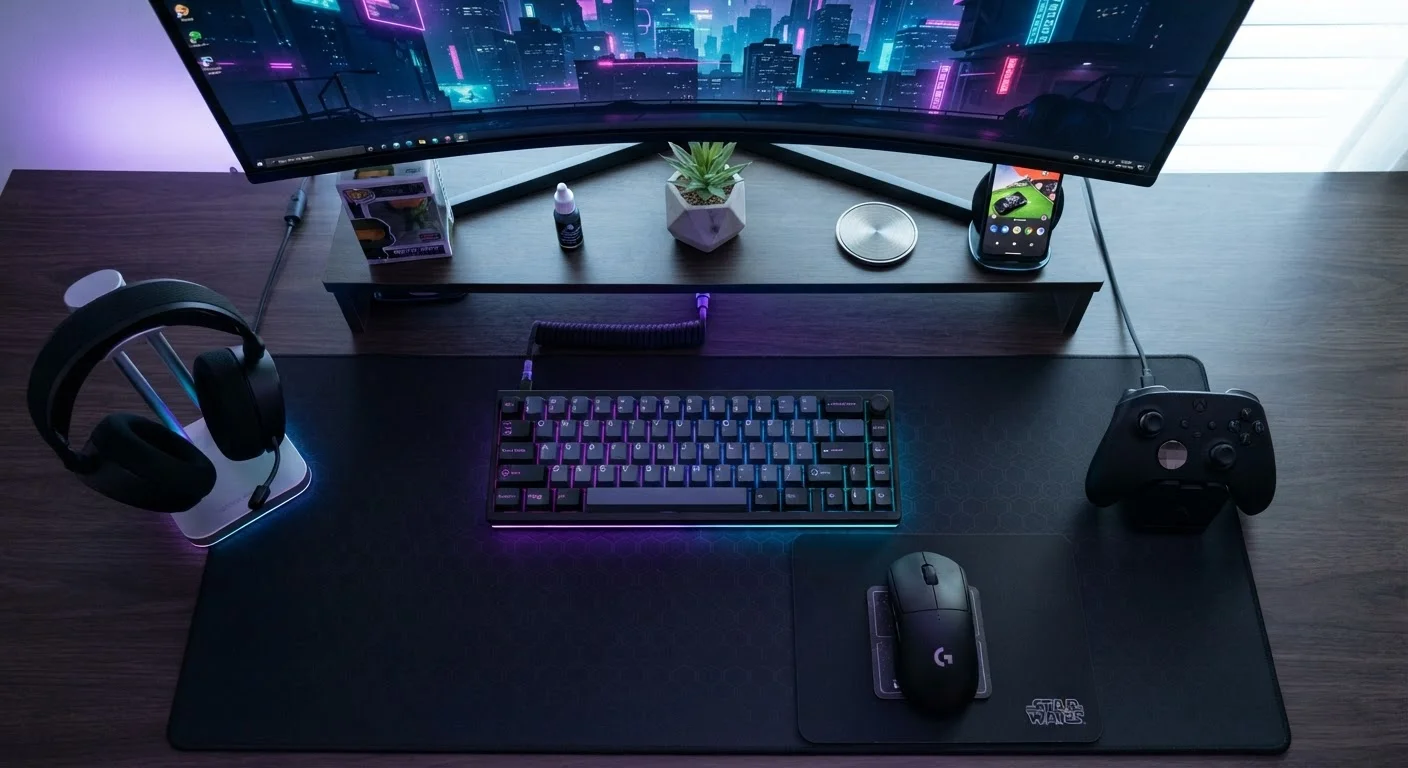
Photo credit: GadgetLite.net | All Things Tech
In this article
Capture cards, controller grips, monitor arms, RGB hubs — a guided tour of gaming accessory categories and the purpose each one serves.
Key Takeaways
- Gaming accessories fall into distinct categories, each solving a specific problem for players.
- Peripherals like keyboards, mice, and headsets are the most impactful gear for most players.
- Comfort and ergonomic accessories matter more than most beginners expect for long sessions.
- Capture cards and streaming gear are niche tools — useful mainly if you create content.
- Understanding what each category does helps you prioritise spending without wasting money.
Why So Much Stuff Exists
Walk into any gaming section of a tech retailer and the sheer volume of accessories can feel paralyzing. Capture cards, monitor arms, controller charging docks, RGB lighting strips, lap desks — it's a lot. But nearly every category exists because a real group of players identified a genuine need. Once you understand what each type of gear actually does, deciding what's worth your attention becomes much easier.
This guide breaks the accessory landscape into clear categories so you can see the forest, not just the trees. For a deeper look at the technical vocabulary you'll encounter while shopping, the Gaming Peripheral Glossary is a great companion read. And if you already know the categories but want to figure out what genuinely moves the needle versus what's marketing fluff, check out our piece on gear that actually improves casual play.
Input Peripherals (Keyboards, Mice, Controllers)
These are the tools you physically use to play. On PC, a keyboard and mouse are the standard, and the tactile feel of each can affect how responsive your inputs feel over time. Controllers are the primary input for console players and are increasingly common on PC as well. The core job of any input peripheral is translating your physical actions into in-game commands with minimal lag and maximum comfort.
Factors worth understanding include switch types in keyboards (which affect the feel and sound of each keystroke) and sensor quality in mice (which affects how accurately cursor movement is tracked). Neither requires you to spend a fortune — the point is knowing what the specs describe, not chasing the highest numbers.
Input peripherals are the single category with the most direct impact on how gaming feels.
Audio Gear (Headsets, Speakers, Mixers)
Sound in games does real work: it tells you where enemies are, when a cutscene is building tension, and when teammates are calling out a play. Gaming headsets combine audio output and a microphone in one unit, making them the go-to for multiplayer. Dedicated speakers serve single-player or casual couch gaming well. Audio mixers let you blend multiple sound sources — game audio, voice chat, music — independently, which is especially useful for streamers.
Spatial audio is a feature worth noting here. It's a software or hardware technique that simulates directional sound in headphones, giving you a sense of where sounds are coming from in a three-dimensional space. Not all implementations are equal, but when it works well, it meaningfully improves immersion and situational awareness.
Good audio gear isn't just about sound quality — it's about spatial awareness and communication.
Display Accessories (Monitor Arms, Screen Filters, Anti-Glare Panels)
Your monitor does most of the visual heavy lifting, but display accessories shape how you interact with and position that screen. Monitor arms replace fixed stands and allow you to adjust height, tilt, and depth freely — a significant ergonomic benefit during long sessions. Anti-glare filters reduce reflections in brightly lit rooms. Some players use blue-light filtering panels, though their effectiveness is a subject of ongoing discussion in health research.
For multi-monitor setups, stands and mounting systems become even more important for keeping screens at consistent heights without clutter. These accessories are less glamorous than controllers or headsets, but they quietly affect how comfortable your viewing experience is over time.
Monitor arms are an underrated ergonomic upgrade that most players overlook entirely.
Charging and Power Accessories (Docks, Battery Packs, Cable Management)
Wireless controllers are convenient — until the battery dies mid-match. Charging docks solve that by giving controllers a dedicated spot to recharge between sessions. Battery packs (either rechargeable internal batteries or AA alternatives) extend how long you can play untethered. Power strips and surge protectors, while not gaming-specific, matter in any setup with multiple devices drawing power simultaneously.
Cable management tools — velcro ties, cable raceways, desk grommets — won't improve your gameplay at all, but they reduce the chaos of a multi-device setup and make it easier to troubleshoot connections when something goes wrong.
A dead controller mid-match is surprisingly avoidable with a basic charging dock.
Capture and Streaming Gear (Capture Cards, Stream Decks, Webcams)
Capture cards record or live-stream gameplay from a console to a PC. They sit between your console's video output and your computer, capturing the signal in real time. This category is genuinely niche — if you're not creating content, you likely don't need one. Stream decks are small hardware panels with programmable buttons that let streamers trigger scenes, mute audio, or switch layouts with one press, replacing complex keyboard shortcuts.
Webcams fall here too, used to show the player's face during streams or video calls. The broader point: this whole category supports broadcasting your gameplay, not improving the gameplay itself. It's a meaningful distinction when you're deciding where to invest.
Capture cards and stream decks serve content creators — not players who just want to game.
Comfort and Ergonomic Extras (Grips, Wrist Rests, Lap Desks)
Controller grips add texture and sometimes extra surface area to standard controllers, reducing slipping during intense moments. Wrist rests for keyboards and mice cushion the wrist during long PC sessions. Lap desks give laptop or handheld players a stable, padded surface to game from the couch or bed without heat buildup or wrist strain.
This category is easy to overlook because none of these items are flashy, but the cumulative effect of poor ergonomics over months of gaming can show up as wrist discomfort or neck tension. The gaming ergonomics guide goes deeper on how your whole setup posture works together.
Comfort accessories accumulate their value slowly — but ignoring ergonomics has a real cost.
Lighting and Ambience (RGB Hubs, Bias Lighting, LED Strips)
RGB lighting is perhaps the most visually prominent category in gaming accessories — and the most purely aesthetic one. RGB hubs synchronize lighting across multiple devices (keyboard, mouse, headset stand) so they pulse and shift in coordinated patterns. Bias lighting refers to LED strips placed behind a monitor to reduce eye strain by raising the ambient light level around the screen, which research suggests can reduce contrast fatigue during long sessions.
It's worth separating the two: bias lighting has a practical argument behind it, while RGB synchronization is largely about personal expression and the look of your setup. Neither will change how well you play, and that's perfectly fine — not every accessory needs to.
Bias lighting behind your monitor has a genuine eye-strain rationale; RGB sync is mostly personal style.
Putting It All Together
Not every category will be relevant to you — and that's exactly the point. A couch console player has very different needs from a PC streamer or a competitive shooter enthusiast. Think of these categories as a menu rather than a checklist. Start with the peripherals that directly touch your hands and ears, since those tend to have the most noticeable impact on how gaming actually feels. Add comfort and ergonomic gear if you play for extended stretches — the guide to setting up your chair and desk covers that territory in detail. Then explore niche categories like capture cards or audio mixers only when a specific need arises.
Start With What You Touch, Not What You See
When building out a setup, prioritise input peripherals and audio gear before investing in lighting or aesthetics. The accessories that make physical contact with you — or feed sound directly into your ears — have the most immediate effect on how enjoyable gaming actually is. Ambience can come later once the fundamentals are solid.
If you're still building your gaming vocabulary beyond the gear itself, our gaming slang guide will help you feel at home in any online community.

Author
Gaming Editorial Team
Gaming Editorial Team is the collective byline for our editorial team and contributor network. Articles published under this byline or an editorial pen name are researched, written, and reviewed according to our editorial standards for clarity, consistency, and independence before publication.
View all articles →