
Wired vs. Wireless Home Security Cameras: What Changes Beyond the Cable
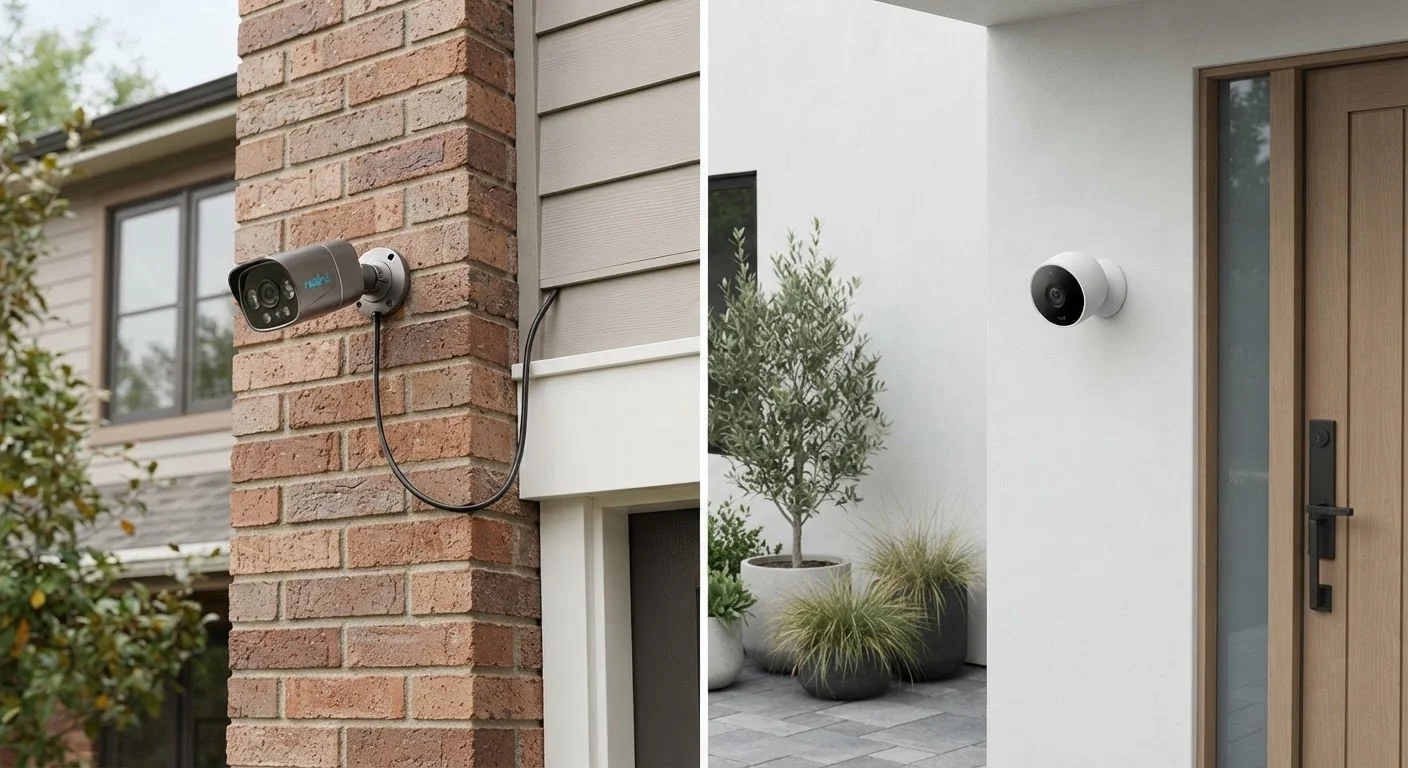
Photo credit: GadgetLite.net | All Things Tech
In this article
Reliability, installation effort, and ongoing costs all differ between wired and wireless cameras. Here's a balanced look at both approaches.
Key Takeaways
- Wired cameras offer more consistent video reliability but require professional or skilled DIY installation.
- Wireless cameras are faster to set up but depend on Wi-Fi signal strength and battery maintenance.
- Ongoing costs differ: wired systems may need an electrician upfront; wireless ones may need recurring subscriptions for cloud storage.
- Your home's layout, existing infrastructure, and tolerance for maintenance should drive the decision.
The Real Differences Start at Installation
Choosing between wired and wireless security cameras feels like a simple cable question — but installation is where the two approaches genuinely split apart. Wired cameras, whether using coaxial cable (traditional CCTV systems) or Ethernet (IP cameras), require you to route cables through walls, attics, or exterior siding to reach a central recorder or power source. That's a meaningful undertaking, often requiring a drill, conduit, and occasionally a licensed electrician — particularly for outdoor setups.
Wireless cameras, by contrast, mount with a few screws and connect to your home Wi-Fi network. Battery-powered models need no wiring at all. Setup time drops from hours to minutes. But "wireless" doesn't always mean cable-free: many plug into a standard outlet for power, so only the data transmission is wireless.
For renters or anyone reluctant to modify walls, the installation gap alone often makes wireless the practical default. For homeowners building or renovating, integrating wired cameras during construction significantly reduces the complexity cost. See how this trade-off plays out across smart home devices broadly for useful context.
Reliability and Video Consistency
This is where wired cameras hold a clear structural advantage. A camera connected via Ethernet or coaxial cable transmits footage over a dedicated, physical link — it doesn't compete with your smart TV, laptop, or other devices for bandwidth. Dropouts caused by Wi-Fi interference, router restarts, or network congestion simply don't apply.
Wireless cameras are only as reliable as your home network. Thick walls, long distances from the router, or a crowded 2.4 GHz Wi-Fi band can all cause stuttering video, delayed alerts, or missed recording windows. A mesh network or a Wi-Fi extender can help, but adds cost and another variable to manage.
| Wired Cameras | Wireless Cameras | |
|---|---|---|
| Installation effort | High — cable routing required | Low — mounts in minutes |
| Video reliability | Consistent, no Wi-Fi dependency | Varies with network quality |
| Power source | Continuous via cable | Battery or outlet plug |
| Storage | Typically local (NVR/DVR) | Cloud or SD card (often subscription) |
| Ongoing costs | Usually low after setup | Subscriptions may apply |
| Flexibility to relocate | Limited — fixed cable runs | Easy to move or add cameras |
| Suitable for renters | Generally not practical | Yes, especially battery models |
Battery-powered wireless cameras add another reliability layer: if you miss a recharge cycle, coverage lapses entirely. Hardwired cameras don't have this failure mode. For a deeper look at when physical connections outperform Wi-Fi, this breakdown of wired vs. wireless networking explains the underlying reasons.
Storage, Subscriptions, and Ongoing Costs
Wired systems — particularly those using a standalone NVR (Network Video Recorder) or DVR — typically store footage locally on a hard drive. Once the hardware is purchased, there's often no recurring fee. That's a genuine long-term cost advantage if you're running multiple cameras.
Most wireless cameras default to cloud storage, which frequently requires a monthly or annual subscription after a short free tier. If you're adding three or four cameras, those subscription costs accumulate quickly. Some wireless models do support local storage via SD cards or a local hub, but this varies by manufacturer and is worth verifying before purchasing.
Check Local Storage Options Before Buying
Before committing to a wireless camera system, confirm whether it supports local storage — either via an SD card slot or a local hub — without requiring a cloud subscription. Some systems offer this out of the box; others lock local storage behind higher-tier plans. Knowing this upfront prevents unwelcome recurring costs and gives you more control over where your footage lives.
It's also worth considering privacy implications for either approach. Cloud-stored footage means your video travels to and sits on a third-party server. Local storage keeps footage on your premises but requires you to manage backups. This overview of privacy considerations for home security cameras covers what to look for before committing to any system.
Which Approach Fits Your Situation
There's no universally correct answer, but the decision framework is fairly clear once you know your priorities. If you own your home, plan to cover multiple entry points, and value long-term reliability over installation convenience, a wired system's upfront investment typically pays off. If you're renting, covering one or two spots, or need cameras you can relocate as circumstances change, wireless offers practical flexibility that wired simply can't match.
Mixed approaches are also common: a wired camera at the main entry points for reliability, wireless cameras in spots where cabling is impractical. Your home's existing infrastructure — whether you already have Ethernet runs, a strong mesh network, or a finished basement — will influence which path is less disruptive. For a broader view of how wired and wireless trade-offs apply across everyday devices, this overview of wired vs. wireless across consumer electronics provides useful framing.

Author
Gadgets Editorial Team
Gadgets Editorial Team is the collective byline for our editorial team and contributor network. Articles published under this byline or an editorial pen name are researched, written, and reviewed according to our editorial standards for clarity, consistency, and independence before publication.
View all articles →