
Smart Home Security Cameras: Privacy Considerations Every Homeowner Should Know
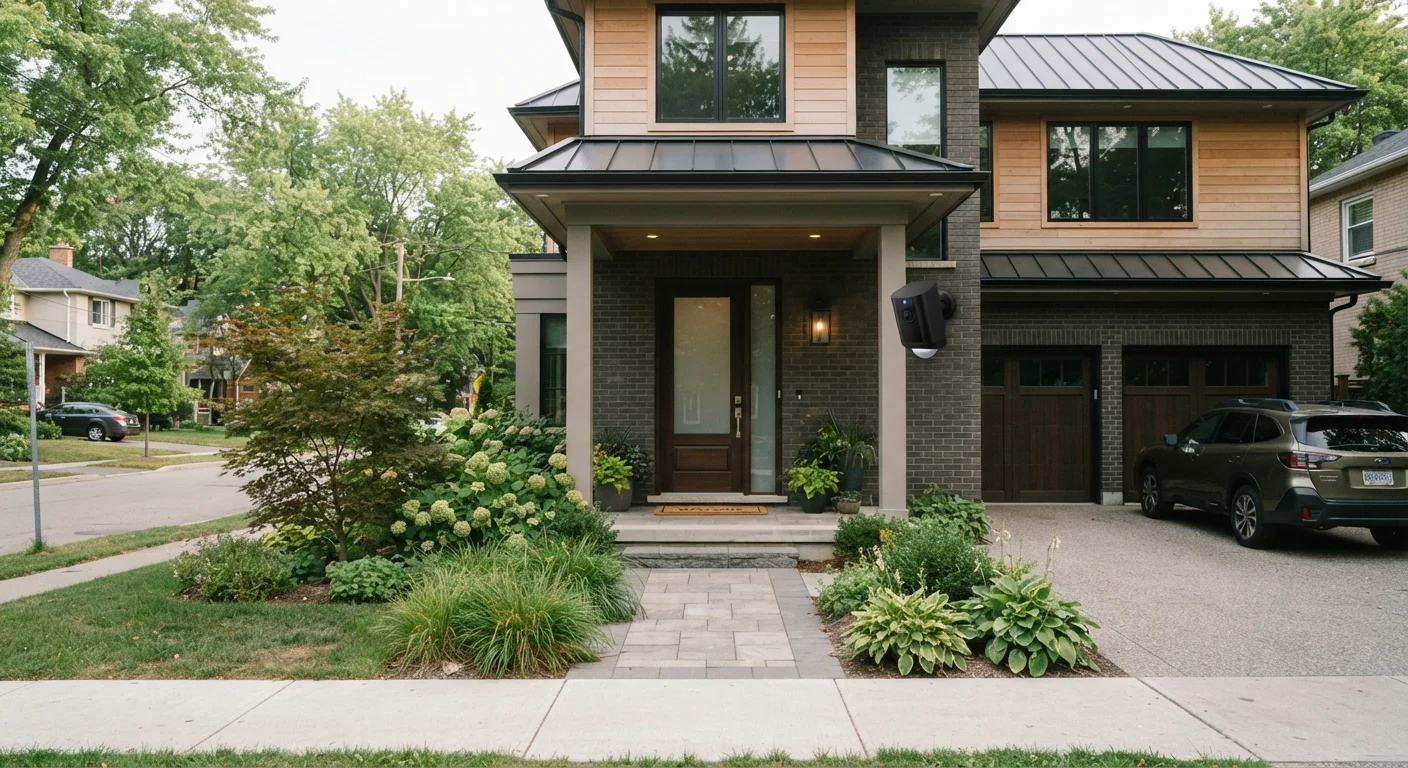
Photo credit: GadgetLite.net | All Things Tech
In this article
Indoor and outdoor cameras raise real privacy questions. Here's what to understand about data storage, access, and household consent.
Key Takeaways
- Understand where your camera footage is stored — locally or in a cloud service — before buying.
- Household consent matters: inform guests and family members that cameras are recording.
- Regularly review which apps and third parties have access to your camera data.
- Strong, unique passwords and two-factor authentication are essential for camera account security.
- Placement decisions affect not just security coverage but also privacy for neighbors and visitors.
Why Privacy Comes First With Home Security Cameras
Smart security cameras have become one of the most popular additions to connected homes — and for good reason. They offer real-time visibility, motion alerts, and peace of mind when you're away. But unlike a traditional deadbolt, a networked camera is a data-generating device that records, transmits, and often stores footage of your daily life.
Before you mount a camera above your front door or set one up in the living room, it's worth understanding exactly what happens to that footage, who can access it, and how the camera interacts with your broader home network. These aren't hypothetical concerns — they're practical ones that affect every household differently. See our overview of always-on camera trade-offs for a broader look at what plugging in a watching device really means.
Indoor vs. Outdoor Cameras: Different Rules Apply
Outdoor cameras generally face fewer legal restrictions since they capture semi-public spaces like driveways or front porches. Indoor cameras, however, record private living spaces and raise more significant consent and expectation-of-privacy concerns. Some jurisdictions have specific rules about recording audio indoors, which may require all parties in a space to be informed. Check your local laws before placing cameras in shared indoor areas.
Best Practices for Responsible Camera Use
Following a set of clear, consistent practices helps you get genuine security value from your cameras without creating new vulnerabilities.
Always inform household members and frequent guests that cameras are recording.
People living in or regularly visiting your home have a reasonable expectation of knowing they're being recorded. Failing to inform them can damage trust and, depending on where you live, may create legal complications — particularly for audio recording indoors.
Use strong, unique passwords and enable two-factor authentication on every camera account.
Camera accounts accessed with weak or reused passwords are a common target for unauthorized access. Two-factor authentication adds a second verification step, making it significantly harder for someone to log in even if they obtain your password.
Review and limit which third-party apps have access to your camera system.
Many camera platforms allow integrations with smart home ecosystems and third-party apps. Each additional integration is another potential access point for your footage. Limiting these connections reduces your overall exposure.
Position outdoor cameras to minimize capture of neighboring properties and public sidewalks.
Inadvertently recording a neighbor's yard, windows, or entryway raises both ethical concerns and potential legal issues in some states. Thoughtful placement keeps your coverage focused on your own property.
Understand your camera's data retention settings and adjust them to suit your needs.
Many cloud-connected cameras retain footage for days or weeks by default. Storing more footage than you need increases the volume of personal data held by a third-party service — and the consequences if that service is ever breached.
Quick Steps You Can Take Today
You don't need to overhaul your entire setup to meaningfully improve your camera's privacy posture. A few targeted actions go a long way.
For a fuller picture of how devices across your home collect and handle data, see our guide on managing privacy across phones, laptops, and smart speakers. And if you're weighing different camera types, our wired vs. wireless camera comparison covers how your hardware choice affects more than just installation.
Understanding Data Storage and Third-Party Access
One of the most significant privacy factors is whether footage is stored locally — on a memory card or a home hub — or uploaded to a cloud server managed by the manufacturer. Cloud storage offers convenient remote access and backup, but it also means your footage exists on systems you don't directly control.
69%
Smart camera owners who haven't read the privacy policy
A 2022 consumer survey by the Consumers' Research organization found that a large majority of smart device owners never review manufacturer privacy policies before use.
30 days
Common default cloud footage retention period
Many camera subscription plans retain motion-triggered clips for up to 30 days by default, storing considerable amounts of household footage on remote servers.
Always read the privacy policy for any camera service you use. Pay particular attention to sections about data retention (how long footage is kept), law enforcement access (under what conditions authorities can request footage), and data sharing with advertisers or analytics partners. These terms vary considerably between providers.
For guidance on securing the network your cameras run on, the home tech network security guide walks through practical steps that don't require expert knowledge. You can also explore the Privacy Basics hub for broader data protection strategies.
“The question isn't whether security cameras make homes safer — they often do. The real question is whether users understand the data trail those cameras create and who else might eventually have access to it.”
— Electronic Frontier Foundation, Digital rights advocacy organization

Author
Electronics Editorial Team
Electronics Editorial Team is the collective byline for our editorial team and contributor network. Articles published under this byline or an editorial pen name are researched, written, and reviewed according to our editorial standards for clarity, consistency, and independence before publication.
View all articles →