
Wired vs. Wireless: When an Ethernet Cable Still Beats Wi-Fi
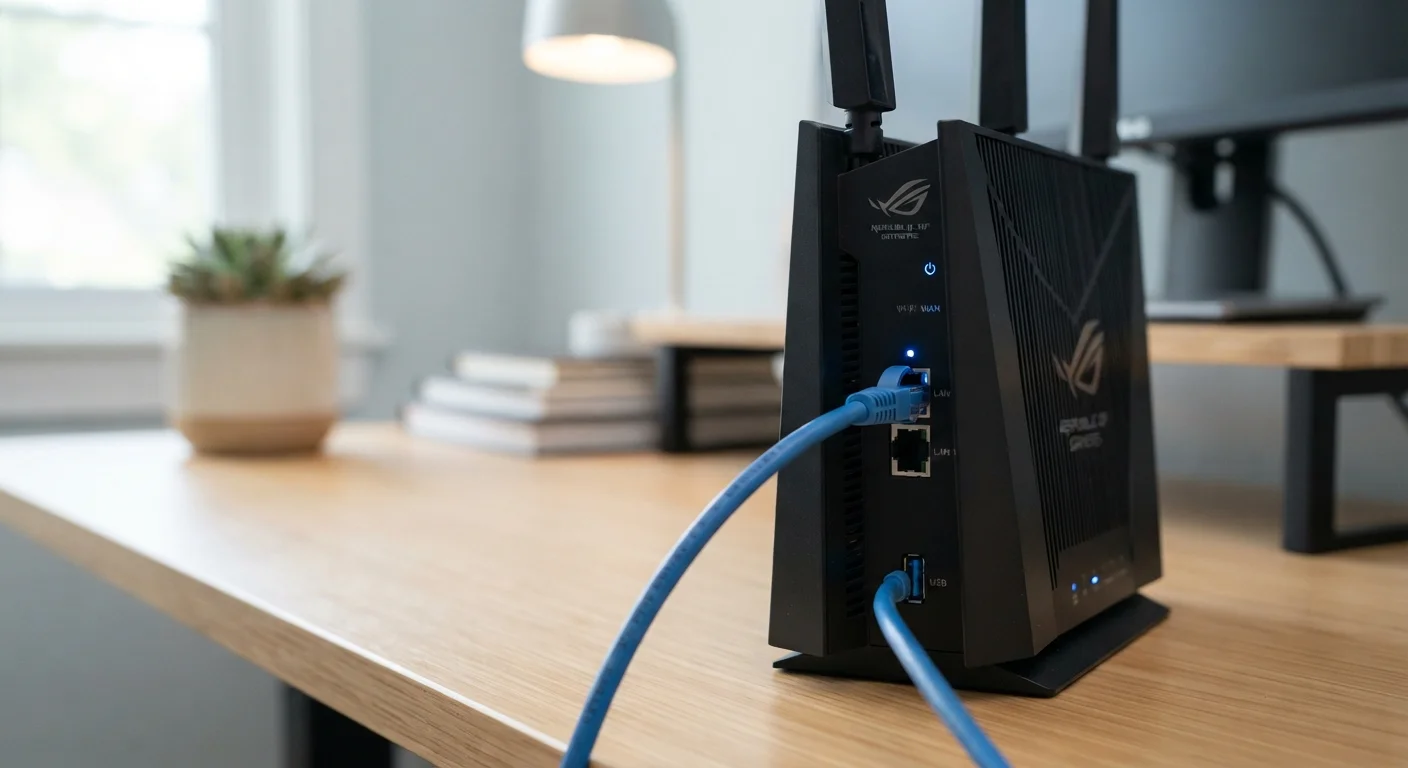
Photo credit: GadgetLite.net | All Things Tech
In this article
Wi-Fi is convenient, but a wired connection offers distinct advantages for certain devices and uses. Here's how to weigh up both approaches.
Key Takeaways
- Ethernet cables consistently deliver faster speeds and lower latency than Wi-Fi for most home setups.
- Wi-Fi is the practical choice for mobile devices, smart home gadgets, and hard-to-wire locations.
- Gaming consoles, desktop PCs, and streaming boxes benefit most from a wired connection.
- Physical walls, interference, and distance can significantly degrade Wi-Fi performance.
- A mixed approach - wired for stationary devices, Wi-Fi for portable ones - often works best.
Why the Ethernet vs. Wi-Fi Debate Still Matters
Wireless technology has come a long way. Wi-Fi 6 routers can push speeds that would have seemed absurd a decade ago, and most of us now connect smartphones, laptops, and smart speakers without ever touching a cable. So why does Ethernet - a technology that predates the commercial internet - still belong in the conversation?
Because performance isn't just about peak speed. It's also about consistency, latency (the tiny delay before data starts moving), and how reliably that connection holds up under pressure. On those measures, a physical cable still has a real edge - and for certain devices and activities, that edge is genuinely noticeable. Understanding where each approach shines helps you build a smarter home network without overcomplicating things.
For a broader look at how the wired-versus-wireless question plays out across different device types, see the full trade-offs guide across everyday devices.
Where Ethernet Has a Clear Advantage
Plug in an Ethernet cable and you get a dedicated, direct path between your device and the router. There's no signal fighting through walls, no interference from your neighbor's router, and no bandwidth shared with every other gadget in the house.
This matters most in a few specific situations:
- Online gaming: Low, consistent latency is critical. Even a brief Wi-Fi wobble can mean the difference between a clean connection and a frustrating lag spike. A wired connection keeps latency steady.
- Video calls and remote work: Dropped packets on Wi-Fi can cause choppy audio and frozen video. Ethernet keeps the stream smooth, even during heavy household internet use.
- 4K streaming: Streaming high-resolution content eats through bandwidth. Ethernet delivers that bandwidth reliably, without buffering caused by interference.
- Large file transfers and backups: Moving big files between a PC and a NAS drive, or uploading to cloud storage, goes faster and more reliably over a cable.
| Ethernet (Wired) | Wi-Fi (Wireless) | |
|---|---|---|
| Speed consistency | Very high - stable under load | Variable - affected by interference |
| Latency | Low and predictable | Higher, can spike |
| Setup effort | Requires cable routing | Plug-and-play for most devices |
| Device flexibility | Fixed locations only | Works anywhere in range |
| Interference risk | None | Moderate to high in busy areas |
| Best device types | PCs, consoles, smart TVs | Phones, tablets, smart home gear |
Desktop PCs, gaming consoles, smart TVs, and streaming boxes are all prime candidates for a wired connection since they sit in fixed locations anyway.
Where Wi-Fi Makes More Sense
Wi-Fi's biggest advantage is obvious: no cable required. That flexibility is genuinely valuable, not just convenient.
Smartphones and tablets are designed around wireless use - there's no Ethernet port to plug into. Laptops frequently move from room to room. Smart home devices like bulbs, thermostats, and security sensors are often mounted in places where running a cable would be impractical or impossible. For all of these, Wi-Fi isn't just easier; it's the only realistic option.
Modern Wi-Fi standards have also closed the gap considerably for everyday tasks. Browsing, streaming music, casual video calls, and social media all run perfectly well over a solid wireless connection. If your router is reasonably close, your home isn't packed with thick concrete walls, and your network isn't overcrowded, Wi-Fi is more than capable for most daily use.
Check Your Router Placement First
Before running cables or buying new hardware, try moving your router to a more central location in your home. Routers tucked in corners, closets, or near thick exterior walls often perform well below their potential. A central, elevated placement can meaningfully improve Wi-Fi reach and consistency for wireless devices throughout the house.
That wired-versus-wireless question extends beyond computers and TVs, too. If you're thinking about home security cameras, the wired vs. wireless home security camera comparison walks through how reliability and installation effort differ there.
What Actually Degrades Your Wi-Fi Signal
Wi-Fi performance can vary dramatically depending on your home's layout and environment. Several factors work against a wireless signal:
- Walls and floors: Thick concrete or brick walls absorb signal significantly. Even standard drywall adds some loss across multiple rooms.
- Distance: The farther you are from the router, the weaker the signal - and a weaker signal means slower, less stable speeds.
- Interference: Neighboring Wi-Fi networks, microwave ovens, baby monitors, and Bluetooth devices all compete on overlapping radio frequencies.
- Device congestion: The more devices connected to your network simultaneously, the more the available bandwidth gets divided up.
If you're regularly noticing slow speeds or drop-outs in a specific room or with a specific device, a cable is often the simplest fix - faster to implement than repositioning a router or adding a mesh node.
Building a Practical Mixed Setup
You don't have to pick a side. Most well-functioning home networks use both approaches together: Ethernet for devices that need reliability and performance, Wi-Fi for everything else.
A practical starting point: identify which of your devices are stationary and used for demanding tasks - a gaming console, a desktop, a smart TV used for 4K content, a desktop NAS. Run Ethernet to those. Let everything else - phones, tablets, smart home devices, laptops - stay wireless.
If running cables through walls isn't feasible, powerline adapters (which send a network signal through your home's electrical wiring) or MoCA adapters (which use existing coaxial cable) can provide a wired-quality connection without major renovation. These aren't perfect, but they're a meaningful step up from Wi-Fi for a fixed device.
The same logic applies to smart home setups more broadly - for a look at how wired and wireless trade-offs play out with smart home devices specifically, the wired vs. wireless smart home devices guide is worth a read.
~1 ms
Typical Ethernet latency in home networks
Wired connections commonly deliver round-trip latency under 1-2 ms on a local network, compared to 5-30 ms or more over Wi-Fi depending on conditions.
3x
Potential speed advantage of Ethernet over Wi-Fi
In real-world home environments with interference and distance, wired connections frequently outperform Wi-Fi by a factor of two to three times in throughput.

Author
Cloud Editorial Team
Cloud Editorial Team is the collective byline for our editorial team and contributor network. Articles published under this byline or an editorial pen name are researched, written, and reviewed according to our editorial standards for clarity, consistency, and independence before publication.
View all articles →