
Consumer Electronics: Everything You Need to Navigate Modern Devices
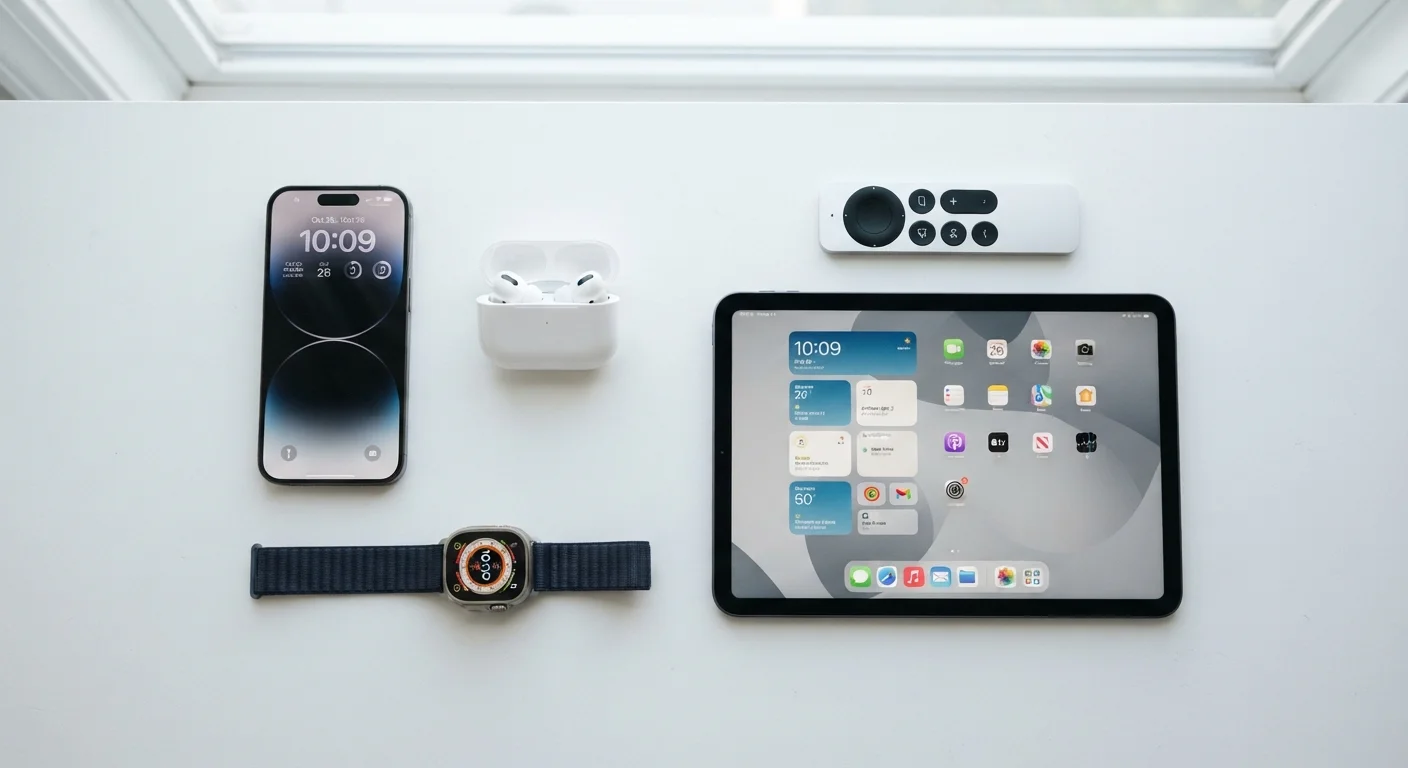
Photo credit: GadgetLite.net | All Things Tech
In this article
From displays and audio to connectivity and software, this end-to-end guide helps everyday users understand how modern consumer electronics actually work.
Key Takeaways
- Display resolution and refresh rate together determine how smooth and sharp content actually looks.
- Audio quality depends on more than price — codec support and driver size both play significant roles.
- Connectivity standards like Wi-Fi 6 and Bluetooth 5.x offer real-world benefits over older versions.
- Software ecosystems often matter more than hardware specs for long-term device satisfaction.
- Battery capacity alone is a poor predictor of real-world battery life.
- Knowing a handful of core concepts lets you cut through marketing noise on any device category.
What 'Consumer Electronics' Actually Covers
The term consumer electronics refers to any electronic device designed for everyday personal use — from the phone in your pocket to the TV on your wall and the earbuds in your ears. The category is broad enough to feel overwhelming, but most devices share a common set of underlying technologies: displays, audio hardware, wireless connectivity, processing power, and software.
Understanding those building blocks — rather than memorizing specs for every product — is what lets you evaluate any device with confidence. This guide breaks each layer down in plain language. For an even deeper dive into terminology you'll encounter while shopping, see the Consumer Electronics Glossary covering 50 key terms.
15B+
Connected consumer devices worldwide
Industry analysts estimate more than 15 billion connected consumer devices are in use globally, underscoring how central electronics have become to daily life.
120 Hz
Refresh rate now common on mid-range phones
A refresh rate once reserved for flagship devices has become a standard feature across a wide range of mid-tier smartphones as of recent product cycles.
5–7 years
Expected software support for leading platforms
Several major platform makers have publicly committed to five to seven years of OS and security updates for flagship devices, up from two to three years historically.
Displays: What the Numbers Really Mean
Display quality is one of the first things you notice on any screen-based device. Marketers lean heavily on two numbers: resolution (the total pixel count, such as 1080p or 4K) and refresh rate (how many times per second the image updates, measured in Hz). Both matter, but neither tells the whole story.
Resolution determines sharpness, but perceived sharpness also depends on how far you sit from the screen. A 4K display on a 32-inch monitor viewed at arm's length looks dramatically sharper than the same resolution on a 75-inch TV viewed from across a room. Refresh rate affects motion smoothness — 60 Hz is standard, while 90 Hz or 120 Hz visibly reduces blur during fast-moving video or scrolling.
Panel technology adds another dimension. OLED panels produce true blacks because individual pixels switch off completely. LCD panels with LED backlighting are more common and generally brighter at lower cost. Mini-LED backlighting sits between the two, offering improved contrast over traditional LCD.
When evaluating a display, check both the peak brightness (measured in nits) and whether it supports HDR content — these two factors do more for visible picture quality than resolution alone in typical viewing conditions.
High resolution is only perceptible above a certain pixel density threshold; brightness and HDR range affect every content type and viewing environment.
Before buying wireless earbuds or headphones, confirm that the codec they support matches the codec your phone or source device transmits — a mismatch defaults both devices to the lowest common standard.
Many listeners unknowingly use premium hardware at compressed audio quality simply because device codec compatibility was never checked.
Audio: From Drivers to Codecs
Audio hardware is consistently misunderstood. A larger driver — the physical component that moves air to produce sound — can produce more bass, but driver size alone doesn't determine audio quality. Tuning, materials, and signal processing all shape what you actually hear.
For wireless audio, codecs are critical. A codec is the algorithm that compresses and decompresses audio data sent over Bluetooth. Standard SBC is universal but delivers compressed quality. AAC performs better on Apple devices. aptX and aptX HD offer higher-fidelity transmission on compatible Android hardware. LC3, introduced with Bluetooth 5.2, is designed to deliver better quality at lower data rates.
Active Noise Cancellation (ANC) uses microphones to detect ambient sound and generates an opposing signal to neutralize it — effective for steady low-frequency noise like airplane engines, less so for sudden or irregular sounds.
Check Codec Compatibility Before You Buy
Look up which Bluetooth codecs your phone supports before purchasing wireless audio hardware. Both the source device and the headphones or earbuds must support the same codec for it to activate. Mismatched devices default to SBC regardless of what either device is capable of individually.
Connectivity: Wi-Fi, Bluetooth, and Beyond
Most consumer devices connect wirelessly, and the standards have evolved significantly. Wi-Fi 6 (802.11ax) and Wi-Fi 6E improve throughput and reduce congestion compared to Wi-Fi 5 — particularly useful in homes with many connected devices. Wi-Fi 7 (802.11be) is entering the market and offers even higher theoretical speeds, though real-world gains depend heavily on your router and internet plan.
Bluetooth has similarly advanced. Bluetooth 5.x increased range and data throughput compared to 4.x, while Bluetooth LE Audio (introduced with 5.2) enables multi-stream audio and the LC3 codec mentioned above. For home tech, many smart devices also use Zigbee, Z-Wave, or the newer Matter protocol — a cross-platform standard backed by major platform makers to reduce compatibility friction.
Explore how connectivity fits into your home setup at the Home Tech Essentials hub.
The Matter Standard Is Still Maturing
Matter is a relatively new smart home protocol and device support varies widely by manufacturer and product generation. While its cross-platform goals are widely supported in principle, checking whether a specific device supports Matter — and which features work across ecosystems — is worth verifying before purchase.
Software, Ecosystems, and Why They Matter
Hardware specs are easy to compare on paper. Software ecosystems are harder to quantify but often more consequential for day-to-day satisfaction. An ecosystem is the interconnected network of devices, apps, and services from a single platform — think of how a phone, tablet, laptop, and smart speaker from the same company share contacts, media, and clipboard data seamlessly.
Switching ecosystems involves real friction: app repurchases, lost cross-device workflows, and a learning curve. Before focusing on hardware specs, it's worth asking which platforms your existing devices use and whether a new purchase strengthens or fragments that picture.
Software update policy is equally important. Devices that receive operating system updates for several years stay secure and compatible with new apps far longer than those abandoned early. For wearable devices specifically — where software drives most of the experience — this matters even more. The full story on wearable devices explains how sensors and software combine to make wearables useful.
Software Support Timelines Affect Device Value
A device that stops receiving security updates becomes increasingly vulnerable to software exploits, even if the hardware still functions normally. When evaluating any connected device, check the manufacturer's published update policy. Devices with longer committed support windows represent better long-term value and security posture.
Battery and Power: What to Watch For
Battery capacity is measured in mAh for phones and earbuds, and Wh for laptops. Larger numbers mean more stored energy, but real-world battery life depends on how efficiently the processor, display, and wireless radios consume that energy — not just how much is stored.
Charging speed, measured in watts (W), has accelerated rapidly. Faster charging is convenient but generates more heat, which can accelerate long-term battery degradation over many charge cycles. Many devices now include settings to cap charging at 80% when left plugged in overnight, which measurably extends the usable life of lithium-ion cells.
Fast Charging Has Long-Term Trade-offs
Charging at very high wattages generates heat, and sustained heat is one of the primary factors that degrades lithium-ion battery cells over time. If your device offers a 'battery health' or 'optimized charging' mode, enabling it can significantly extend the usable lifespan of the battery — particularly if you regularly charge overnight.
Putting It All Together
Navigating consumer electronics becomes far more manageable once you stop chasing individual spec numbers and start thinking in terms of use cases. What will you actually do with the device? Where will you use it? Which existing devices does it need to work with?
A display's refresh rate matters more for gaming than for reading. Codec support matters more for music listeners than for podcast consumers. Ecosystem compatibility matters more for someone already invested in a platform than for someone starting fresh.
If you're extending your setup to wearables — smartwatches, fitness trackers, or wireless earbuds — the complete overview of wearable tech is a natural next step. For smartphones and tablets specifically, the Smartphones & Tablets hub provides focused guidance on that category.
Armed with a clear picture of what each technology layer does and why it matters, you can evaluate any device — current or future — on terms that reflect your actual life rather than a manufacturer's marketing sheet.
Consumer Electronics Glossary: 50 Terms Worth Knowing
A plain-language reference covering the most common electronics terms — from refresh rate and latency to codec and form factor. Useful before or after any device research session.
Wearable Tech for Everyday Life: A Complete Overview
Covers the full landscape of wearables — smartwatches, earbuds, smart rings, and GPS trackers — including how people actually use them day to day.
Home Tech Essentials Hub
A curated resource for smart home devices and everyday electronics, focused on how technology simplifies life at home.

Author
Electronics Editorial Team
Electronics Editorial Team is the collective byline for our editorial team and contributor network. Articles published under this byline or an editorial pen name are researched, written, and reviewed according to our editorial standards for clarity, consistency, and independence before publication.
View all articles →