
Phishing Explained: What Actually Happens When You Click a Suspicious Link
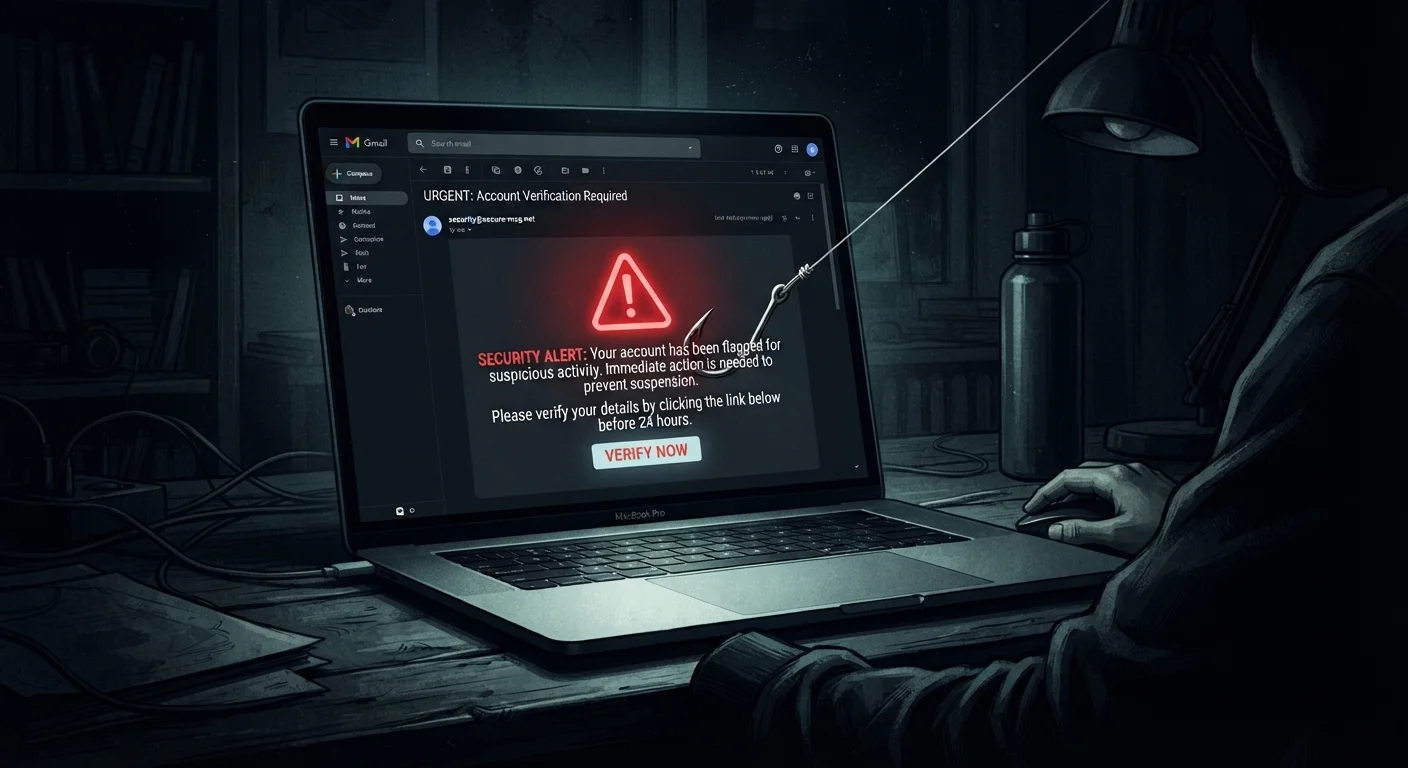
Photo credit: GadgetLite.net | All Things Tech
In this article
Understand what phishing is, how attackers set up fake pages, and what occurs the moment you interact with a malicious link.
Key Takeaways
- Phishing messages impersonate trusted sources to manipulate you into clicking a fraudulent link.
- Fake login pages can capture your credentials within seconds of submission.
- Simply loading a malicious page can sometimes expose your device to tracking scripts or malware.
- Urgency and fear are the most common psychological levers attackers use.
- Pausing to verify a sender's address and URL before clicking is your most effective first defense.
How Attackers Set the Trap
A phishing attack starts long before you see the message. An attacker registers a domain name that closely resembles a real company - swapping a letter, adding a hyphen, or using a convincing subdomain like secure.yourbank-login.com. They then clone the real website's design - logo, color scheme, form fields - so the fake page looks identical at a glance.
The message you receive is engineered to create urgency. Common pretexts include: a suspended account, a failed payment, an undelivered package, or a security alert requiring immediate action. This urgency is intentional. When people feel pressured, they skip the checks they'd otherwise perform.
Understanding the psychology behind these attacks is key. Social engineering tactics explain why even careful people get caught - attackers exploit instinctive reactions, not just inattention.
Phishing Isn't Limited to Email
Attackers deliver phishing attempts through SMS (smishing), voice calls (vishing), social media direct messages, and even QR codes. The delivery method changes, but the core tactic - impersonating a trusted source to prompt a hasty action - remains constant across all formats.
What Happens the Moment You Click
The instant you click a phishing link, several things can occur simultaneously, depending on how the attack is constructed:
- Page load and tracking: The fake site loads and may immediately fire tracking scripts that log your IP address, browser type, and approximate location - information that can be used in follow-up attacks.
- Drive-by download attempts: Some malicious pages exploit unpatched browser vulnerabilities to silently download malware. This is less common but possible if your browser or operating system is out of date.
- Credential harvesting: If you enter a username and password, the fake form transmits that data directly to the attacker's server - often in real time. Some sophisticated setups even proxy your credentials to the real site so you don't notice anything is wrong.
The most damaging step is submitting information. Loading the page alone is concerning, but entering data is what gives attackers direct access to your accounts.
Pause Before You Click Anything
When a message creates a sense of urgency, treat that feeling as a signal to slow down rather than speed up. Take five seconds to examine the sender's actual email address and hover over any link to preview the destination URL. Legitimate services will never penalize you for taking a moment to verify.
Recognizing Red Flags Before You Click
Most phishing attempts share observable warning signs. Training yourself to look for them takes only a few seconds per suspicious message.
- Mismatched sender address: The display name may say "PayPal Support" but the actual email address reveals something like
noreply@paypa1-help.net. - Suspicious URLs: Hover over any link before clicking. Legitimate companies send links from their own verified domains - not random strings or lookalike addresses.
- Unsolicited urgency: Messages demanding immediate action on accounts you didn't initiate activity on deserve extra scrutiny.
- Generic greetings: "Dear Customer" instead of your actual name can signal a mass phishing campaign.
Not all phishing is the same in scope or sophistication. Spear phishing versus bulk phishing covers how targeted attacks are crafted to be far more convincing, sometimes including your real name and personal details.
3.4 billion
Phishing emails sent daily worldwide
According to estimates cited by the Anti-Phishing Working Group (APWG), phishing remains the most common form of cybercrime by volume.
36%
Data breaches involving phishing
Verizon's Data Breach Investigations Report has consistently found phishing to be among the top action types in confirmed breaches over multiple reporting years.
< 60 seconds
Median time to first credential entry after click
Research from multiple incident response firms indicates victims often submit credentials within one minute of landing on a phishing page.
What To Do If You've Already Clicked
If you've clicked a suspicious link - whether or not you entered any information - here's a practical response sequence:
- Don't enter anything. If the page is still open and you haven't submitted data, close the tab immediately.
- Change affected passwords. If you did submit credentials, change that password right now. Prioritize any accounts where you reuse the same password.
- Enable two-factor authentication (2FA). Even if an attacker captures your password, 2FA - a second verification step such as a code sent to your phone - makes that password alone insufficient to log in.
- Scan your device. Run a reputable security scan to check for anything that may have been downloaded.
- Report the message. Forward phishing emails to your email provider's abuse address and to the Anti-Phishing Working Group at
reportphishing@apwg.org.
Building consistent habits around link verification is the most durable protection available. Everyday habits that reduce phishing risk walks through the small, repeatable behaviors that collectively make a significant difference.
Frequently Asked Questions

Author
Cyber Security Editorial Team
Cyber Security Editorial Team is the collective byline for our editorial team and contributor network. Articles published under this byline or an editorial pen name are researched, written, and reviewed according to our editorial standards for clarity, consistency, and independence before publication.
View all articles →