
The Complete Picture on Smartphone Batteries: Capacity, Health, and Charging Speed
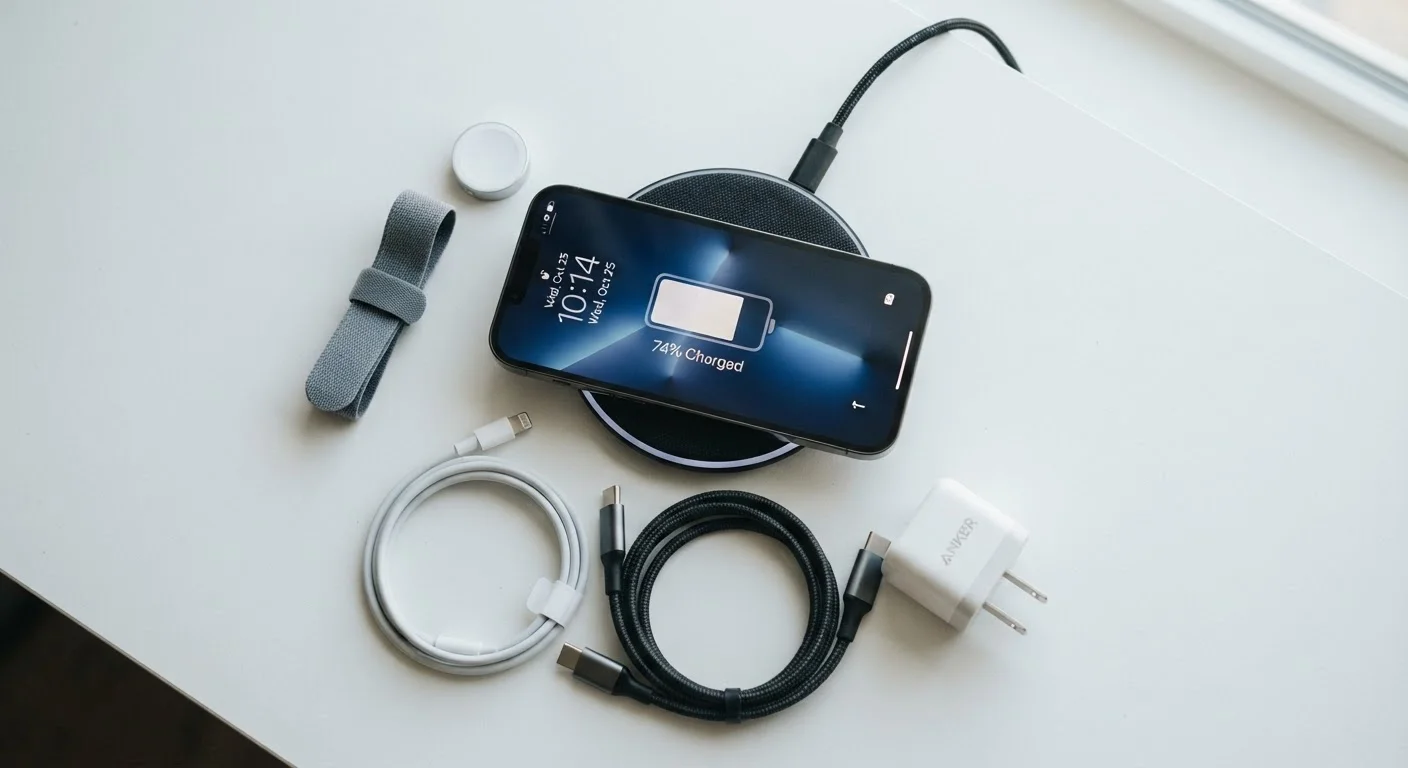
Photo credit: GadgetLite.net | All Things Tech
In this article
From mAh figures to fast-charging standards and long-term battery health, everything everyday users need to know about mobile power.
Key Takeaways
- A higher mAh figure is only one factor — software efficiency and screen resolution also shape real battery life.
- Fast-charging wattage claims require compatible chargers and cables to be realized at full speed.
- Lithium-ion batteries lose capacity naturally over hundreds of charge cycles, regardless of brand.
- Keeping a phone's charge between roughly 20% and 80% can slow long-term degradation.
- Wireless charging is typically slower and generates more heat than wired charging.
What mAh Actually Means
Every phone spec sheet lists a battery capacity in milliampere-hours, or mAh. This number describes how much electrical charge the battery can store — a higher figure means a larger reservoir of energy. A phone carrying a 5,000 mAh battery has roughly double the theoretical storage of one with 2,500 mAh, all else being equal.
The catch is that "all else" is rarely equal. A flagship phone with a large, high-refresh-rate display, an always-on screen, and multiple active radios can drain a big battery faster than a mid-range device drains a smaller one. Processor efficiency, display technology, and software optimization all determine how far each milliampere-hour actually stretches. For a deeper look at how paper specs translate to daily use, see what specs actually mean for daily use.
300–500
Charge cycles before noticeable capacity loss
Industry guidance from battery manufacturers suggests most lithium-ion cells retain 80%+ capacity within this cycle range under typical conditions.
~80%
Typical capacity retained after 500 cycles
Apple's published battery specifications indicate iPhone batteries are designed to retain up to 80% of original capacity at 500 complete charge cycles.
Qi2
Current major wireless charging standard
The Wireless Power Consortium launched Qi2 to standardize higher-speed wireless charging across compatible devices and accessories.
When comparing phones, treat mAh as a starting point, not a verdict. Manufacturer-quoted battery life figures are typically measured under controlled, light-use conditions — real-world results with streaming, navigation, and notifications running will be lower. The same principle applies to other categories too, as explored in how wearable battery figures differ from real-world performance.
Fast Charging: Standards, Speeds, and What to Expect
Fast charging is measured in watts (W). A 65W charger can theoretically deliver more power per minute than a 25W charger, cutting the time needed to go from empty to full. In practice, phones reduce charge rates as the battery fills — the first 50% charges quickly, and the final stretch slows to protect battery longevity.
Fast Charging Requires the Right Charger and Cable
A phone advertised with 65W charging will only hit that speed with a compatible charger and cable that support the same standard. Using an older charger or a low-rated cable will significantly limit charging speed. If your phone did not ship with a fast charger in the box, verify the required standard before purchasing a replacement.
Charging standards are not universal. Qualcomm Quick Charge, USB Power Delivery, and manufacturer-proprietary protocols (used by several major brands) are distinct systems. A charger rated for one standard may not deliver peak speed — or even full compatibility — with a phone that uses another. Always check which standard your phone supports before buying a third-party charger.
Cable quality also matters. A cable rated for lower amperages can bottleneck even a high-wattage charger. USB-C cables vary significantly in their data and power delivery ratings, and budget cables frequently underperform their labels.
Before buying a third-party fast charger, look up your phone's exact charging protocol — not just the wattage — to confirm compatibility. Mismatched standards won't damage most phones, but you'll pay fast-charger prices for slow-charger speeds.
Charging protocols are fragmented across manufacturers, and marketing often highlights wattage without clarifying compatibility requirements.
If your phone supports optimized or scheduled charging, enable it — especially if you charge overnight. These modes learn your routine and slow the final charge increment to reduce time spent at 100%, which is where cell stress is highest.
Research on lithium-ion degradation consistently identifies prolonged high-state-of-charge as a primary driver of capacity loss over time.
Battery Health and Degradation Over Time
Lithium-ion batteries — the chemistry used in virtually all modern smartphones — degrade with every charge cycle. A charge cycle counts as one full 0–100% equivalent of charge, whether done in one session or across several partial top-ups. After 300–500 cycles, most batteries retain somewhere between 80% and 85% of their original capacity under typical conditions, though this varies by usage patterns, temperature exposure, and charging habits.
Both iOS and Android now offer built-in battery health screens that show maximum capacity as a percentage. On iOS, this is found under Settings > Battery > Battery Health & Charging. Android manufacturers display this differently — some provide a native readout, others require a diagnostic app or service menu code.
Keep Charging Temperatures in Check
If your phone gets noticeably warm while charging, move it to a cooler surface or remove a thick case. Cases trap heat against the battery, accelerating wear. Most phones will also automatically reduce charging speed when they detect high internal temperatures — so a cooler environment means faster and healthier charging.
Heat is the primary accelerant of battery degradation. Charging a phone in a hot car, running demanding games while charging, or leaving a device in direct sunlight for extended periods all impose additional stress on the cell. Keeping a phone at moderate temperatures during charging is one of the most effective steps a user can take.
Wireless and Reverse Wireless Charging Explained
Wireless charging uses electromagnetic induction to transfer power through a pad or stand — no cable connection required. The Qi standard is the most widely supported, with a newer Qi2 standard offering improved speed and alignment for compatible devices. Manufacturer-proprietary wireless standards can reach higher wattages on matching hardware.
The trade-off with wireless charging is efficiency. A portion of the energy is lost as heat during the induction process, meaning wireless charging typically takes longer and warms the phone more than a wired connection at equivalent wattage. For overnight top-ups, this is largely inconsequential. For mid-day top-ups when time is short, wired fast charging is more practical.
Reverse wireless charging — the ability to use a phone as a charging pad for earbuds or a smartwatch — is available on a growing number of flagships. Wattages are generally low (around 3–5W), so it's more useful for topping up small accessories than for meaningful recharging. All the key terms you'll encounter on packaging are broken down in this guide to smartphone box terminology.
Practical Habits That Actually Protect Battery Life
Several charging habits have measurable effects on long-term battery health. Keeping a phone's state of charge between roughly 20% and 80% reduces the electrochemical stress on the battery compared to regular full cycles. Many phones now include settings — sometimes labeled "optimized charging" or "battery protection mode" — that automate this by capping charge at 80% unless overridden.
Avoiding prolonged exposure to extreme temperatures matters more than most users realize. Cold temperatures temporarily reduce available capacity; sustained heat causes permanent degradation. Both matter for people who live in climates with harsh summers or winters. See our smartphones and tablets hub for more on getting the most from your device.
“The number one enemy of a lithium-ion battery is heat. Managing temperature during charging — not just the charger wattage — is what determines how long a battery actually lasts.”
— Battery technology researcher, Electrochemical storage researcher at a U.S. university engineering department
Common myths still circulate about battery care — draining to zero, keeping it at 100% constantly, or closing background apps to save power. For a thorough fact-check of those claims, common battery myths debunked covers the evidence in detail.
Battery Health Settings Guide (iOS & Android)
Step-by-step instructions for locating and interpreting battery health readouts on both major mobile platforms, including how to enable optimized charging modes.
USB Power Delivery Compatibility Checker
A lookup tool for verifying which USB Power Delivery profile your phone supports, helping you identify compatible chargers before purchasing.
Wireless Power Consortium (Qi2 Standard Reference)
The official reference for the Qi2 wireless charging standard, explaining alignment, wattage, and device compatibility requirements in plain terms.

Author
Releases Editorial Team
Releases Editorial Team is the collective byline for our editorial team and contributor network. Articles published under this byline or an editorial pen name are researched, written, and reviewed according to our editorial standards for clarity, consistency, and independence before publication.
View all articles →