
Mechanical vs. Membrane Keyboards: How the Switch Affects Your Gaming
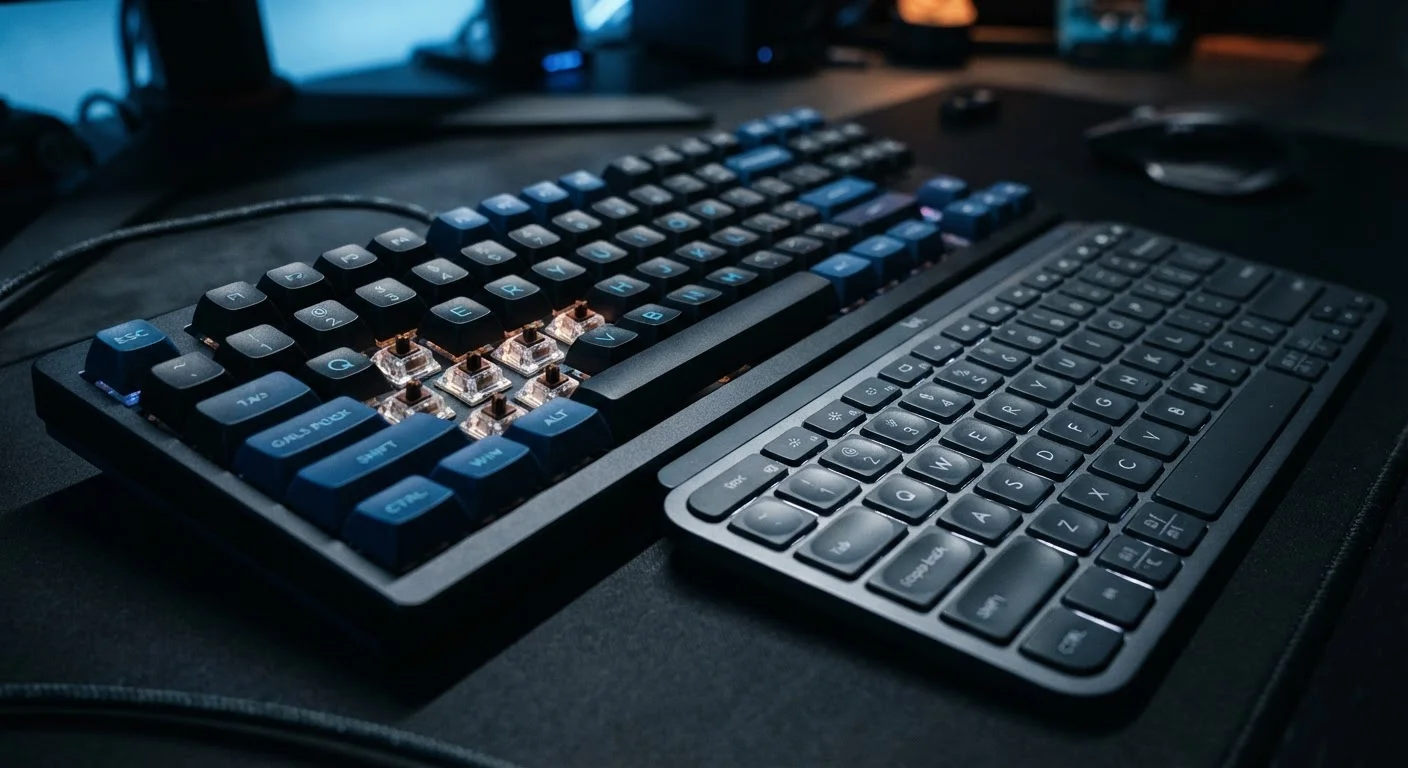
Photo credit: GadgetLite.net | All Things Tech
In this article
The keyboard under your fingers shapes how gaming feels. Understand the real differences between mechanical and membrane switches.
Key Takeaways
- Mechanical keyboards use individual spring-loaded switches; membrane keyboards use a single pressure pad layer.
- Mechanical switches offer clearer tactile feedback, which many gamers find helps with timing and accuracy.
- Membrane keyboards are typically quieter and more affordable than comparable mechanical models.
- Switch type matters more for fast-paced competitive play than for casual or story-driven gaming.
- Neither type is universally superior — the right pick depends on your games, space, and budget.
What's Actually Inside Each Keyboard
Every keypress you make goes through a switch — the mechanism that detects the input and sends it to your PC. The type of switch under each keycap defines almost everything about how a keyboard feels and sounds.
Mechanical keyboards house an individual physical switch beneath every single key. Each switch contains a spring, a stem, and metal contacts. When you press a key, the stem travels down, compresses the spring, and at a specific point — called the actuation point — the contacts register the input. The spring then pushes the key back up. This process is deliberate, consistent, and repeatable across millions of keystrokes.
Membrane keyboards work differently. Instead of individual switches, three flexible layers sit beneath all the keys: a top membrane with printed conductive traces, a middle spacer layer full of holes, and a bottom membrane. Pressing a key pushes the top layer through the spacer hole to touch the bottom layer, completing the circuit. There is no spring — just the natural elasticity of the rubber or silicone domes moulded under each key.
That structural difference produces two very distinct typing experiences, and understanding it is the first step in figuring out what actually suits you. If you're weighing the broader question of input devices, our breakdown of controllers vs. mouse and keyboard adds useful context.
| Criterion | Mechanical | Membrane |
|---|---|---|
| Switch mechanism | Individual spring-loaded switch per key | Rubber dome pressure layer |
| Tactile feedback | Defined actuation point | Gradual, mushy feel |
| Noise level | Varies; often louder | Generally quieter |
| Typical durability rating | 50–100 million keystrokes | Usually unpublished |
| Customisability | High (swappable switches, keycaps) | Limited |
| Price range | Higher starting cost | Generally more affordable |
| Weight/profile | Heavier, thicker | Lighter, slimmer |
How Each Switch Type Feels During Play
Mechanical switches come in three broad categories, each targeting a different preference:
- Linear switches travel smoothly from top to bottom with no bump or click — popular in fast-paced gaming because nothing interrupts the keystroke.
- Tactile switches produce a small physical bump at the actuation point so your finger knows the input registered without bottoming out.
- Clicky switches add an audible click to the tactile bump, giving both physical and audio confirmation of every keypress.
Membrane keyboards feel noticeably mushier by comparison. The rubber dome compresses gradually rather than snapping to a defined actuation point, so there's no clear moment when the input registers. For casual gaming and everyday typing, many people find this perfectly comfortable. For competitive play — where split-second timing in shooters or fighting games can matter — the vague feedback can feel imprecise.
50M+
Keystroke lifespan per mechanical switch
Most mechanical switch manufacturers publish minimum ratings of 50 million keystrokes; some rate switches up to 100 million.
3 types
Core mechanical switch categories
Linear, tactile, and clicky switches cover the main feel profiles; each suits a different mix of gaming and typing preferences.
For a wider look at which gaming gear genuinely moves the needle for everyday players, this guide on gear that actually improves casual play is worth reading alongside this one.
Noise, Durability, and Day-to-Day Practicalities
Sound is a real-world factor that spec sheets often gloss over. Clicky mechanical switches are noticeably loud — a deal-breaker in shared spaces. Linear and tactile mechanicals are quieter, and adding dampening rings or foam reduces noise further. Even so, the firm bottom-out sound of a mechanical is usually louder than a membrane's soft thud.
Durability is where mechanical keyboards have a clear, documented edge. Most mechanical switches are rated for 50 to 100 million keystrokes per switch. Membrane keyboards rarely publish similar figures, and real-world experience suggests the domes can start to feel inconsistent after a few years of heavy use.
Weight and portability are also worth considering. Mechanical keyboards tend to be heavier due to their individual switch housings and often a metal or thick plastic plate. Membrane keyboards are typically lighter and slimmer — easier to stow away or travel with.
If you're building out a full gaming setup on PC, our PC vs. console comparison covers the broader hardware decisions you'll face beyond just the keyboard. And once you've sorted your keyboard, our wired vs. wireless headset guide tackles the next common gear question.
Hot-Swap Boards Change the Equation
Some mechanical keyboards support hot-swappable sockets, meaning you can pull out switches and replace them without soldering. This lets you try linear switches for gaming and swap in tactile ones for typing sessions. It's a practical feature worth looking for if you're on the fence about switch feel, since it removes the commitment to a single type.

Author
Gaming Editorial Team
Gaming Editorial Team is the collective byline for our editorial team and contributor network. Articles published under this byline or an editorial pen name are researched, written, and reviewed according to our editorial standards for clarity, consistency, and independence before publication.
View all articles →