
What Phone Specs Actually Mean for the Way You Use Your Device
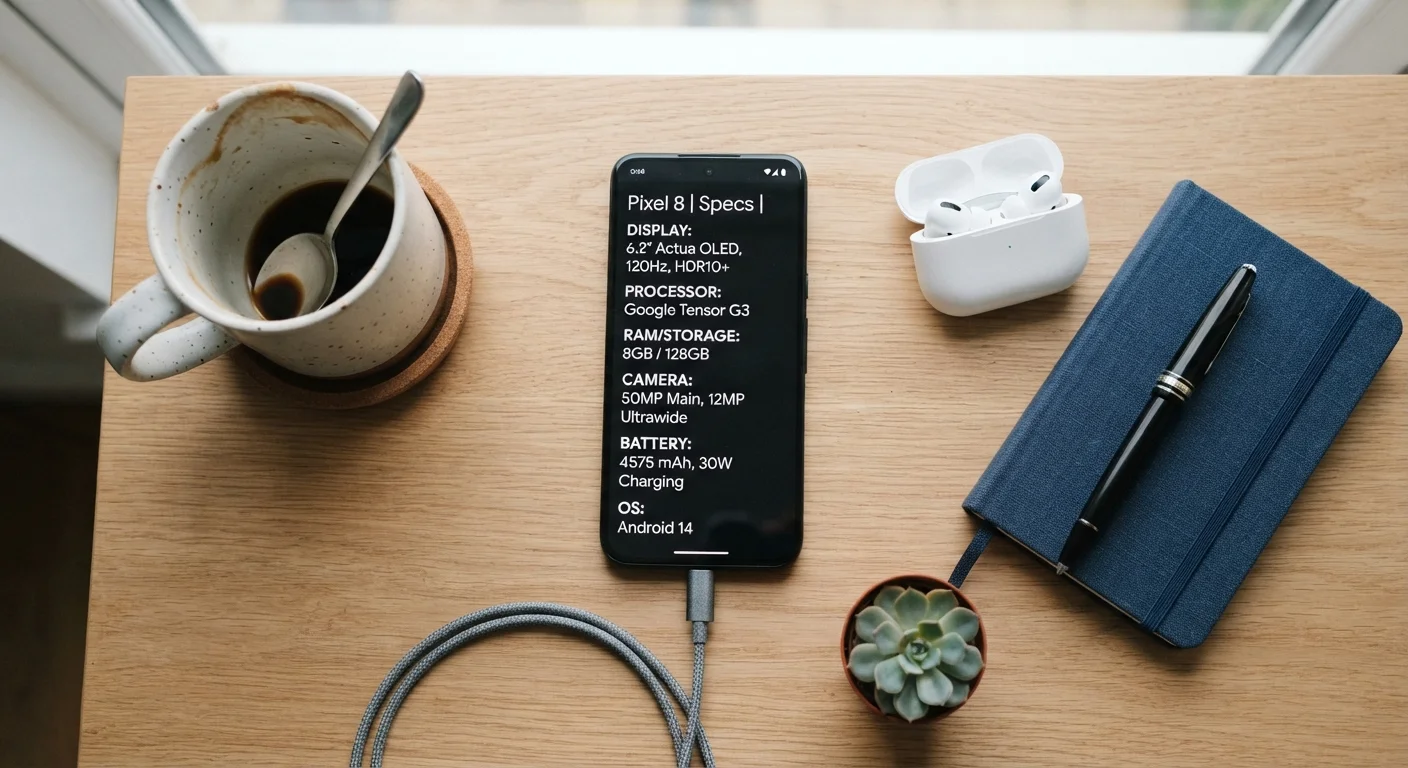
Photo credit: GadgetLite.net | All Things Tech
In this article
RAM, GHz, nits — decoded. Learn which smartphone specs genuinely affect daily performance and which ones you can safely ignore.
Key Takeaways
- RAM affects how smoothly a phone multitasks, but more RAM doesn't always mean a better experience.
- Megapixel counts don't determine photo quality — sensor size and software processing matter more.
- Screen brightness in nits directly impacts outdoor visibility in sunlight.
- Battery capacity in mAh is only one part of real-world battery life; software efficiency matters equally.
- Processor generation affects daily speed more than clock speed (GHz) numbers alone suggest.
- Some specs — like 5G band support — only matter depending on your location and carrier.
Why Spec Numbers Can Be Misleading
Walk into any phone retailer or scroll through any comparison site and you'll see columns of numbers competing for your attention — gigahertz, gigabytes, megapixels, milliampere-hours. Manufacturers lean on these figures because they're easy to print and easy to compare. The problem is that a higher number doesn't automatically mean a better experience for the way you actually use your phone.
Real-world phone performance comes from how hardware and software work together, not from any single spec in isolation. A phone with a lower-GHz processor but tightly optimized software can feel snappier than a device with a technically faster chip running a bloated operating system. That's the gap between the spec sheet and your pocket. For a broader look at how specs translate across devices, see our consumer electronics specs guide.
6–8 GB
RAM adequate for most smartphone users
Industry analysts and OS developers generally agree that 6–8GB covers typical multitasking needs for mainstream users, with diminishing returns above that threshold.
1,000+ nits
Screen brightness for comfortable outdoor use
Display industry benchmarks suggest peak brightness above 1,000 nits is generally needed for comfortable outdoor readability in direct sunlight.
120Hz
Refresh rate where scrolling smoothness becomes perceptible
Display research consistently finds that most users can perceive the smoothness difference between 60Hz and 120Hz during everyday scrolling and gaming.
The Specs That Genuinely Affect Daily Use
RAM (Random Access Memory): RAM keeps apps loaded and ready so switching between them feels instant. For most users running social media, messaging, and streaming, 6–8GB is more than adequate. Beyond that, the returns are modest for typical use cases. The operating system's memory management often matters as much as the raw number.
Processor generation: Rather than chasing GHz figures, pay attention to which generation of chip a phone uses. Newer generations typically bring improvements in efficiency — meaning faster performance without extra battery drain. A newer mid-tier chip can outperform an older flagship chip in everyday tasks. Our article on what a new processor generation actually changes explains this dynamic in depth.
Screen brightness (nits): Nits measure how bright a display can get. If you frequently use your phone outdoors — reading maps in sunlight, checking messages at the beach — a higher peak brightness rating (typically 1,000 nits or above) makes a tangible difference to readability.
Refresh rate (Hz): This determines how many times per second the screen redraws its image. A 120Hz display scrolls and animates more smoothly than a 60Hz panel. The difference is perceptible during gaming and fast scrolling, though less noticeable during video playback. How refresh rate affects your screen experience covers this in detail.
Match Specs to Your Actual Habits
Before comparing spec sheets, write down the five things you do most on your phone — streaming, gaming, photography, navigation, messaging. Use those use cases as your filter. A spec that doesn't connect to your real habits isn't worth paying a premium for.
Specs That Are Easier to Misread
Megapixels: A 200MP camera sounds impressive, but megapixels only measure how much detail a photo can theoretically capture at maximum resolution. Sensor size, aperture width, and the phone's image processing algorithms determine how good your everyday photos actually look — especially indoors or at night. Many photographers prefer images from phones with lower megapixel counts but larger sensors.
Battery mAh: A bigger battery isn't automatically a longer-lasting phone. A power-hungry processor or a high-refresh-rate screen left at maximum brightness can drain a large battery faster than a smaller battery in a more efficient device. Look at published real-world battery estimates alongside the mAh figure.
5G support: Having 5G hardware doesn't guarantee 5G speeds if coverage isn't available where you live and work. Before treating 5G capability as a must-have, consider your carrier's actual coverage map. Our explainer on what 5G actually delivers day-to-day is worth reading before assuming the spec matters for you.
For a broader look at what the spec sheet leaves out entirely, see what the spec sheet won't tell you about a new phone.
How to Use Specs as a Starting Filter, Not a Final Answer
Specs are most useful as a threshold check, not a ranking system. Identify the minimum that works for your habits — enough RAM for your typical app load, enough battery for your usual day, a screen bright enough for your environment — and then shift your attention to software quality, build reliability, and long-term support. Those factors rarely appear on the box but define the experience over the two or three years you'll actually own the device.
If you want to decode everything printed on a phone's packaging in one place, our smartphone box terminology guide is a useful companion reference.
Software Updates Matter as Much as Hardware
A phone's guaranteed years of software and security updates can affect long-term performance more than its launch-day specs. Devices that receive regular OS updates tend to maintain smooth performance longer, while unsupported hardware can slow down even if the original specs looked impressive.
Frequently Asked Questions

Author
Gadgets Editorial Team
Gadgets Editorial Team is the collective byline for our editorial team and contributor network. Articles published under this byline or an editorial pen name are researched, written, and reviewed according to our editorial standards for clarity, consistency, and independence before publication.
View all articles →