
What a New Processor Generation Actually Changes for Everyday Tasks
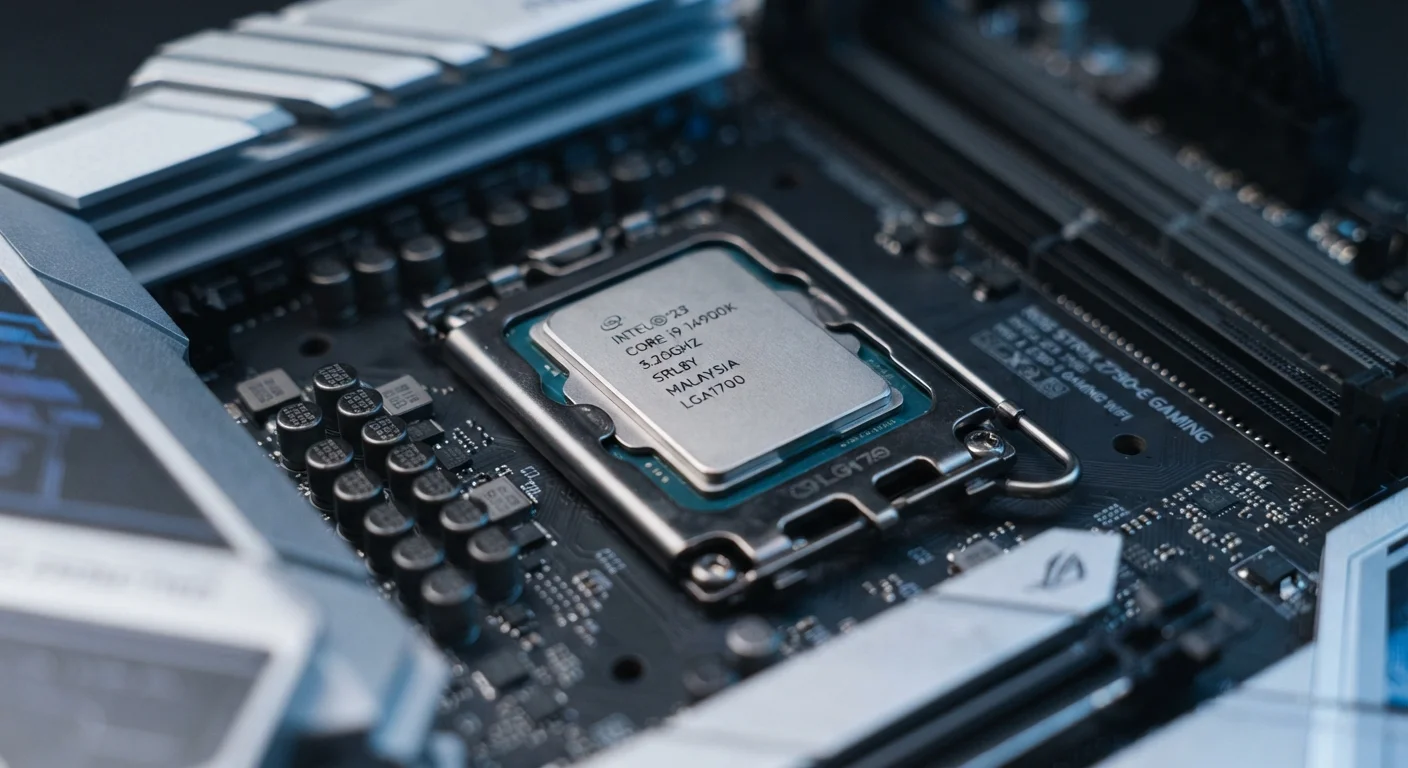
Photo credit: GadgetLite.net | All Things Tech
In this article
CPU generations explained without the jargon — what faster chips mean for browsing, video calls, and everyday computer use.
Key Takeaways
- A new processor generation usually improves efficiency and responsiveness, not just raw speed.
- Most everyday users won't notice dramatic differences unless upgrading from a chip that's several generations old.
- Battery life on laptops often improves more visibly than raw performance with each new generation.
- AI-accelerated features in newer chips can speed up background tasks without draining resources.
- Spec numbers alone don't tell the full story — generation and architecture matter just as much.
Why Processor Generations Matter Beyond the Numbers
Every time a chip maker announces a new processor generation, the coverage tends to focus on benchmark scores and gigahertz figures. For most people buying a laptop or desktop, those numbers tell an incomplete story. What actually changes with each generation is a combination of how efficiently the chip works, how it handles simultaneous tasks, and increasingly, what specialized functions it can run natively.
Understanding this matters because it reframes the decision. You're not just buying more speed — you're buying a different approach to how the chip manages everything your computer does at once. That shift can make a meaningful difference in daily use, or almost no difference at all, depending on where you're starting from.
For a broader look at how specs translate to real use, see our guide to consumer electronics specs.
~15–30%
Typical efficiency gain per chip generation
Industry analysis consistently shows energy efficiency improvements of 15–30% between major CPU generations, though gains vary by workload and manufacturer.
4–5 years
Typical meaningful upgrade gap for everyday users
Most tech analysts suggest the practical performance difference becomes clearly noticeable when skipping three or more generations rather than one.
2–4 hours
Additional laptop battery life from generational leap
Users upgrading from chips two or more generations old commonly report significant battery runtime improvements due to process node efficiency gains.
What Actually Changes in Everyday Tasks
The areas where a newer processor generation tends to show the clearest improvement for typical users are not necessarily the ones manufacturers highlight in launch events.
Multitasking and Tab Management
Modern chip architectures increasingly separate cores into performance and efficiency clusters. This means routine background work — syncing, notifications, light browser activity — gets handled by low-power cores while demanding tasks get the full resources. The result is that juggling 15 browser tabs while on a video call feels less sluggish, not because the chip is dramatically faster, but because it's better at routing work intelligently.
Battery Life on Laptops
This is often the most tangible upgrade for everyday users. Smaller manufacturing process nodes let chips perform the same operations while drawing less power. A laptop that ran for seven hours on an older-generation chip may run for ten or eleven on a current one, even with the same battery capacity. That's a real-world difference felt daily.
Video Calls and Media
Dedicated media engines in newer chips handle video encoding and decoding in hardware rather than taxing the main processor. This means video calls run more smoothly and with less fan noise, and streaming high-resolution content uses fewer system resources.
Check the Generation, Not Just the Model Number
When comparing laptops, look up which chip generation is inside rather than relying on the product tier name alone. Manufacturers sometimes sell current-looking products with older-generation chips at the same price point. A quick search for the chip model name will confirm its release year and generation.
When a Generation Upgrade Makes Little Difference
If you're primarily browsing, reading documents, and watching video, any chip from the past four or five years is unlikely to feel limiting. The generation gap becomes meaningful when software begins to expect capabilities that older chips lack — such as on-device AI processing, which newer chips now include as dedicated hardware blocks.
One generation to the next rarely justifies an upgrade on its own. The practical sweet spot is when someone is moving from a chip that's three or more generations behind, or when battery life has become a genuine daily frustration. For context on the broader spec picture, RAM, storage, and clock speed all factor into daily performance alongside the processor generation.
“For most people doing everyday computing tasks, the most important question isn't whether a chip is faster — it's whether it's efficient enough to stay out of the way.”
— Releases Editorial Team, Technology editors covering PC and mobile hardware
AI Features and the Newest Generation of Chips
The most significant architectural shift in the current generation of processors is the addition of dedicated neural processing units, or NPUs. These are specialized cores designed to run AI-driven workloads — things like noise suppression on calls, real-time transcription, photo enhancement, and background blur — without pulling heavily on the main processor or GPU.
This matters practically because those tasks now happen faster and with lower power draw. Whether those AI features are useful to you depends on the software you run. For a detailed breakdown of what these capabilities actually do in practice, see our piece on how AI features in new PCs actually work.
The same logic applies to phones — if you want to understand how processor generation translates to mobile devices, our article on what phone specs actually mean for daily use covers that ground directly.
Generation Names Differ by Manufacturer
Intel, AMD, Apple, and Qualcomm all use different naming conventions for their processor generations. An Intel Core Ultra 200 series, an AMD Ryzen 9000 series, and an Apple M4 are all current-generation chips, but the numbers aren't comparable to each other. Focus on architecture name and release year rather than the generation number itself when making comparisons.
Frequently Asked Questions

Author
Releases Editorial Team
Releases Editorial Team is the collective byline for our editorial team and contributor network. Articles published under this byline or an editorial pen name are researched, written, and reviewed according to our editorial standards for clarity, consistency, and independence before publication.
View all articles →