
Smart TVs, Streaming Sticks, and Soundbars: How They All Fit Together
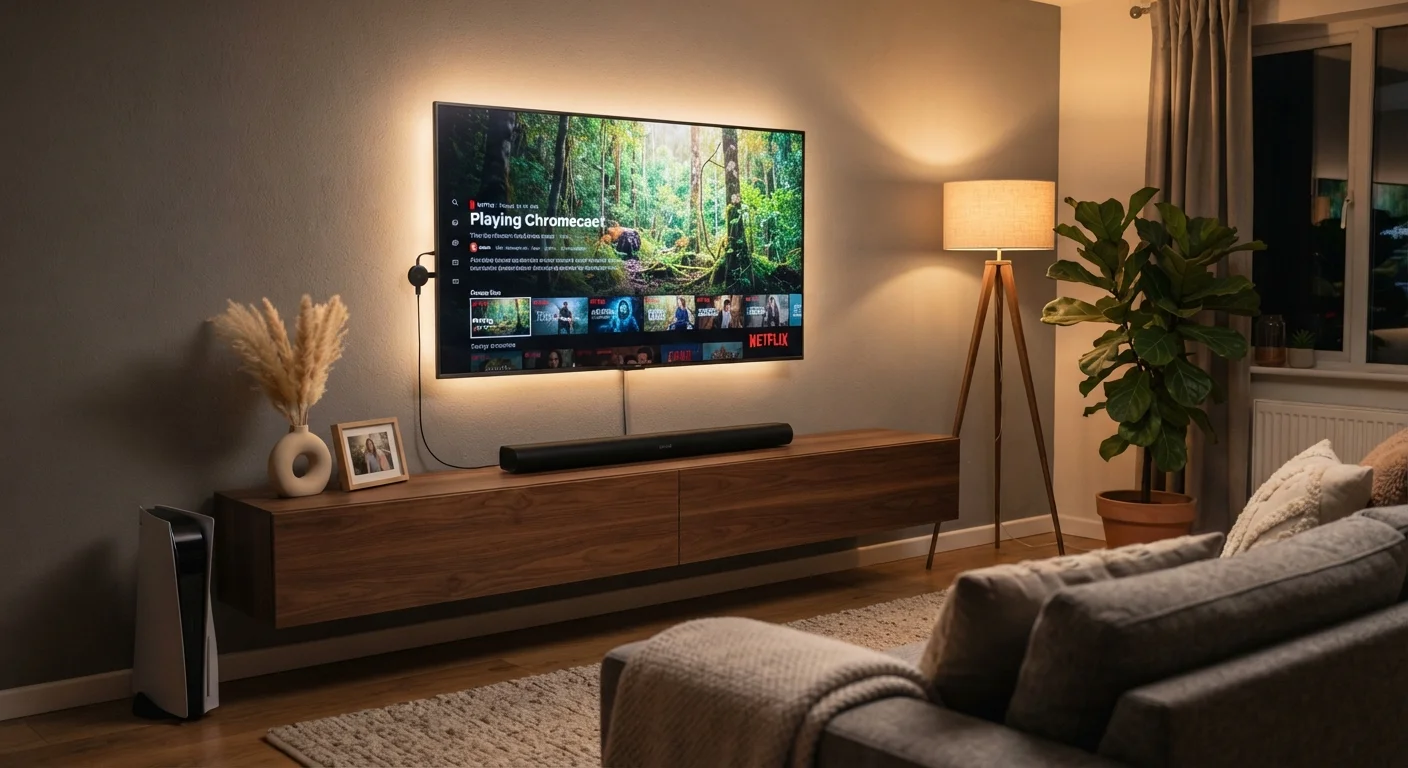
Photo credit: GadgetLite.net | All Things Tech
In this article
Not sure how your TV, streaming device, and audio setup connect? Here's a plain-language breakdown of how your living room electronics work as a system.
Key Takeaways
- Smart TVs have built-in apps, but a streaming stick can upgrade older TVs or add a faster interface.
- Soundbars connect to TVs via HDMI ARC/eARC or optical cable, delivering dramatically better audio.
- Most devices can be controlled through a single remote using HDMI-CEC technology.
- Your streaming stick and soundbar can work independently of whether your TV is 'smart' or not.
- Wi-Fi strength in your living room directly affects streaming quality across all devices.
The Three Pieces of a Modern Living Room Setup
Walk into almost any living room today and you'll find the same three-part puzzle: a TV on the wall, some kind of streaming device, and a soundbar sitting below. Each does a distinct job, but together they form one system. Understanding each component's role makes it far easier to troubleshoot problems, add new devices, or simply explain to a household member why there are four remotes on the coffee table.
Your TV is the display — it renders picture and, increasingly, runs apps directly. A streaming stick or box is a dedicated content source, plugging into an HDMI port and providing a fast, regularly updated interface for services like Netflix, Disney+, or YouTube. A soundbar is a self-contained speaker system designed to replace or dramatically supplement the thin, low-powered speakers built into modern flat-panel TVs.
For a broader view of how connected devices in your home relate to each other, see our guide to smart home devices.
~85%
Share of new TVs sold that are smart TVs
Industry analyst estimates consistently show smart TVs now account for the large majority of television unit sales globally.
3–5 yrs
Typical smart TV software support window
Most TV manufacturers provide operating system updates for approximately three to five years after a model's release, after which updates slow or stop.
2x–5x
Soundbar audio improvement over built-in speakers
Audio engineers note that dedicated soundbar enclosures can reproduce frequency ranges two to five times broader than typical flat-panel built-in speaker systems.
Smart TVs: What 'Smart' Actually Means
A smart TV is simply a television with a built-in operating system and internet connectivity. That OS runs apps — the same streaming services you'd access on a phone — without needing any external device. Most smart TVs run platforms developed by manufacturers (like Tizen on Samsung sets or webOS on LG) or licensed from streaming specialists (Roku TV, Android TV/Google TV).
The limitation is software longevity. TV hardware lasts a decade or more, but manufacturers typically slow or stop OS updates after a few years. An app you rely on today may become unsupported, or the interface may grow sluggish as newer apps demand more processing power. This is the primary reason many people add a streaming stick to an otherwise functional smart TV.
Display quality is a separate consideration from the 'smart' features entirely. If you're curious about the panel technology behind the picture itself, our explainer on OLED, QLED, and LCD panels breaks down what each technology actually delivers.
Streaming Sticks: A Simple Upgrade With Real Impact
A streaming stick — or its larger sibling, the streaming box — is a self-contained media player that plugs into your TV's HDMI port. It runs its own operating system, receives its own software updates, and connects independently to your home Wi-Fi. From the TV's perspective, it's just another HDMI input.
The practical advantage is consistency. Streaming stick platforms tend to receive more frequent software and security updates than TV-native systems, and they're replaced on a predictable cycle — meaning your interface stays current even if the TV doesn't. They're also portable: unplug and take one to a hotel room or a second TV with minimal setup.
Check Your Wi-Fi Before Blaming the Stick
If a streaming stick buffers or drops quality, the culprit is often Wi-Fi signal strength rather than the device itself. Move your router closer to the TV, or consider a mesh Wi-Fi node in the living room. Most streaming sticks also support 5GHz Wi-Fi, which is faster but shorter-range than 2.4GHz — connecting to the right band for your room layout can make a noticeable difference.
One common misconception is that a streaming stick makes your TV 'smarter.' It doesn't modify the TV — it simply provides an alternative, often faster, content source. Your TV's built-in apps remain accessible; you just switch inputs to use the stick instead.
Soundbars: Why TV Audio Needs Help
Flat-panel TVs have a structural problem: the thinner the screen, the less physical space exists for speaker drivers. Manufacturers compensate with signal processing, but physics sets a hard ceiling on what a 10mm-deep speaker cavity can produce. The result is audio that often sounds thin, lacking bass, and difficult to follow during dialogue-heavy scenes.
A soundbar addresses this by housing larger drivers in a dedicated enclosure placed in front of or below the TV. Entry-level soundbars deliver noticeably fuller audio; mid-range models add a separate subwoofer for low-frequency impact; higher-end configurations include rear satellite speakers for a surround-sound effect.
Connection matters as much as the soundbar itself. HDMI ARC (Audio Return Channel) is the preferred method — it carries audio from the TV back to the soundbar over a single cable and enables your TV remote to control soundbar volume via a protocol called HDMI-CEC. Optical cable is a reliable alternative for TVs without ARC. For a deeper look at what makes audio hardware perform well, see our piece on audio quality in consumer devices.
How the System Works Together
In a typical setup, the signal flow works like this: your streaming stick (or TV's built-in apps) requests video from the internet over Wi-Fi. The TV decodes and displays the video. Audio is simultaneously sent — via HDMI ARC — to the soundbar, which amplifies and outputs it. Your TV remote, if HDMI-CEC is enabled, can control power and volume across all three devices.
Wi-Fi performance in your living room underpins everything. A weak signal causes buffering regardless of how good your TV or streaming stick is. If your router is far from the living room, a Wi-Fi extender or a mesh network node placed nearby can make a meaningful difference to streaming reliability.
These devices also increasingly intersect with broader smart home platforms. A streaming stick running Google TV or Amazon's Fire OS can serve as a hub for voice control of other connected devices. For context on how platforms organize connected devices more broadly, our article on smart home ecosystems is a useful companion read.
“The living room entertainment stack has become its own small ecosystem — display, source, and audio each evolving independently, but designed to interoperate through a handful of well-established standards like HDMI ARC and CEC. Understanding those connection points removes most of the mystery.”
— Consumer Electronics Association Technical Committee, Industry standards body for consumer electronics interoperability
Frequently Asked Questions

Author
Electronics Editorial Team
Electronics Editorial Team is the collective byline for our editorial team and contributor network. Articles published under this byline or an editorial pen name are researched, written, and reviewed according to our editorial standards for clarity, consistency, and independence before publication.
View all articles →