
The 3-2-1 Backup Rule and Why It Remains the Gold Standard
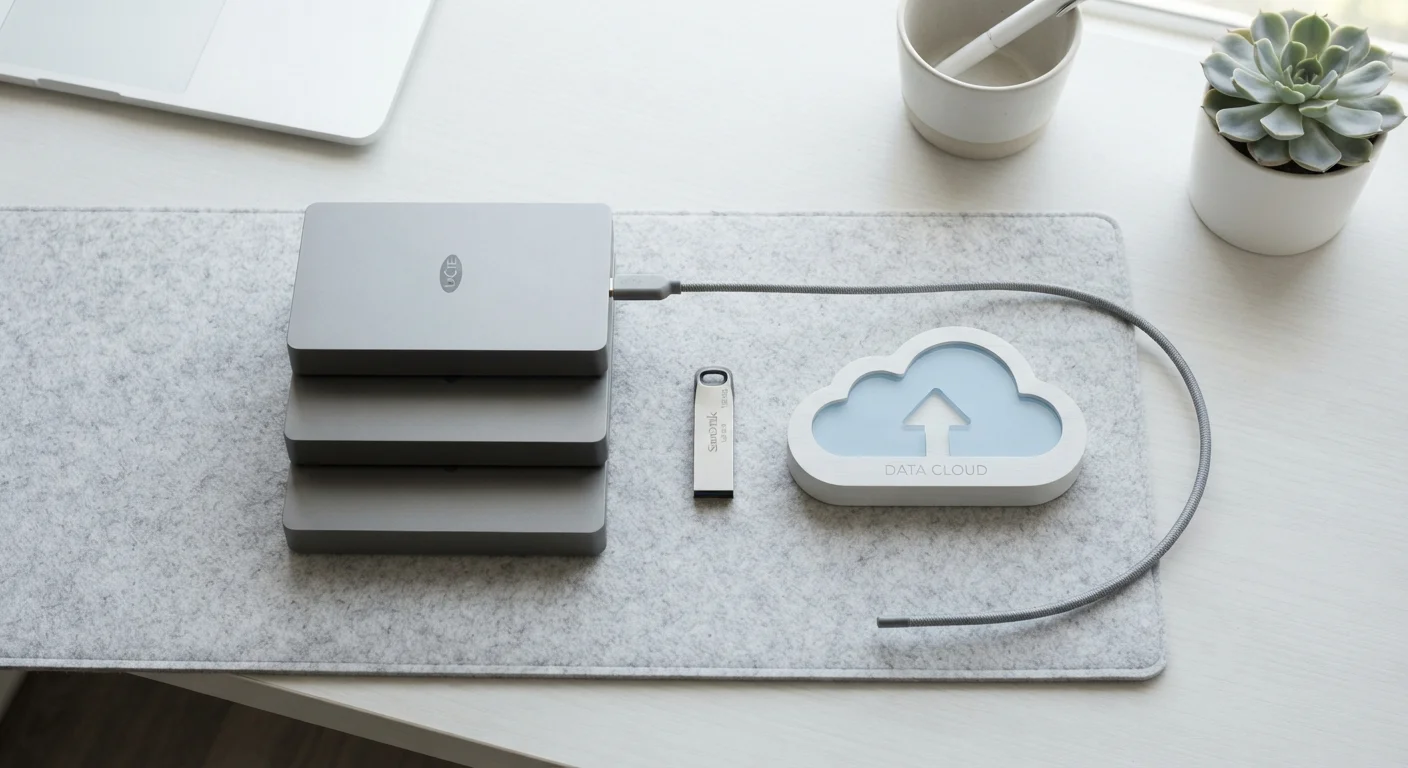
Photo credit: GadgetLite.net | All Things Tech
In this article
Three copies, two media types, one offsite. Understand why this decades-old strategy still underpins reliable data protection today.
Key Takeaways
- Three copies of your data means one original plus two backups - not three separate locations for the same file.
- Using two different media types reduces the chance that one technical failure wipes out multiple copies simultaneously.
- Keeping one copy offsite protects against local disasters like fire, flooding, or theft.
- Cloud storage counts as a valid offsite copy, but syncing apps alone do not replace a true backup.
- The rule works for everyone - from smartphone photos to small business records.
Breaking Down the Three Numbers
The rule's appeal is its simplicity. Three numbers capture a complete strategy:
- 3 copies of your data - your original working copy plus two independent backups. If you only have one backup and it fails during a recovery attempt (which happens more than people expect), you have nothing left to fall back on.
- 2 different types of storage media - for example, an external hard drive and a cloud service. Using two devices of the same brand and model in the same room doesn't help if a power surge fries them both.
- 1 copy stored offsite - somewhere physically separate from your home or office. Cloud storage is the most convenient way to achieve this, but a drive kept at a relative's house or a safe deposit box also qualifies.
These three criteria work together. Satisfy all three and you've broken the most common single points of failure that lead to permanent data loss.
140,000+
Hard drive failures per week in the US
Ontrack Data Recovery has cited figures in this range to illustrate the scale of everyday storage failure.
30%
Of people have never backed up their data
Surveys by Backblaze and similar sources consistently find a significant portion of users have no backup at all.
93%
Of companies that lost data for 10+ days filed for bankruptcy within a year
This figure is frequently cited in business continuity literature, underscoring why redundancy matters beyond home use.
Why Redundancy Matters More Than You Think
Most people assume their hard drive is reliable because it's never failed them before. The reality is that all storage media has a finite lifespan, and hardware doesn't usually warn you before it fails. Hard drives, SSDs, USB sticks, and optical discs all degrade over time.
Then there are external threats: ransomware encrypts your files and demands payment before you can access them again. A house fire or flood doesn't discriminate between your laptop and the external drive sitting next to it. Theft can take both at once.
The 3-2-1 rule's strength is that it treats data loss as a question of when, not if. By spreading copies across different media and locations, you remove the scenario where one bad event eliminates everything.
“The question is not whether your hard drive will fail. It's when. And when it does, the only thing standing between you and permanent loss is whether you followed through on your backup strategy before that moment arrived.”
— Peter Krogh, Digital asset management author and originator of the 3-2-1 backup concept in photography
For a deeper look at how local and cloud options stack up, see our local vs. cloud backup comparison.
Putting the Rule Into Practice at Home
A practical 3-2-1 setup for most households might look like this:
- Copy 1: Your computer or phone - the original files you work with every day.
- Copy 2: An external hard drive connected to your home network or plugged in periodically for scheduled backups.
- Copy 3: A cloud backup service that automatically uploads your files offsite.
Automate Backups So You Don't Have to Remember
The biggest reason people lose data isn't that they don't know they should back up - it's that manual backups get skipped. Most operating systems include built-in tools (like Time Machine on macOS or File History on Windows) that can handle local backups automatically. Pair that with a cloud service set to sync continuously, and the 3-2-1 rule runs itself.
One thing worth understanding: file versioning adds another layer of protection on top of the 3-2-1 structure. It lets you recover an older version of a document, not just its most recent state. Our explainer on what versioning means in cloud backup covers how that works in plain terms.
If you're not sure how much storage you'll need to implement this properly, a practical starting point is our guide on how much cloud storage you actually need.
The Rule's Limits - and How to Work Around Them
The 3-2-1 rule is a baseline, not a ceiling. It doesn't account for every threat. Ransomware, for instance, can spread across network-connected drives before you realize you're infected, potentially compromising copies 1 and 2 simultaneously if they're both always online.
This is why some security-focused practitioners extend the rule with a fourth criterion: one copy that is air-gapped or immutable - meaning it can't be altered or deleted remotely. That might be a drive you physically disconnect and store away, or a cloud backup service that locks files against modification for a set period.
For most home users, the standard 3-2-1 setup provides strong protection without requiring specialized tools. For small businesses or anyone holding irreplaceable data, the extended approach is worth exploring. Our broader guide - everything you need to know about syncing and backing up - walks through the full landscape.
The rule has persisted for decades because it addresses human behavior as much as technology: it's memorable, flexible, and works regardless of which specific products you use.
Frequently Asked Questions

Author
Cloud Editorial Team
Cloud Editorial Team is the collective byline for our editorial team and contributor network. Articles published under this byline or an editorial pen name are researched, written, and reviewed according to our editorial standards for clarity, consistency, and independence before publication.
View all articles →