
Signs That an App May Be Overstepping Its Boundaries
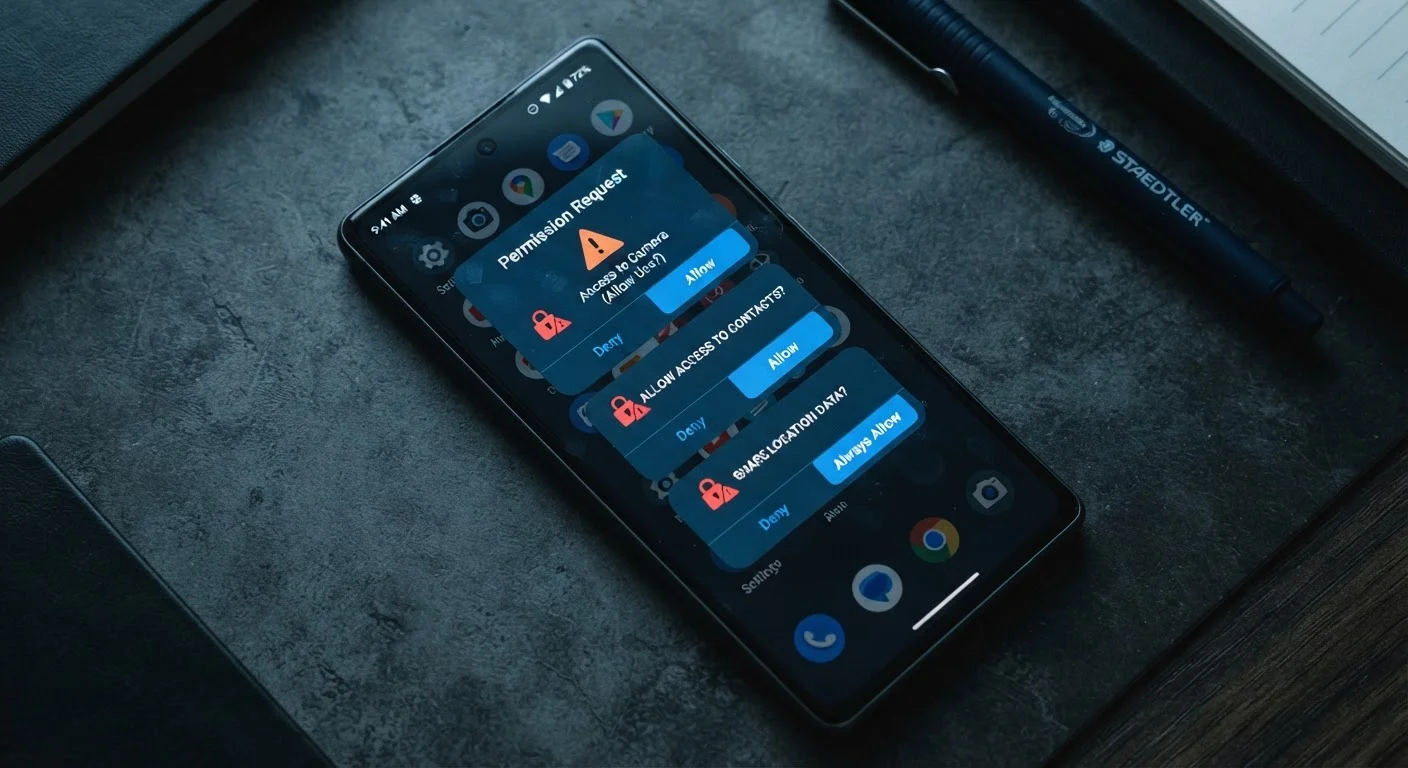
Photo credit: GadgetLite.net | All Things Tech
Battery drain, unexplained data usage, excessive permission requests — here are the red flags that suggest an app isn't behaving well.
Key Takeaways
- Apps requesting permissions unrelated to their core function are a major red flag.
- Unusual battery drain or data usage can indicate an app is active in the background without your knowledge.
- You can review and revoke app permissions directly in your phone's settings at any time.
- Frequent unsolicited ads or pop-ups outside an app may signal adware-like behavior.
- An app that works fine without a sensitive permission you denied likely never needed it.
When an App Asks for More Than It Needs
Most apps are straightforward: a flashlight app uses your camera flash, a recipe app uses your internet connection. But some apps reach far beyond what their core function requires - requesting access to your contacts, microphone, location, or storage when there's no obvious reason they'd need any of it.
This kind of overreach isn't always malicious, but it's always worth scrutinizing. Some developers collect data to sell to advertisers; others bundle permissions out of habit or poor coding practice. Either way, the effect on your privacy can be significant. Understanding what normal looks like makes it much easier to spot when something feels off.
The signs below are practical, observable behaviors - things you can check on your own device without any specialized knowledge. If an app is triggering more than one of these, it's worth investigating further. Our step-by-step privacy audit checklist can walk you through a thorough review.
It requests permissions unrelated to its purpose
A photo editing app asking for your contacts, or a simple game requesting your microphone access, should prompt immediate skepticism. Every permission an app holds is a potential data access point. On both Android and iOS, you can see a full list of what each app has requested - and whether you've granted it - directly in your device settings.
Ask yourself: does this permission make sense for what this app actually does? If the answer is no, deny it. Apps that genuinely need a permission will explain why within the request itself.
If a permission doesn't match the app's purpose, it probably shouldn't be granted.
Your battery drains faster than expected
Every smartphone has a battery usage breakdown in its settings, showing which apps consume the most power. An app that runs frequent background processes - checking your location, syncing data, or pushing content - will show up as a disproportionate drain even when you haven't actively used it.
If an app you use occasionally appears near the top of your battery usage list, that's a signal it's doing more behind the scenes than you'd expect. Unusual app behavior often leaves traces in system logs too, if you want to dig deeper.
An occasional-use app near the top of your battery list is running more than it should.
Your mobile data usage spikes unexpectedly
Both Android and iOS track data consumption per app. If an app you rarely use is consuming significant mobile data in the background, it may be transmitting information - analytics, location history, or behavioral data - to remote servers without surfacing any obvious activity on your screen.
Compare an app's data usage against how often you actually use it. A mismatch between those two numbers warrants attention. You can restrict background data for specific apps in your device settings without fully uninstalling them.
High data use from a rarely opened app often means background data transmission is happening.
It insists on 'always on' location access
Location data is among the most sensitive information on your phone. Some apps - navigation tools, for instance - have a legitimate reason to access your location while you're actively using them. Far fewer have a legitimate reason to track your location continuously, even when the app is closed.
When an app requests "Always" location access rather than "While Using," consider whether that's genuinely necessary. Most apps that request always-on access do so to build a persistent profile of your movements, which is then used for targeted advertising or sold to data brokers. Our guide on what location and other permissions to allow or deny breaks this down clearly.
Very few apps have a genuine reason to track your location when they're not open.
Ads or pop-ups appear outside the app itself
Legitimate apps display ads within their own interface. If you start seeing ads on your home screen, in your notification shade, or overlaid on other apps after installing something new, the newly installed app is likely behaving like adware - software designed to generate ad revenue through intrusive display methods.
This is more common with apps installed from outside official app stores, but it can occur with apps from official marketplaces too. Uninstall recent additions one at a time to identify the source, starting with any app that requested unusual permissions at install.
Ads appearing outside an app's own screen are a clear sign something isn't right.
The privacy policy is vague or missing entirely
A legitimate app that collects any user data is required by law in many jurisdictions to disclose that through a privacy policy. If an app has no privacy policy, or its policy is a wall of legalese that says nothing concrete about what data is collected and why, treat that as a warning sign.
Look for clear language explaining what data is gathered, how it's used, whether it's shared with third parties, and how you can request deletion. Vagueness in a privacy policy often reflects either poor practice or a deliberate attempt to obscure data collection habits. The privacy mistakes people make without realizing it often start with skipping this step entirely.
A missing or deliberately vague privacy policy is a red flag, not a minor oversight.
It stops working if you deny a non-essential permission
Granting a permission should be a choice, not a ransom. If you deny an app access to, say, your contacts or camera - and the app either crashes or refuses to function at all despite those permissions having no obvious connection to its purpose - that's a sign the developer has made access mandatory for reasons that benefit them, not you.
A well-built app degrades gracefully: it works with fewer permissions and simply disables features that genuinely require them. An app that locks you out entirely when you exercise your privacy choices is designed to extract data, not serve you.
Apps that refuse to function without unrelated permissions are prioritizing data collection over user experience.
What to Do If Something Feels Off
Spotting a warning sign doesn't necessarily mean an app is dangerous - but it does mean the app deserves a closer look. Start by checking its permissions in your phone's settings (on both Android and iOS, you can view exactly what each app can access). Revoke anything that seems unnecessary and see whether the app still functions normally. If it does, it almost certainly didn't need that permission in the first place.
Quick Permission Review on Any Device
On iPhone, go to Settings > Privacy & Security to see a category-by-category breakdown of which apps can access your location, microphone, camera, and more. On Android, go to Settings > Privacy > Permission Manager for a similar view. You can revoke any permission from these menus without uninstalling the app - and in most cases, the app will continue working for its core functions.
For a deeper dive into which permissions matter most and how to evaluate them, see why reflexively tapping 'allow' can cost you your privacy. And if you're thinking about trimming your app library overall, fewer installed apps can also mean fewer privacy risks.

Author
Apps & Software Editorial Team
Apps & Software Editorial Team is the collective byline for our editorial team and contributor network. Articles published under this byline or an editorial pen name are researched, written, and reviewed according to our editorial standards for clarity, consistency, and independence before publication.
View all articles →