
Cross-Platform Play: Which Games and Platforms Actually Support It
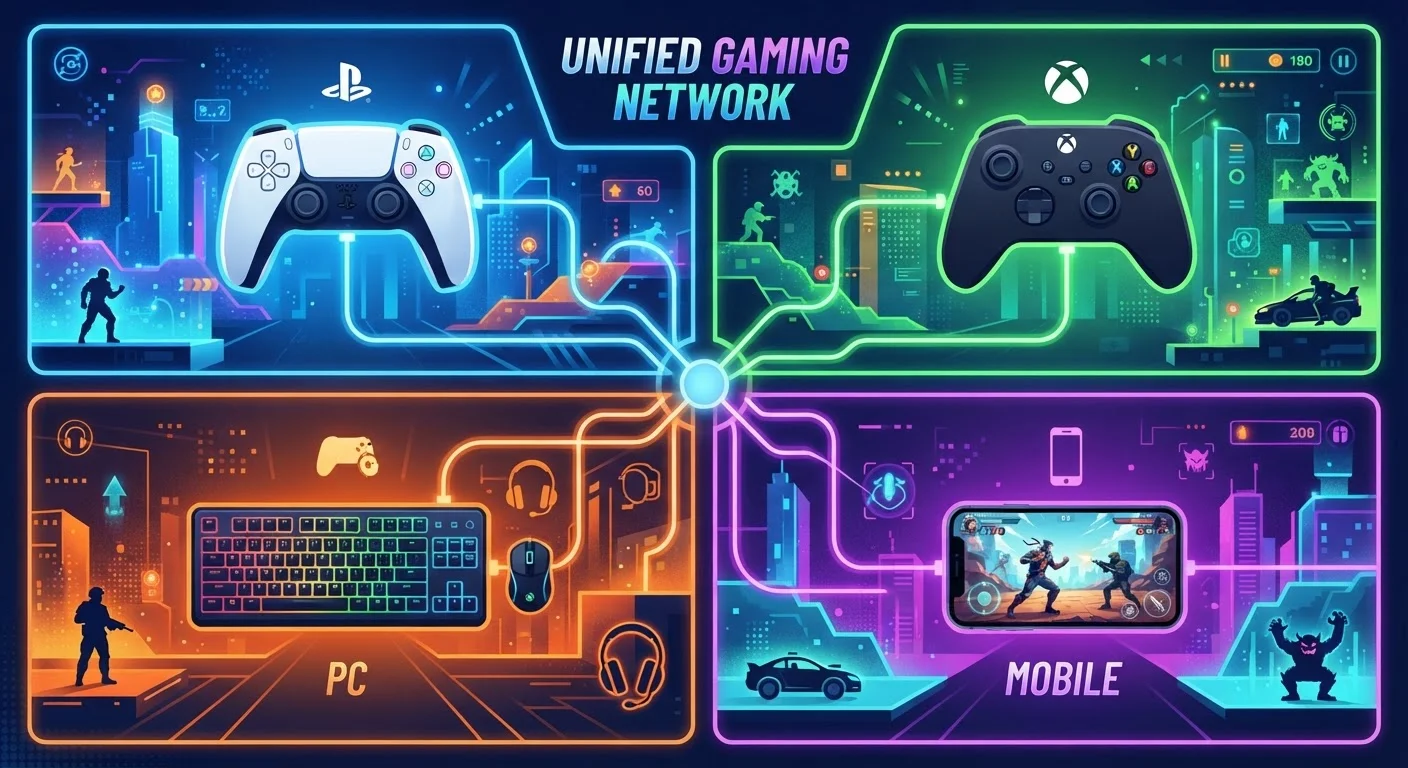
Photo credit: GadgetLite.net | All Things Tech
In this article
Cross-play lets people on different platforms game together. This explainer covers how it works, where it's supported, and why it's not universal yet.
Key Takeaways
- Cross-play is a feature that must be deliberately built into each game — it doesn't happen automatically.
- Major platforms including Xbox, PlayStation, PC (Steam), and Nintendo Switch now support cross-play in many titles.
- Mobile cross-play exists but is less consistent and depends heavily on the individual game.
- Platform holders historically resisted cross-play for competitive and business reasons, but attitudes have shifted significantly.
- Even when cross-play is available, cross-progression (shared saves and purchases) is a separate feature and often not included.
How Cross-Play Actually Works
When you play an online game, your console or PC connects to the game's servers to find other players. Without cross-play, those servers only match you with people on the same platform. With cross-play enabled, the servers pool players from multiple platforms into the same matchmaking queue — so your PlayStation friend and your Xbox friend can land in the same match as you on PC.
Making this work requires cooperation on several levels. The game developer has to build the feature, but each platform holder — Sony, Microsoft, Nintendo, Valve — must also agree to open their network to the others. That's why cross-play is a title-by-title negotiation rather than a universal default. It's also why some games support, say, PC-to-Xbox cross-play but exclude PlayStation, or include console cross-play but keep mobile players separate.
If you're still getting your bearings on what separates these platforms in the first place, our platform breakdown is a helpful starting point.
Cross-Play vs. Cross-Buy: Not the Same Thing
Cross-play refers to playing together across platforms. Cross-buy means purchasing a game once and being able to access it on multiple platforms. These are completely separate features — a game can have one, both, or neither. Always check which is supported before assuming.
Where Cross-Play Is Supported Today
The cross-play landscape has expanded dramatically. A number of high-profile multiplayer titles — including Fortnite, Rocket League, Minecraft, and Call of Duty titles — support cross-play across PlayStation, Xbox, PC, and in some cases Nintendo Switch and mobile. These games represent the clearest examples of what broad cross-play support looks like in practice.
2019
Year PlayStation opened to broad cross-play
Sony reversed its long-standing resistance to cross-play in 2019, enabling it across major titles after sustained pressure from developers and players.
350M+
Registered Fortnite accounts
Epic Games has cited this figure to illustrate the scale of its cross-platform player base, which spans PC, console, and mobile.
3+
Platforms required for true cross-play
A game typically needs agreement from at least three parties — the developer plus two or more platform holders — before cross-play can launch.
Xbox and PC (via Steam and the Microsoft Store) tend to have the widest cross-play compatibility, partly because Microsoft has actively pushed for it. PlayStation initially resisted opening its network, but has supported cross-play broadly since 2019. Nintendo Switch participates in cross-play for select titles but its online infrastructure means fewer games support it fully. Mobile sits at the frontier — cross-play with consoles is growing but still uncommon outside of major franchise titles.
For a refresher on terminology like "ecosystem" and "matchmaking" that comes up in these conversations, our gaming glossary covers the essentials in plain language.
Why Cross-Play Isn't Universal Yet
If cross-play is so convenient for players, why doesn't every game have it? A few real barriers explain the gap.
- Business interests: Platform holders have historically wanted players to stay within their ecosystem — if your friends are all on the same console, that's a reason to buy that console. Cross-play softens that advantage.
- Technical complexity: Merging separate account systems, friend lists, voice chat, and matchmaking pools across platforms is genuinely difficult and expensive to build.
- Fairness concerns: Mouse-and-keyboard PC players often have an input advantage over controller users, so many games separate those pools or make cross-play opt-in to keep matches balanced.
- Platform policies: Each platform has its own content moderation, parental controls, and certification requirements. Aligning these across platforms adds approval time and cost.
Cross-play also shouldn't be confused with cross-progression. Even in games that let you play together across platforms, your unlocks, purchased items, and save data often don't transfer. What carries over when you switch platforms is a separate topic worth understanding before you move ecosystems.
Check the Cross-Play Toggle in Settings
Most games that support cross-play include an on/off toggle in their multiplayer or privacy settings. If you're getting mismatched experiences with friends, confirming that cross-play is enabled on both sides is a quick first troubleshooting step. Some games also require both players to be on the same game version for cross-play to work.
What This Means for Everyday Players
For most people, the practical takeaway is simple: before assuming you can play with a friend on a different platform, check the game's official support page. Look for explicit mentions of cross-play and note which platform combinations are covered. Many games include a cross-play toggle in their settings — it's usually on by default, but you can disable it if you prefer platform-matched lobbies.
Cross-play is also increasingly relevant as cloud gaming grows. Streaming services that let you play without dedicated hardware are bringing more people into gaming on non-traditional devices, and cross-play is one of the features that makes that possible. Cloud gaming explained covers how those platforms fit into the broader picture.
The direction of travel is clear: cross-play is becoming the expectation rather than the exception for major multiplayer releases. Getting familiar with how it works now means fewer surprises when you want to squad up with friends, no matter what hardware they're holding.
Frequently Asked Questions

Author
Gaming Editorial Team
Gaming Editorial Team is the collective byline for our editorial team and contributor network. Articles published under this byline or an editorial pen name are researched, written, and reviewed according to our editorial standards for clarity, consistency, and independence before publication.
View all articles →