
Myths About App Privacy That Most People Still Believe
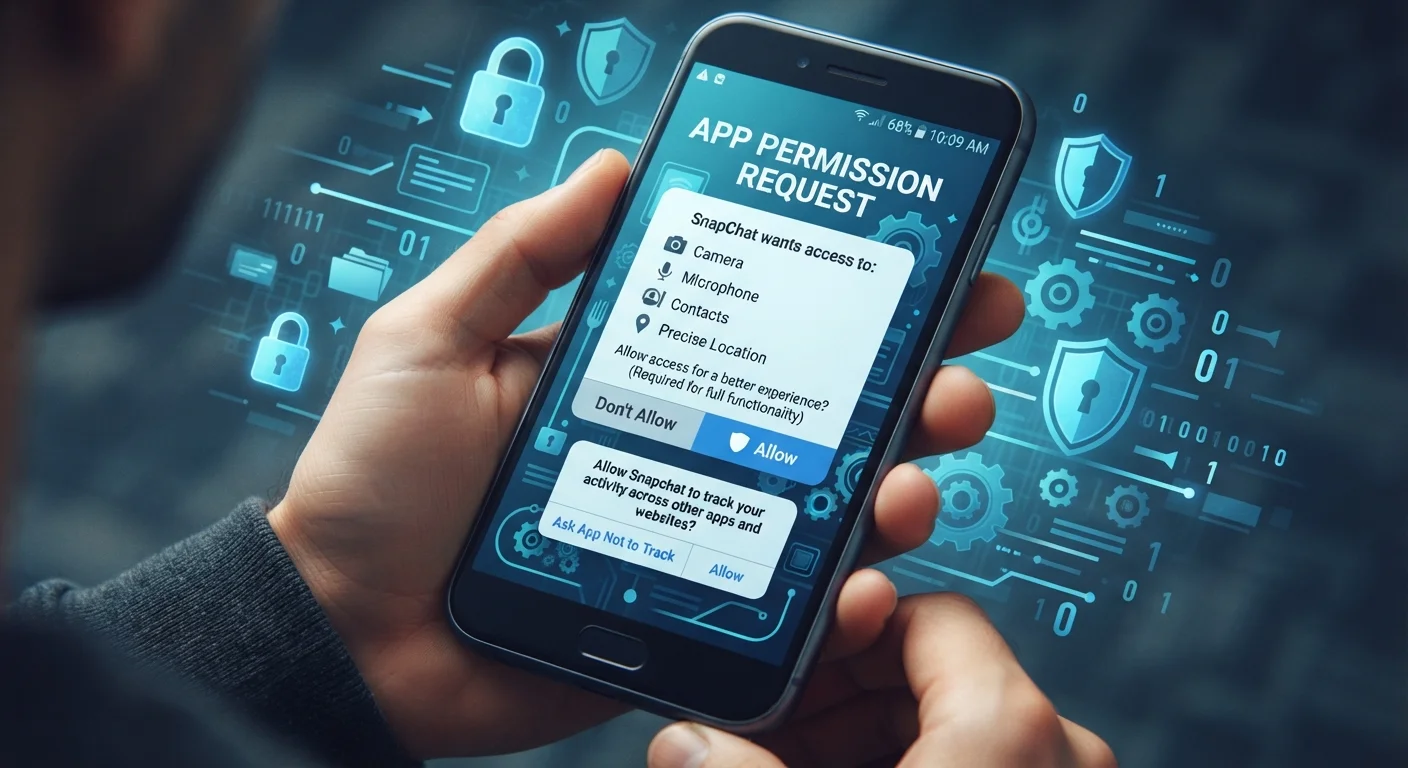
Photo credit: GadgetLite.net | All Things Tech
In this article
Does deleting an app erase all your data? Can apps access your camera without asking? Separating common myths from reality.
Key Takeaways
- Deleting an app from your phone does not automatically erase data stored on the developer's servers.
- "Private" or incognito mode in apps does not make your activity invisible to the app itself or your network.
- Granting a permission once can allow ongoing background access unless you manually revoke it.
- Free apps can follow strong privacy practices, while paid apps can still collect and share your data.
- Reviewing app permissions regularly - not just at install - is one of the most effective privacy habits.
Why App Privacy Myths Are Surprisingly Persistent
Most people know they should care about app privacy, but misconceptions about how it actually works are remarkably common - even among tech-savvy users. These myths don't spread because people are careless; they spread because app ecosystems are genuinely complex, and the ways data moves between your phone and the wider internet are rarely visible. The result is a false sense of security that leaves real gaps in how people protect themselves.
Understanding what apps can and can't do - and what happens to your data when you interact with them - is one of the most practical privacy steps you can take. For a broader look at the small habits that quietly erode privacy, see our piece on common privacy mistakes people make without realising it.
Myth
Deleting an app from your phone erases all your data.
Fact
Uninstalling an app removes it from your device, but data already sent to the developer's servers typically remains unless you explicitly request its deletion.
When you use an app, information - account details, usage patterns, location history - is often transmitted to and stored on remote servers. Removing the app from your home screen has no effect on that server-side data. Most platforms with accounts (social, fitness, shopping) retain your data indefinitely unless you submit a formal deletion request through the app's settings or the company's privacy portal. In the US, some states have laws giving residents the right to request data deletion, but this is not universal. Always check the app's privacy policy for deletion instructions before uninstalling.
Myth
Apps can only access your camera or microphone if you see a permission prompt.
Fact
On modern iOS and Android, apps do require your explicit permission to use the camera or microphone - but permissions granted in the past remain active until you revoke them.
Both major mobile operating systems now use indicator lights or icons (a green dot on iOS, a similar indicator on Android) to signal when the camera or microphone is in use. However, many users grant permissions during initial setup and then forget. An app you gave microphone access to two years ago still has it unless you've gone into settings and turned it off. Periodically reviewing which apps hold which permissions - under Settings > Privacy on both platforms - is a straightforward way to close these gaps. You can also use "ask every time" settings for sensitive permissions on newer OS versions.
Myth
If an app is free, it must be harvesting and selling your data.
Fact
Free apps vary enormously in their data practices; many collect little or no personal data, while some paid apps collect and share data extensively.
The assumption that free equals data-hungry oversimplifies a complex market. Many free apps - particularly open-source tools, utilities from established developers, and apps from privacy-focused organizations - generate revenue through donations, grants, or enterprise licensing rather than advertising. Conversely, paid apps are not automatically trustworthy; price alone says nothing about a privacy policy. App stores on both iOS and Android now include privacy nutrition labels that summarize what data an app collects and how it's used. Checking these labels takes under a minute and gives a much more accurate picture than the price tag.
Myth
Using "private" or "incognito" mode in an app keeps your activity completely hidden.
Fact
Private or incognito modes typically prevent local storage of browsing history, but the app itself, your network provider, and any sites you visit can still see your activity.
Incognito mode was designed to prevent data from being saved on your device - so your local browsing history, cookies, and form data aren't stored after the session. It does not anonymize your connection. The app or browser still communicates your IP address to websites you visit, and your internet service provider can still log the traffic. If you're on a work or school network, network administrators may have visibility as well. For stronger anonymity, tools like a reputable VPN or the Tor network serve different purposes - though each comes with its own trade-offs and limitations.
Myth
Closing apps in the background stops them from collecting your data.
Fact
Force-closing an app stops its immediate activity, but apps with background permissions - like location access - can still receive data even when not actively open.
Operating systems allow certain app types (navigation, fitness trackers, messaging) to run background processes and collect data even when you're not using them. Force-closing the app interrupts the current session but doesn't revoke those background permissions. The more reliable approach is to change the permission itself - setting location access to "only while using" rather than "always," for example. It's also worth noting that force-closing apps to save battery is largely a myth on its own; for more on that, see common myths about closing apps to save battery.
Taking Back Control: What You Can Actually Do
Knowing the myths is half the battle - acting on accurate information is the other half. Both Android and iOS let you review and revoke individual app permissions at any time through your device's settings, not just at installation. Making a habit of auditing these permissions every few months can significantly reduce unnecessary data exposure.
Permissions Set at Install Don't Expire Automatically
Any permission you grant an app during setup - camera, microphone, contacts, location - remains active indefinitely. Neither iOS nor Android will automatically remove permissions over time, even for apps you rarely use. Go to Settings > Privacy (iOS) or Settings > Apps > Permissions (Android) and revoke access for any app that no longer needs it.
When you do decide to remove an app, it's worth going through a short checklist first - not just for data reasons, but to avoid losing subscriptions or saved content. Our guide before you delete an app walks through exactly that. And if you're curious about related misconceptions, software myths that trip up everyday users covers beliefs about free versus paid software that are similarly widespread and mostly wrong.
89%
Users who rarely review app permissions after install
A Pew Research Center survey found that the vast majority of smartphone users do not regularly revisit permissions granted to their apps.
45+
Average apps installed on a US smartphone
Research by data analytics firms has consistently found US users maintain dozens of active apps, many with permissions set during initial setup and never revisited.
Privacy in the app world is rarely all-or-nothing. Small, consistent actions - checking permissions, reading privacy summaries, requesting data deletion where possible - compound into meaningful protection over time.

Author
Apps & Software Editorial Team
Apps & Software Editorial Team is the collective byline for our editorial team and contributor network. Articles published under this byline or an editorial pen name are researched, written, and reviewed according to our editorial standards for clarity, consistency, and independence before publication.
View all articles →