
Red Flags in Emails That Security Experts Spot Immediately
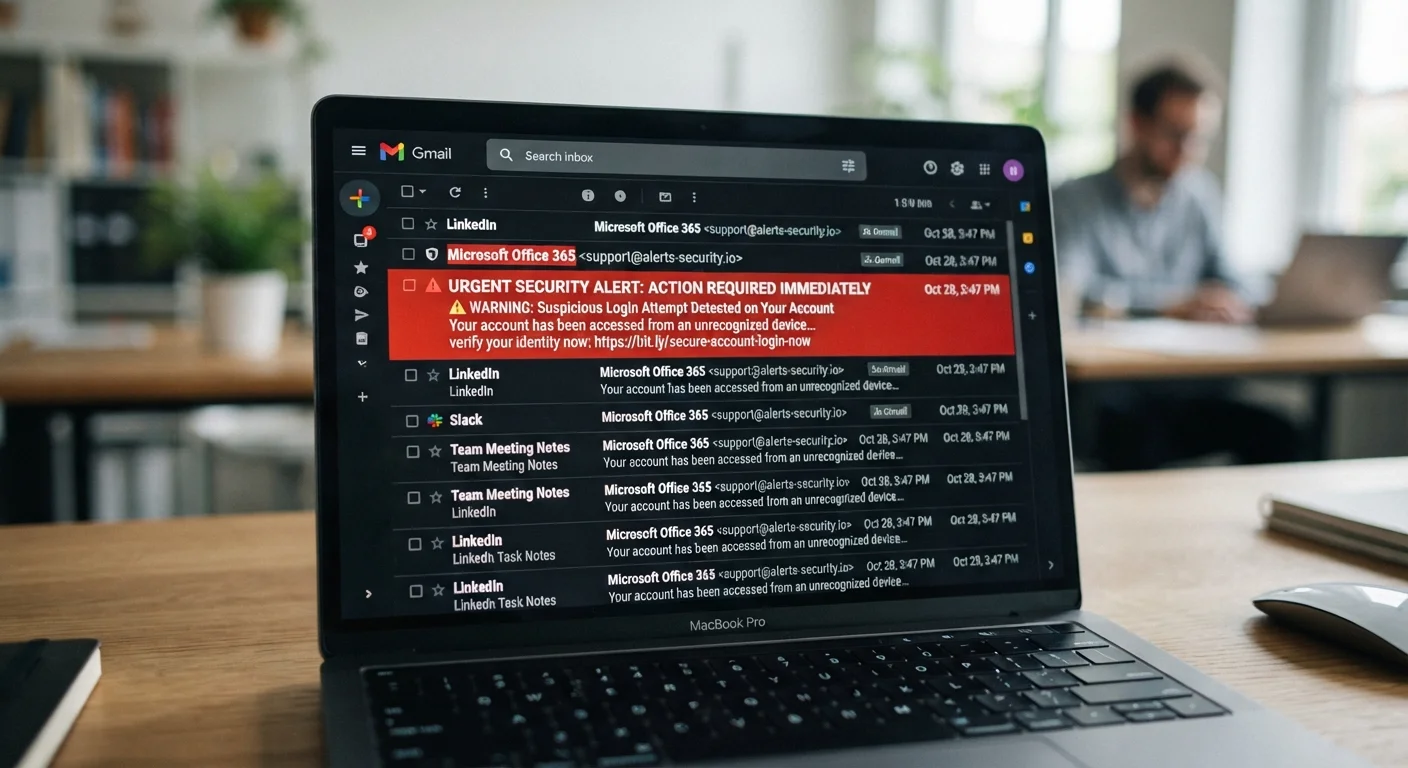
Photo credit: GadgetLite.net | All Things Tech
Learn the subtle and obvious signs that an email is fraudulent, from mismatched sender addresses to urgency tricks.
Key Takeaways
- Mismatched sender addresses are one of the most reliable indicators of a fraudulent email.
- Urgency language is deliberately engineered to make you act before you think.
- Legitimate organizations rarely ask for passwords or financial details over email.
- Hovering over links before clicking reveals their true destination address.
- Generic greetings and poor formatting are consistent warning signs of phishing attempts.
Why spotting a bad email still matters
Email remains one of the most common delivery methods for fraud - including phishing (attempts to steal your credentials), malware distribution, and financial scams. Spam filters catch a large portion of malicious messages, but they're imperfect, and convincing fakes regularly reach inboxes. The difference between clicking and not clicking often comes down to whether you've trained yourself to pause and look for specific warning signs before reacting.
The seven red flags below are the signals that experienced security professionals check instinctively. Most take only a few seconds to evaluate - and recognizing them can prevent significant harm.
The sender address doesn't match the claimed organization
Look beyond the display name - it's the actual email address that matters. Scammers routinely set a friendly display name like "PayPal Support" while the true sending address is something like support@paypal-secure-alerts.net. The domain after the @ symbol should exactly match the organization's official domain.
Even one transposed letter or an added word is a red flag. A scam address like amazon-help@amazonsupport.co looks plausible at a glance but belongs to an entirely different domain. Always click or tap on the sender name in your email client to reveal the full address before trusting any message.
The display name means nothing - the domain after the @ is what reveals the truth.
Artificial urgency pushes you to act without thinking
Phrases like "Your account will be closed in 24 hours," "Immediate action required," or "Final warning" are classic pressure tactics. This manufactured urgency is intentional - it's designed to short-circuit your judgment and push you toward clicking a link or submitting information before you've had a chance to pause and evaluate.
Legitimate companies don't typically communicate genuine account issues through panic-inducing deadlines. If an email triggers a spike of anxiety, that emotional response itself is a signal worth noting. Step back, breathe, and verify through official channels rather than using links in the email. Our guide to social engineering explains how these psychological tactics are applied systematically.
Manufactured urgency is engineered to make you react emotionally instead of critically.
Links that go somewhere unexpected when hovered
Before clicking any link in an email, hover your mouse over it (or long-press on mobile) to preview the actual URL. What's displayed as anchor text - for example, "Click here to verify your account" - may lead to a completely unrelated domain.
Watch for URLs that use subdomains to mimic legitimacy, such as paypal.com.fake-login.net. In that example, paypal.com is a subdomain of fake-login.net, not PayPal's actual site. For a reliable checklist on evaluating whether a destination is safe, see how to spot a fake website.
Hover before you click - a link's display text and its actual destination are often completely different.
Requests for passwords, PINs, or payment information
No reputable bank, government agency, or major platform will ask you to confirm your password, Social Security number, or full credit card details via email. Ever. If an email asks for this type of information directly - or through a form reached by clicking a link - treat it as fraudulent by default.
This rule holds even if the email looks polished, uses official logos, and quotes your real name. Visual legitimacy is easy to fake. For a deeper look at how scammers replicate trust signals convincingly, read how scammers fake legitimacy.
Legitimate organizations will never ask for your password or payment data over email.
Generic greetings instead of your actual name
Authentic communications from services you use typically address you by the name on your account. When an email from your bank begins "Dear Customer" or "Dear Valued Member," that's a warning sign - phishing emails are typically sent in bulk, making personalization impractical for attackers.
That said, some sophisticated phishing campaigns do use real names harvested from data breaches, so a personalized greeting alone isn't a guarantee of legitimacy. Always evaluate the full picture rather than relying on any single indicator.
A generic greeting like 'Dear Customer' suggests the sender doesn't actually know who you are.
Spelling errors, odd formatting, and strange characters
Professional organizations proofread their communications. Consistent spelling mistakes, awkward sentence structures, misaligned logos, or unusual fonts are signs that an email didn't originate from a legitimate corporate communications team. Some scammers intentionally include subtle errors to filter out skeptical recipients - those who notice errors are less likely to be deceived, so filtering them out improves the scammer's success rate among remaining targets.
Also look for substituted characters - like a zero replacing the letter O, or a Cyrillic letter that looks Latin at first glance - used to pass basic spam filters while still appearing credible in the body text.
Deliberate typos aren't carelessness - they can be a filtering tactic to reach only vulnerable targets.
Unexpected attachments you weren't waiting for
An attachment you weren't expecting - especially from an unknown sender - should be treated as a potential threat. Malicious files often appear as invoices, shipping notifications, or document-sharing requests. Common formats used to deliver malware include Office files with macros enabled, compressed archives, and PDFs with embedded scripts.
If you receive an unexpected attachment from someone you do know, verify through a separate channel (a phone call or a new email) before opening it. If you suspect an account you use has already been compromised and might be sending malicious messages, signs your account has been breached outlines what to look for.
Never open an unexpected attachment without first verifying the sender through a separate, trusted channel.
No single red flag tells the whole story
Sophisticated phishing emails may pass several of these checks while still being fraudulent. Always evaluate messages holistically - a combination of small inconsistencies is often more telling than any single obvious error. When in doubt, navigate directly to the official website by typing the address yourself rather than using links in the email. You can also find step-by-step verification guidance in our guide to verifying suspicious messages.
What to do when you spot these signals
Identifying red flags is only half the equation - knowing how to respond appropriately is equally important. When something feels off about an email, do not click links, download attachments, or reply with any information. Instead, go directly to the organization's official website by typing its address into your browser, or call its published customer service number to verify whether the communication is genuine.
Use your email client's 'Show original' feature
Most email clients - including Gmail and Outlook - let you view the full raw message headers, which show the true sending server and authentication status. Look for SPF, DKIM, and DMARC results in the headers; a "fail" on any of these is a strong technical indicator that the email is not who it claims to be. This takes about 30 seconds and provides far more reliable information than the visible sender name.
If you've already clicked a suspicious link or entered information, act quickly: change the affected account's password immediately, enable two-factor authentication if it isn't already on, and monitor the account for unusual activity. For a structured approach to verifying messages before taking action, our step-by-step verification guide walks you through the process clearly.

Author
Cyber Security Editorial Team
Cyber Security Editorial Team is the collective byline for our editorial team and contributor network. Articles published under this byline or an editorial pen name are researched, written, and reviewed according to our editorial standards for clarity, consistency, and independence before publication.
View all articles →