7 Hidden MacBook Features to Know About
mac

7 Hidden MacBook Features to Know About

Apple’s MacBook lineup encompasses various models, including the MacBook Pro, MacBook Mini, 14-inch MacBook, and more, all of which come equipped with a range of impressive hidden features waiting to be explored. From efficient screenshot and screen recording tools to simplified emoji access, these features can enrich the user’s Mac experience and enhance their productivity. Here are seven such hidden features of the MacBook models that users must know about. Screenshots and screen recording Taking screenshots and recording the screen are really useful features that can help users with several tasks. What a lot of people do not know is that MacBook has some hidden keyboard shortcuts that make capturing screenshots fairly easy. Some of these keyboard shortcuts are: CMD+Shift+3 for taking a screenshot of the entire screen CMD+Shift+4 for taking screenshots of a selected area CMD+Shift+5 for opening a dedicated dashboard for screen capture. This dashboard streamlines the process by giving all the essential options for screen capture in a single location. Here, the user can record specific screen sections and customize their screen recording process. Auto-launch programs For a streamlined startup routine on the macOS, one has the option to automate the launch of one’s preferred applications upon logging into the MacBook.
Read More

12 common mistakes that can damage one’s smartphone

12 common mistakes that can damage one’s smartphone

In today’s fast-paced world, smartphones have become indispensable. These devices are one’s communication hub, entertainment source, and personal assistant. With an increasing dependence on these devices, it becomes crucial to use them correctly for prolonged longevity. However, many people inadvertently make common mistakes while handling smartphones that can affect their health and performance. So, here are some mistakes that can harm one’s smartphone and tips on how to avoid them. Not unplugging the phone When a smartphone stays plugged in even after the charging is complete, it experiences a continuous flow of electricity to maintain that charge, resulting in added strain on the battery. This can lead to excess heat, which ultimately contributes to potential damage. To preserve the battery’s health and longevity, it’s advisable to unplug the phone as soon as it reaches its charging potential rather than letting it remain plugged in unnecessarily. Charging the smartphone overnight Leaving a smartphone plugged in overnight might seem convenient, but it’s a mistake that strains the phone’s battery. This continuous charging, often called “trickle charging,” can lead to the battery slowly losing its capacity over time. It eventually leads to an overall diminished battery life and reduced performance. Letting the battery drain fully Many smartphone users may have the habit of using their device until the battery drains completely to 0%.
Read More
10 mistakes to evade when charging a smartphone

10 mistakes to evade when charging a smartphone

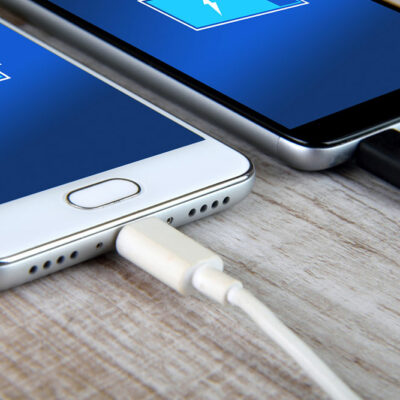
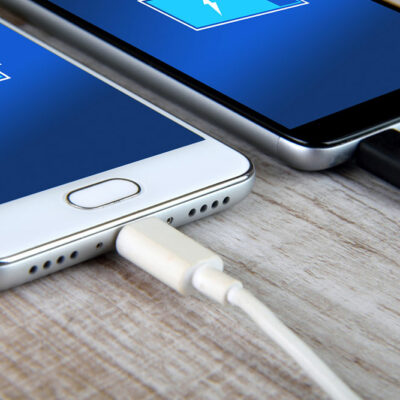
Smartphones have become an inseparable part of most people’s lives. Owing to the constant reliance on them, individuals are always concerned about their phone’s battery percentage and keeping it charged throughout the day. However, in doing so, they often make inevitable mistakes that could prove costly, severely damaging the phone’s functioning and battery life. To ensure smartphones’ longevity and optimal performance, avoiding common charging mistakes, such as the following, is crucial. Charging the phone to 100% It is a common misconception that charging the phone 100% is the most effective way to use it. However, this practice can cause harm to one’s device in the long run. Smartphones, like many other electronic devices, have limited charge cycles. If one constantly charges the phone to full capacity, one will quickly use up all of these cycles. Once the charge cycles are depleted, the phone’s battery capacity will decrease, negatively impacting its overall functionality. To avoid this, it is recommended that one charges the smartphone only once a month and, at other times, only up to 80% for optimal battery lifespan. By following these guidelines, one can extend the phone’s battery’s life and ensure it continues functioning properly over time. Letting the phone discharge completely Letting a smartphone discharge completely, as in, letting the battery reach 0% and shut down, is an equally detrimental practice.
Read More